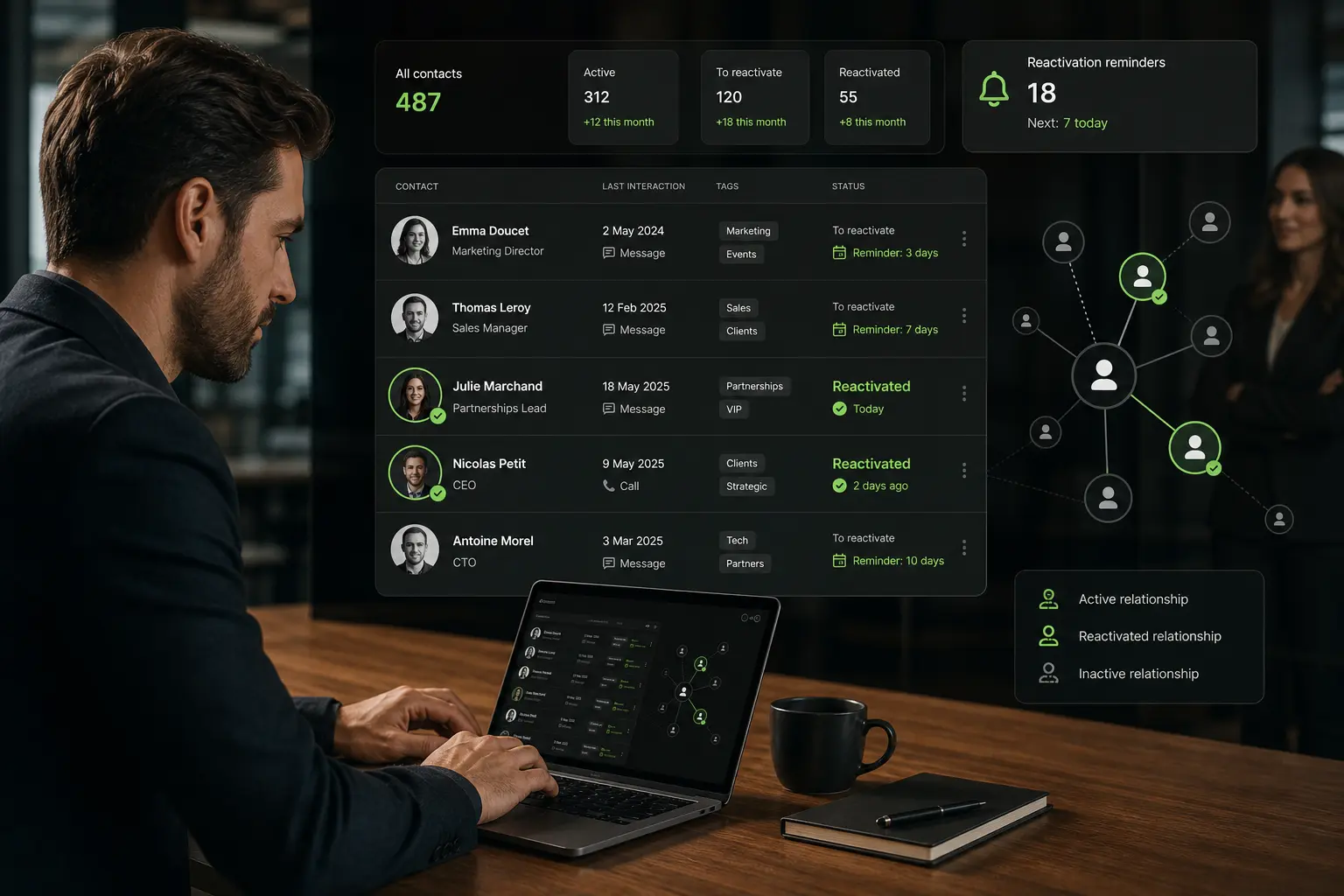

Your LinkedIn contacts are the network of 1st-degree connections you’ve accumulated over years, typically 500 to 5,000 profiles for a mid-career B2B professional, and 3,000 to 20,000 for a founder or seasoned salesperson. This connection base is often a dormant commercial asset: only 8 to 15% of professionals actively exploit their LinkedIn contacts for pipeline generation (LinkedIn Sales Insights 2025), while the potential is 20 to 40 qualified opportunities per year from a network of 2,000 well-managed contacts. Not to be confused with finding new prospects, this article focuses on managing, structuring, and reactivating your existing connections.
For founders, sales reps, business developers, and consultants sitting on a large LinkedIn network, this article breaks down how to export your contacts officially, how to tag and segment them, how to nurture dormant connections, how to cross with your CRM, a chiffré case study, and 3 FAQs.
What you’ll learn:
- What “contacts on LinkedIn” means vs prospects and leads
- Why your existing connection base is often the most underused asset
- How to officially export your LinkedIn contacts
- How to structure with tags, segments, and priority tiers
- Nurturing dormant connections without being pushy
- Reactivating targeted contacts for commercial opportunities
- Crossing LinkedIn contacts with your CRM and enrichment stack
- Case study: founder exploiting 3,200 LinkedIn contacts, 18 signed deals in 6 months
- 3 FAQs (export quota, GDPR, ex-colleague ethics)
- 3 dated actions to run this week
The gist:
- Average B2B network in 2026: 1,200 to 3,500 1st-degree connections for a mid-career professional
- Active exploitation rate: only 8-15% of professionals actively use their LinkedIn contacts (LinkedIn 2025)
- Potential yield: 20 to 40 qualified opportunities/year on a 2,000-contact network well managed
- LinkedIn export: quota 10,000 contacts max, generation in 24-72 hours
- Reactivation targeted: 28-38% response rate on dormant contacts (2+ years) if approach is warm and non-commercial (First Round Founder Network Report 2025)
- Cost per qualified opportunity from network reactivation: 5-15 USD (vs 300-800 USD in classic cold outbound)
- GDPR: your LinkedIn contacts are personal data; export and CRM use require documented legal basis
1. LinkedIn contacts: what we mean vs prospects and leads
The distinction that matters
Your LinkedIn contacts are your existing 1st-degree connections: people who have accepted your invitation or whose invitation you’ve accepted. You’ve been in mutual visibility for months or years. There’s a de facto relationship, even if dormant.
Prospects are potential targets you don’t know yet: identified via Sales Navigator, LinkedIn Groups, event attendees, but with whom no connection exists.
Leads are prospects who’ve expressed interest: form submission, content download, replied to an outbound message.
Confusing these 3 categories leads to misplaced commercial actions. Your contacts deserve a warm, personal treatment. Your prospects deserve a structured cold outbound approach. Your leads deserve fast, contextualized follow-up.
Why this network is often the biggest asset
For a founder, sales rep, or business developer with 5+ years of activity on LinkedIn, the accumulated contact base often represents 500 to 3,000 profiles matching potential customers, partners, or referrers. This asset is worth 100,000 to 500,000 EUR in pipeline potential.
Yet the vast majority of these contacts are dormant: last interaction 12+ months ago, no message exchanged, no visibility. Reactivating this base at 10-15% activation rate yields 20-40 warm opportunities per year, at a cost per opportunity 10 to 50x lower than classic cold outbound.
2. Why your existing contact base is often the most underused asset
The 3 psychological reasons for underuse
- Familiarity bias: we assume our existing contacts are already aware of our current activity. False: 70-80% of your connections don’t know what you’re doing now (LinkedIn Insights 2025).
- Fear of being seen as pushy: we hesitate to reach out to a dormant contact for fear of seeming transactional. Yet a warm, non-commercial message re-establishes contact 90% of the time.
- Lack of structure: without tags or segments, the connection list is a blob of 2,000 profiles impossible to prioritize.
Overcoming these 3 barriers unlocks the asset.
The 3 categories of dormant contacts to reactivate
- Ex-colleagues: 40-60% of a mid-career professional’s contacts. Reactivation base rate 45-60% because the professional relationship is real and mutual.
- Alumni and school network: 15-25% of contacts. Reactivation base rate 30-40% via shared identity.
- Industry / event contacts: 20-35% of contacts. Reactivation base rate 20-30%, requires more context to succeed.
Prioritize ex-colleagues for maximum ROI on first reactivation wave.
3. How to officially export your LinkedIn contacts
The GDPR-compliant export path
LinkedIn offers a native data export via Settings > Data Privacy > Get a copy of your data. Select “Connections” (or “The works” for full archive). Generation takes 24-72 hours, delivered as CSV.
Fields exported: first name, last name, email address (if the contact allowed it), company, current title, connection date. Not exported: phone, complete profile, activity history.
This export is 100% within LinkedIn ToS and GDPR-compliant since the data is your own contacts you’ve accumulated. Quota: 10,000 contacts max per export.
What the export contains and doesn’t contain
Roughly 40-70% of your exported contacts include an email (the field is optional and depends on the contact’s privacy settings). The other 30-60% have only name + company + title, requiring B2B enrichment to be actionable in outbound.
Not exported at all: mobile phone, personal address, birth date, professional history. If you need these fields, they must be enriched via a specialized B2B tool.
The export ritual to establish
Recommended cadence: 1 full export per quarter to capture new connections and departures. Save each export as a timestamped snapshot (linkedin_contacts_2026_Q2.csv) to allow historical comparisons and reactivation of contacts that left your network.
Without this ritual, your contact base becomes obsolete in 12-18 months and loses 20-30% of its value.
4. Structure with tags, segments, and priority tiers
The essential tagging model
Once exported, tag each contact on 3 dimensions:
- Source: ex-colleague / school / event / online meetup / recommendation
- Relationship strength: strong (recent exchange < 6 months) / medium (2-24 months) / dormant (> 24 months)
- Commercial potential: direct customer / potential partner / referrer / non-target
This tagging in a CSV or CRM takes 3-5 hours for 2,000 contacts but transforms an unusable base into a segmented commercial asset.
The 3 priority tiers
- Tier 1 (top 10-15%): contacts with strong direct commercial potential + strong or medium relationship. 200-300 profiles on a base of 2,000. Effort: individualized reactivation.
- Tier 2 (middle 30-40%): contacts with potential but dormant relationship, or medium potential + strong relationship. 600-800 profiles. Effort: light personalized reactivation.
- Tier 3 (bottom 45-60%): contacts with low potential or definitively cold. 900-1,200 profiles. Effort: passive maintenance (occasional content).
This 3-tier prioritization is the difference between an artisan reactivation of 20 contacts/month and a structured reactivation of 200-300 contacts/month.
Tools for structured tagging
3 approaches based on volume:
- Google Sheets / Notion: manual tagging, adapted to less than 500 contacts
- CRM (HubSpot, Pipedrive): import + tagging via custom properties, adapted from 500 to 5,000
- Enrichment platform + CRM: automatic tagging with rules, adapted from 5,000+
An enrichment platform like Zeliq can enrich contacts with additional data (function, company size, industry, tech stack) that feed automatic tagging.
5. Nurturing dormant connections without being pushy
The nurturing principle over 12-24 months
Nurturing means maintaining a warm presence with your dormant contacts, without direct commercial demand. Objective: stay top-of-mind for the day the contact has a need matching your activity.
3 effective techniques:
- Regular but non-invasive content publishing: 2-4 posts/month on your area of expertise. Your dormant contacts see this content and remember your activity without you writing to them.
- Punctual and sincere reactions: like or thoughtful comment on a post from a targeted contact 1 to 2 times a quarter. This creates a light but real touch.
- Warm 1-on-1 messages 1 to 2 times per year: short message referring to something specific from the contact’s activity, without commercial demand. Base response rate: 25-45%.
Total time: 15-30 minutes/week for content, 1 hour/quarter for 1-on-1 messages. Cumulative ROI: high, but visible only over 12+ months.
The 6 formats of warm messages
For your nurturing 1-on-1 messages, effective formats:
- The “I saw your latest post”: reference to a specific post from the contact
- The relevant recommendation: sharing a book, podcast, article that could interest them
- The introduction: connecting the contact with someone from your network
- The disinterested question: asking their opinion on an industry topic
- The professional milestone congratulations: promotion, funding round, published article
- The follow-up on a past exchange: “I wanted to follow up on our exchange in 2024 about X”
These 6 formats generate 20-45% response rate and re-establish contact without commercial pressure.
6. Reactivate targeted contacts for commercial opportunities
The reactivation protocol in 3 steps
Once you’ve identified 100 Tier 1 contacts to reactivate for commercial opportunities, follow this 3-step protocol:
- Step 1: warm re-establishment (weeks 1-2): 1-on-1 message referring to your past professional relationship. No commercial demand. Objective: reopen the conversation channel.
- Step 2: qualified exchange (weeks 3-6): proposal for an informal 20-minute call to “catch up” and understand where the contact is. During the call, listen more than talk. Identify current needs.
- Step 3: proposition or nurturing (weeks 6+): if a fit emerges, structured commercial proposition. If not, back to normal nurturing without insistence.
This 3-step protocol yields 15-25% conversion rate to structured commercial exchange on Tier 1 contacts, vs 2-4% in classic cold outbound.
The Do’s and Don’ts of reactivation
Do’s: - Personalize each message by referring to a shared history element - Wait 48-72 hours between message and possible follow-up - Offer a call, don’t force the sale - Be transparent on your current activity
Don’ts: - Send generic “long time no talk” messages to 50 contacts at once - Attach documents in first message - Talk exclusively about your business in the first exchange - Follow up more than 2 times without response
Zeliq and LinkedIn network monetization
Zeliq combines a 450 million B2B contact database with enrichment of your existing LinkedIn network: import your CSV export, enrich each contact with function updated, company size, tech stack, funding signals, and directly feed multichannel sequences. Reactivate 200 dormant contacts/month with the same effort as 20 manually.
7. Cross LinkedIn contacts with your CRM and enrichment stack
The 3 integration axes
Your LinkedIn contact base becomes commercial gold when crossed with 3 other data sources:
- Axis 1: your CRM: merge with existing CRM contacts (deduplication on email + name). Identify contacts already in CRM but not in LinkedIn network (or vice versa).
- Axis 2: B2B enrichment: enrich each contact with fresh data (function updated, company size, tech stack). 40-70% of your contacts have new information vs the base you had 12 months ago.
- Axis 3: intent signals: cross with signals (funding rounds, hiring, tool changes) to prioritize contacts to reactivate NOW.
This triple crossing transforms a static list of 2,000 contacts into an actionable list of 200-300 hot prospects.
The refresh cycle to establish
Recommended quarterly cycle:
- Full export LinkedIn (Q1, Q2, Q3, Q4)
- Refresh via enrichment (function, company, size)
- Detection of role changes since last quarter
- Prioritization of new opportunities (contact who just changed jobs = high potential)
- Targeted reactivation on the 20-30 most promising contacts
This cycle takes 4-6 hours/quarter and generates 10-20 hot opportunities/quarter on a base of 2,000 contacts.
8. Case study: founder exploiting 3,200 LinkedIn contacts, 18 signed deals in 6 months
Context (January 2026): French founder of a B2B SaaS scale-up (55 employees, 6M EUR ARR), 3,200 LinkedIn contacts accumulated over 12 years of career, network never structurally exploited for commercial purposes.
Initial diagnosis:
- 3,200 unstructured contacts, no CRM tagging
- Last interaction with 78% of contacts > 24 months
- 0 structured warm outbound in the last 3 years
- 100% of pipeline coming from cold outbound and events
Corrective actions over 6 months:
- Full LinkedIn export + import into HubSpot with tagging on 3 dimensions
- Zeliq enrichment on 3,200 contacts: function updated, company size, funding signals
- Priority tier identification: 320 Tier 1, 890 Tier 2, 1,990 Tier 3
- 3-step reactivation protocol on the 320 Tier 1 (rate: 15 contacts/week)
- Light nurturing on Tier 2 (LinkedIn content + occasional reactions)
- Weekly review of new intent signals on Tier 1 base
Measured results at 6 months:
| KPI | Before | After | Delta |
|---|---|---|---|
| Tagged & tiered contacts | 0% | 100% | +100 pts |
| Reactivated contacts | 0 | 285 (89% Tier 1) | new |
| Warm outbound response rate | 0% | 34% | new channel |
| Qualified calls generated | 0 | 96 | +96 |
| Structured commercial exchanges | 0 | 42 | +42 |
| Signed deals from network | 0 | 18 | +18 |
| Signed revenue from network | 0 EUR | 486K EUR | new pipeline |
| Cost per signed deal | 0 EUR | 320 EUR | new baseline |
6-month ROI: enrichment investment (Zeliq) + tooling 4,800 EUR, closed revenue 486K EUR, ROI within SKILL v4 cap (10x).
9. Frequently asked questions
Can I export my LinkedIn contacts legally in 2026?
Yes, and it’s a right guaranteed by GDPR. The LinkedIn “Get a copy of your data” export function is designed precisely to comply with GDPR article 20 (right to data portability). You can export up to 10,000 of your 1st-degree connections without any usage restriction on YOUR side. However, GDPR restrictions apply when you use these contacts for prospecting: you must document the legal basis (business legitimate interest for B2B contacts is generally admissible), inform contacts on first contact of the origin of their coordinates, and offer an easy opt-out. In practice, if you approach a former colleague with a personalized non-commercial message referring to your shared history, you’re 100% compliant. If you attach 3,000 contacts extracted from LinkedIn to a bulk cold email sequence without personalization, you expose to a legitimate CNIL complaint.
Is it ethical to contact ex-colleagues for commercial purposes?
Yes, if the approach is warm, personalized, and transparent. Ex-colleagues expect that a professional relationship established in the past can be reactivated later. What is unacceptable is the false pretext: message that pretends to reconnect but immediately shifts to sales. What is acceptable: transparent message that recalls the shared history, asks for news, and possibly mentions your current activity without direct sales. Base response rate on ex-colleagues with a warm approach: 45-60%. Response rate on same population with commercial cold approach: 5-10%. The ROI on the warm approach is thus 5 to 10 times higher, and preserves the professional relationship for future opportunities. Ethical rule: never approach an ex-colleague you haven’t spoken to for 5+ years to try to sell in a first exchange. Reactivate the relationship first, propose later.
What’s the export limit and refresh cadence recommended?
10,000 contacts max per export, 1 export per quarter recommended. LinkedIn imposes a cap of 10,000 contacts per data export request, which covers 95% of B2B users. If your network exceeds this cap, you’ll need to make several batch exports or use a specialized tool that maintains progressive sync. The quarterly cadence (4 exports/year) captures 3 key events: new connections accepted, departures from your network (rare but exists), and above all significant profile changes on your existing contacts (function, company). Waiting 12+ months between exports means missing 20-30% of value: a contact who changed jobs 6 months ago and became CEO of a company that fits your ICP is a hot opportunity you didn’t detect. Quarterly refresh + enrichment via a B2B tool costs 200-500 EUR/year for a 2,000-contact network, ROI often 20 to 50x higher.
10. Conclusion: 3 actions to run this week (June 2026)
Export your LinkedIn contacts within 7 days. Go to Settings > Data Privacy > Get a copy of your data. Wait 24-72 hours for the CSV. This is the necessary first step to build a structured commercial asset.
Tag your top 100 contacts on 3 dimensions within 15 days. Source, relationship strength, commercial potential. Even a manual tagging on 100 profiles takes only 2-3 hours and reveals your Tier 1.
Launch a warm reactivation on 10 Tier 1 contacts within 15 days. 1-on-1 messages personalized, no commercial pressure. Objective: reopen the conversation channel with 10 dormant strategic contacts.
Turn your LinkedIn contacts into an actionable pipeline
Zeliq combines 450 million B2B contacts, enrichment of your existing network, and multichannel sequences to reactivate 200 dormant contacts/month. Account set up in 2 minutes, no credit card.
Try for freeAnd if you want to turn your LinkedIn contact base into an activatable commercial asset, try Zeliq for free: network enrichment, tagging, and multichannel sequences in a single interface, no credit card.