Keep HubSpot enriched, synced, and clean.
Enrich contacts with verified data, sync updates between Zeliq and HubSpot, and catch duplicates or missing fields before they slow your team down.




Contact enrichment
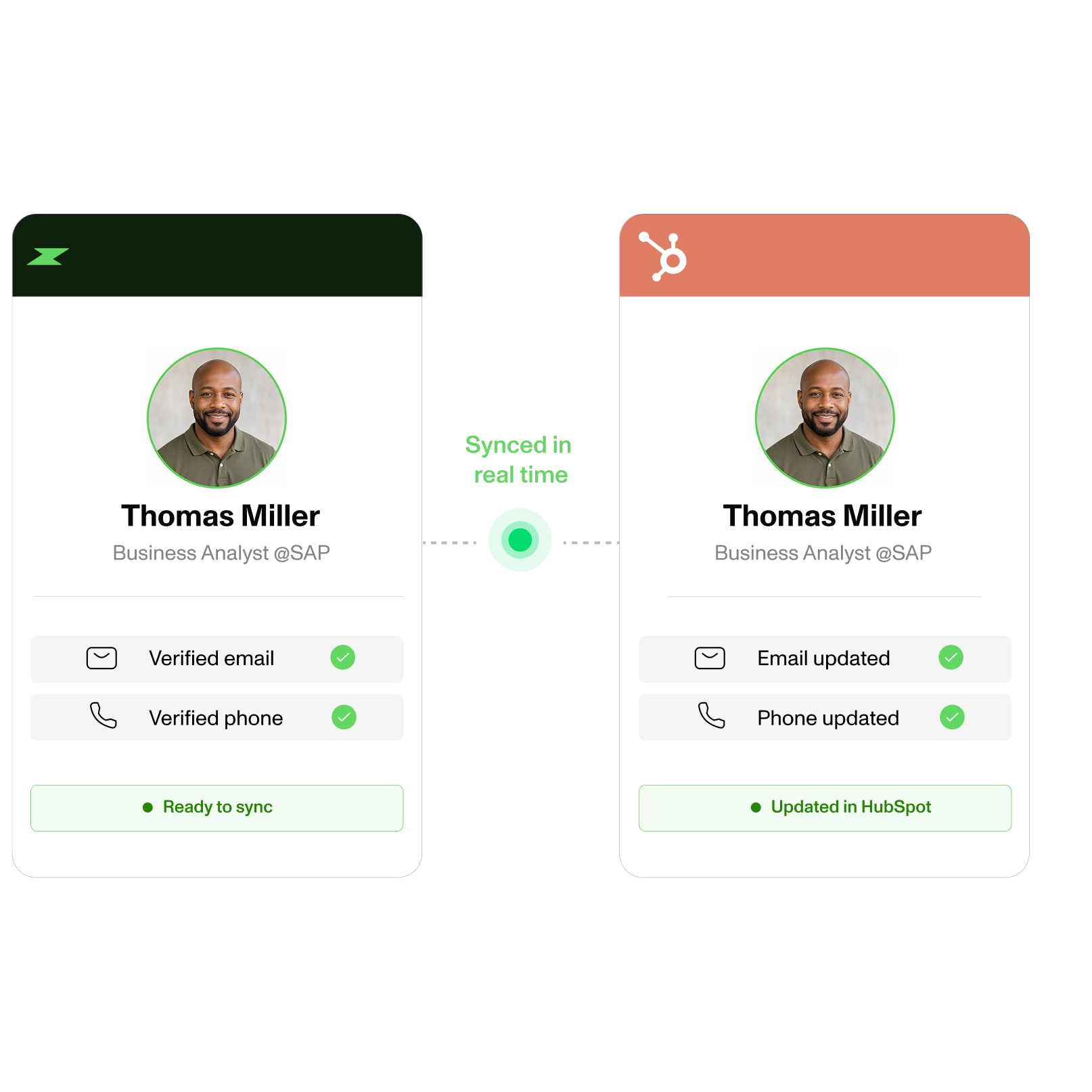
Enrich HubSpot contacts with verified data.

Send verified emails and phone numbers from Zeliq or supported LinkedIn workflows directly to HubSpot. Zeliq checks 40+ data providers and uses credits only when a result is found.
Two-way sync
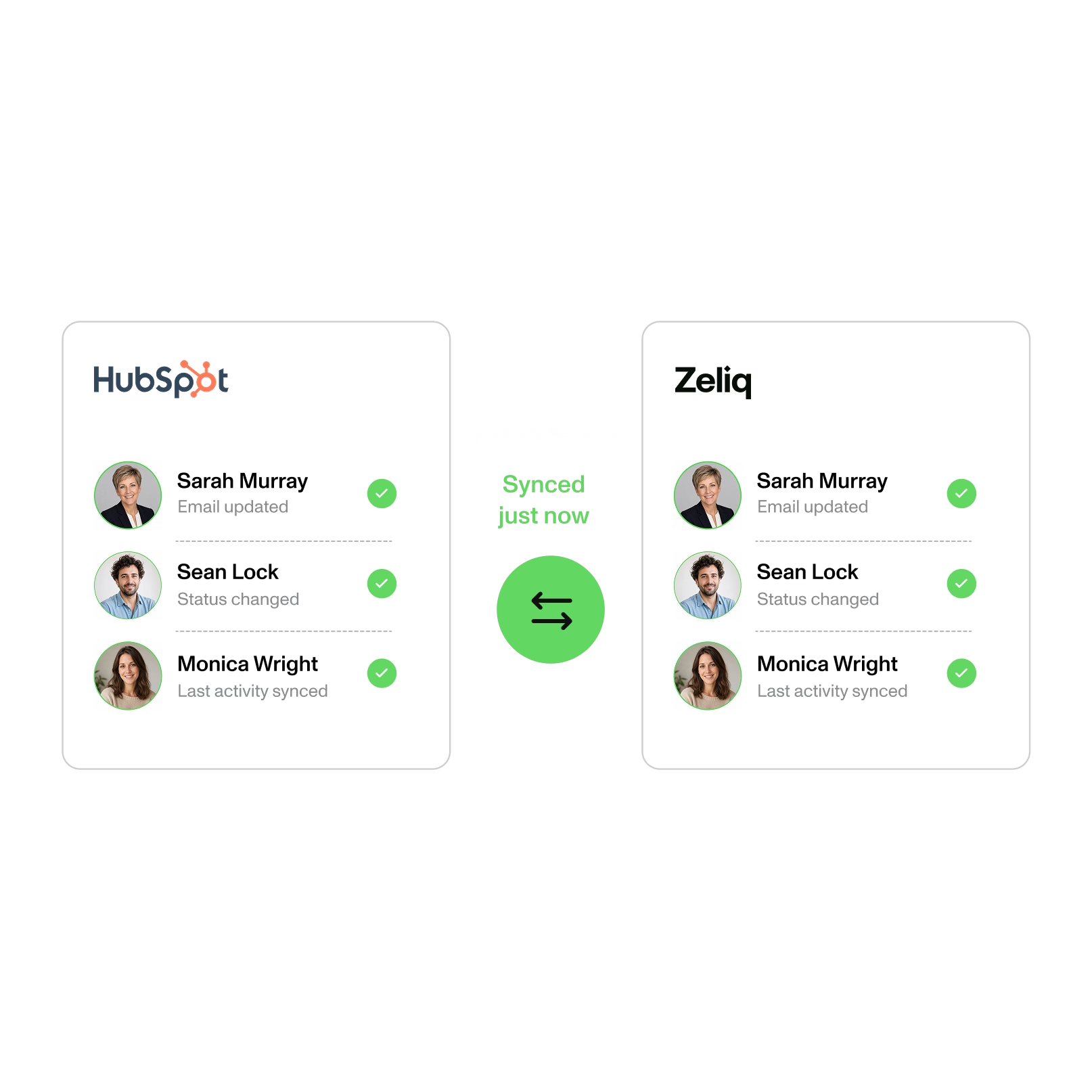
Keep Zeliq and HubSpot aligned in real time.

Sync contact changes, email activity, statuses, and ownership between HubSpot and Zeliq. Give your team one current view of the data, with clear rules for conflicts and updates.
Data health
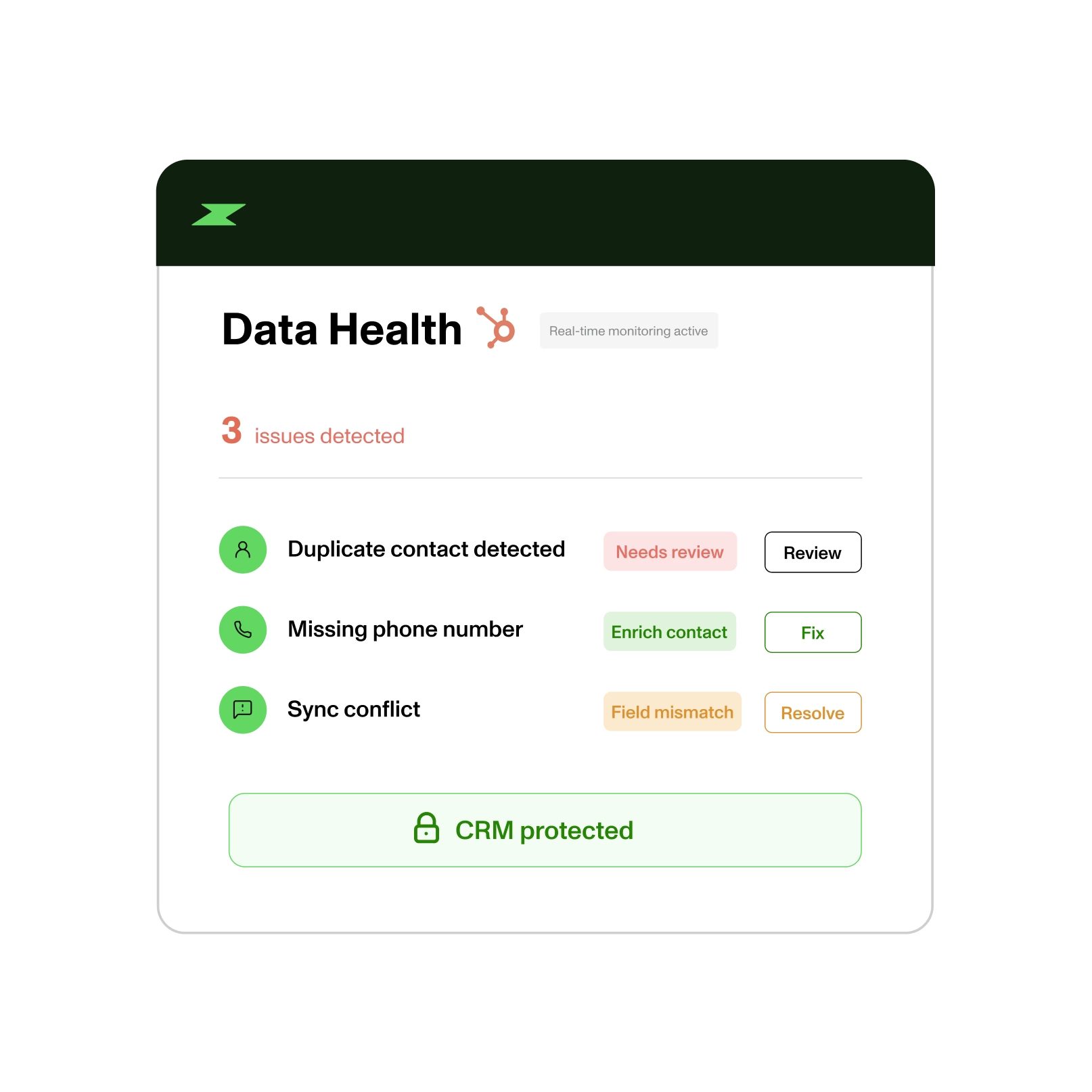
Catch sync issues before they spread.

Detect duplicate contacts, missing fields, and sync conflicts before they create more CRM work. Review the issue, choose the right action, and keep HubSpot reliable for the whole team.
Connect HubSpot in 3 clear steps.

Step 1
Create or log in to your Zeliq account.


Step 2
Connect HubSpot, choose the records to sync, and map your fields.


Step 3
Run a test sync, then let enriched contacts and activities flow between both systems.
The proof behind the workflow.
Find, verify, and activate prospects from one platform
with broader coverage and less manual work.
40+
Data providers checked automatically.
2-way
Sync between Zeliq and HubSpot.
450M
Contacts available to search and enrich.
Customer stories
Loved by revenue teams on G2

"The best alternative to Kaspr to Lusha for mobile numbers."

Ksenya Borzov
GTM Manager

"Zeliq boosts lead generation with personalized prospecting and saves time by automating all CRM enrichment."

Théo Percheron
Revenue Ops

"There are many phone numbers and integration with Chrome Extension and social messages works well. Easy and intuitive. Very responsive customer support."

Francesca Morichelli
Head of Italy

"The data is higher quality, the processes are simpler... and that is priceless. We've cut our prospecting time in half."

Tony Berthomé
CEO

"I use Zeliq for email sequences; its AI smooths my first demo call, adds leads from the database, and flags errors to avoid unprofessional emails."

Laras Laksi
Client Team Leader

Reliable phone numbers and emails, multichannel sequences without spending hours on it. No more bounces, no more obsolete numbers.

Sébastien Elvira
Sales Specialist
"The best alternative to Kaspr to Lusha for mobile numbers."
Ksenya Borzov
GTM Manager
"Zeliq boosts lead generation with personalized prospecting and saves time by automating all CRM enrichment."
Théo Percheron
Revenue Ops
"There are many phone numbers and integration with Chrome Extension and social messages works well. Easy and intuitive. Very responsive customer support."
Francesca Morichelli
Head of Italy
Keep your HubSpot data
ready for action.
Enrich contacts, sync updates, and catch CRM issues before they create more work for your team.
FAQ
Can I configure my HubSpot sync during the Free Trial?
Yes, your 14-day free trial includes full access to all Starter plan, for 2 weeks. HubSpot synchronization included.
What happens after my trial is over?
When your trial ends, you'll automatically move to the free Basic plan and your HubSpot <> Zeliq synchronization will be paused.
Which information can I synchronize between HubSpot and Zeliq?
You can synchronize the following information between Hubspot and Zeliq :
- Contact information
- Company information
- Calls
- Emails
- Notes
Can I sync HubSpot custom fields with Zeliq?
If you want to synchronize fields that you have in your HubSpot but not in Zeliq (yet), you can add "Custom Properties".
For them, you need to distinguish between "string of characters" and "multiple-choice lists".
👉 If the HubSpot Custom Property you want to synchronize with Zeliq is a string of characters (free text field), you will be able to modify it either in Zeliq or in HubSpot.
👉 If the HubSpot Custom Property you want to synchronize with Zeliq is a multiple-choice list, you can modify the field only in HubSpot, but not from Zeliq. Once modified in HubSpot, you'll see the update in Zeliq but you won't be able to modify it from the platform.
Is the HubSpot <> Zeliq Sync retroactive?
No, the synchronization rules are not retroactive.
The mapping can be modified, but it is not retroactive. Leads imported before the update will not be impacted by the modification.
Zeliq recommends a test-first strategy:
- Start small: Import a small test list first (not your entire CRM)
- Verify configuration: Check that your field mappings and sync rules work as expected
- Adjust if needed: Make any necessary changes to your configuration
- Scale up: Once confident, enable full CRM synchronization
This approach helps you avoid issues with thousands of contacts before you're sure your setup is correct.
Does Zeliq use my HubSpot CRM data to enrich its own database?
No, Zeliq does not use your CRM data to enrich its own database or make it available to other users.
Your HubSpot data remains private and is only used within your Zeliq workspace for your sales activities.
Can I cancel, upgrade or downgrade anytime?
Yes, you have complete flexibility:
To cancel your plan: Log in to your account, go to the “Credits” tab, and click on “Billing Information” at the top right of the window. Your cancellation will take effect at the end of your current billing period. If necessary, contact us at support@zeliq.com and we will process your request.
To upgrade: Go to Settings → Manage Subscription, then select your new plan or credit amount. Changes will take effect immediately. For the Custom plan, contact us at support@zeliq.com and we will process your request.
If I am in a free or starter plan, can I access request some help ?
We're here to help you succeed with Zeliq. Access support and training at every stage:
→ Weekly product demos: Join live webinars every week to master Zeliq's features.
→ Zeliq Odyssey: Free sales training and best practices to level up your prospecting.
→ Help Center: Step-by-step guides and resources available 24/7.
→ Live support: Chat with our team directly from the platform.
If I'm looking for a custom plan, how does it work ?
Need a custom plan? Here's how it works:
- Contact our team: Share your requirements and goals.
- Discovery call: We'll discuss your needs and how Zeliq can help.
- Custom proposal: Get a tailored plan with pricing, features, and integrations.
- Finalize: Review, adjust, and get started.
Does Zeliq work with large enterprises?
Yes. We offer custom enterprise plans with dedicated support, custom integrations, and volume pricing.
To get a custom plan:
- Contact our sales team with your requirements
- Schedule a discovery call to discuss your needs
- Review your custom proposal
- Finalize and launch
Is Zeliq GDPR Compliant?
Yes, Zeliq is fully GDPR compliant. We follow strict data protection standards to keep your information secure. Feel free to check the Legals, Privacy and Terms of use.