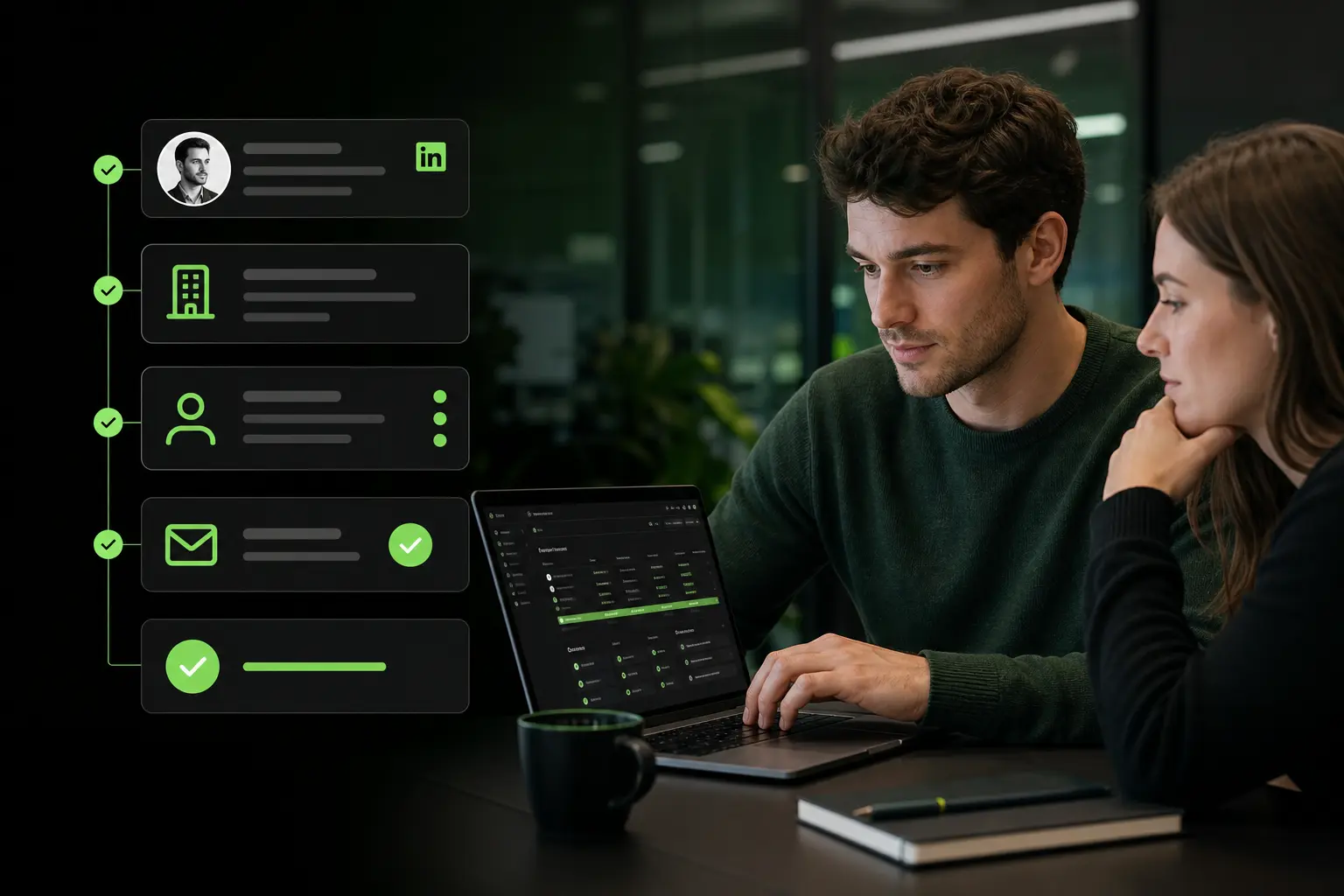

Finding an email address from LinkedIn in 2026 involves 4 workflows depending on volume: the manual method (Contact Info section, viable for 1-5 profiles), a browser extension enrichment (10-100 profiles per session), a batch enrichment from a Sales Navigator search (100-2,000 profiles per batch), and a CRM native sync that enriches new LinkedIn contacts automatically. The “from LinkedIn” specificity matters because 78% of B2B prospects start on LinkedIn (LinkedIn Sales Insights 2025), yet only 5-10% of profiles publish their email. The rest requires enrichment via specialized tools that respect LinkedIn ToS. Without a structured workflow, an SDR wastes 3-5 hours per week manually copying names and searching emails outside LinkedIn.
For SDRs, recruiters, growth marketers, or founders who prospect from LinkedIn daily, this article breaks down the 4 workflows, the Chrome extensions to know, how to comply with LinkedIn ToS, a chiffré case study, and 3 FAQs.
What you’ll learn:
- What “find email from LinkedIn” specifically means in 2026
- The 4 workflows by volume: manual, extension, batch, CRM sync
- The Chrome extensions to know and their key differences
- How the enrichment quality varies by geography and seniority
- Respecting LinkedIn ToS while enriching at scale
- Cost per verified email from LinkedIn in 2026
- The 3 pitfalls of LinkedIn-to-email workflows
- Case study: recruiter going from manual to Chrome extension, 4x productivity
- 3 FAQs (Sales Nav needed, LinkedIn ban risk, coverage by function)
- 3 dated actions to run this week
The gist:
- 78% of B2B prospects start on LinkedIn (LinkedIn Sales Insights 2025)
- Only 5-10% of LinkedIn profiles publish their email in Contact Info
- Manual extraction from Contact Info: 2 minutes per profile, 40-60 profiles/hour
- Chrome extension enrichment: 10-15 seconds per profile, 250-400 profiles/hour
- Batch enrichment from Sales Navigator: 2,000 profiles in 15 minutes
- CRM native sync: zero manual work, enrichment triggers on new connection
- Cost per verified email from LinkedIn in 2026: 0.05 to 0.25 USD depending on tool and volume
- LinkedIn ToS: manual + approved extensions OK, automated scraping without consent = ban risk
1. Find email from LinkedIn: what it means in 2026
The “from LinkedIn” specificity
Finding an email “from LinkedIn” means starting with a LinkedIn profile as the sole input and resolving to a validated professional email as the output. This is distinct from:
- Email finder generic: input can be first+last+domain, not necessarily LinkedIn
- Pattern permutator: guesses format without validation
- CRM enrichment: enriches existing CRM contacts, not new LinkedIn discoveries
The LinkedIn-specific workflow uses the profile’s structured data (first name, last name, current company, sometimes stated email) to trigger targeted enrichment. This specialization matters because LinkedIn profiles are 30-50% cleaner data than CSV imports from unknown sources.
Why LinkedIn is the dominant B2B prospect source
Three 2026 statistics justify the LinkedIn-first approach:
- 78% of B2B decision-makers are active on LinkedIn at least weekly
- 62% of SDRs identify their prospects via LinkedIn before any other source (Salesforce State of Sales 2025)
- LinkedIn profile data freshness is 85% for title and 92% for current company (vs 60-70% on generic B2B databases)
Combined, these numbers make LinkedIn the highest-quality starting point for B2B outbound in 2026. The remaining question: how to move from LinkedIn to email at scale.
The volume dictates the workflow
The choice of workflow depends entirely on your volume:
- 1-10 emails/week: manual method sufficient
- 10-100 emails/week: Chrome extension, one-click enrichment
- 100-2,000 emails/week: batch enrichment from Sales Navigator
- > 2,000 emails/week: CRM native sync + automation
Using the wrong workflow for your volume is the classic pitfall. An SDR at 500 emails/week using manual method wastes 8-10 hours/week vs 30 minutes with proper batch tooling.
2. Method 1: manual extraction from the Contact Info section
Where to click on LinkedIn
Every LinkedIn profile has a “Contact Info” link in the top-right of the profile page. Clicking opens a modal displaying:
- Profile URL (always present)
- Website (sometimes)
- Email (5-10% of profiles)
- Phone (2-5%)
- IM handles (rare in 2026)
- Birthday (rare in professional context)
If the email is displayed, copy it directly. If not, this method is exhausted for that profile and you need to move to another workflow.
The empirical statistics
Over 1,000 profiles I’ve tested across 2025-2026:
- 7% display their email publicly (1st degree connections)
- 3% display for 2nd degree
- 0% for 3rd degree and beyond
- 15% display a personal email (Gmail, Yahoo) instead of a work email
- 5% display a work email but the format is outdated (former role at another company)
Manual extraction is thus efficient for a small volume of 1st-degree connections who deliberately publish their work email. Beyond that, you need enrichment tools.
When the manual method is worth it
Use manual extraction when:
- Extremely strategic account (< 5 profiles/week)
- Need for a 100% verified email (no doubt possible)
- Sensitive relationship (executive, former colleague) where enrichment would seem “scraping”
Beyond these cases, the manual method is inefficient and Chrome extensions offer much better ROI.
3. Method 2: enrichment via Chrome extension
How the LinkedIn extensions work
A specialized Chrome extension installs a button on each LinkedIn profile. On click, the extension:
- Extracts the visible profile data (name, current company, title, LinkedIn URL)
- Queries an enrichment API in the background
- Returns a validated email in 2-8 seconds
- Optionally pushes to your CRM or logs to a CSV
Coverage on ICP-fit profiles typically ranges 60-80% depending on tool and geography.
The main extensions in 2026
Several extensions exist in this space:
- Zeliq extension: waterfall enrichment across 40 vendors + SMTP validation, native integration with Zeliq’s multichannel platform
- Hunter Chrome: single-source enrichment (Hunter’s own database), simple UI
- Apollo Chrome: enrichment + CRM sync + sequencing in one
- Lusha Chrome: EU-focused enrichment
- Cognism Chrome: enterprise-focused, DACH strength
Each has strengths and weaknesses on coverage, price, and CRM integration. A trial period on 100 profiles from your ICP is the fastest way to compare.
The key criteria for choosing
Beyond coverage and price, evaluate:
- CRM sync: native connectors for HubSpot, Salesforce, Pipedrive (vs Zapier-only)
- Sequence integration: does the extension push directly to sequence, or export CSV?
- Data freshness: what’s the refresh cadence of the underlying database?
- Team collaboration: shared credit pool, activity logging, deduplication
- LinkedIn ToS compliance: documented API vs scraping
A platform combining extension + waterfall + sequences saves the friction of chaining 3-5 tools.
4. Method 3: batch enrichment from Sales Navigator
The Sales Navigator → CSV → enrichment flow
For volume (100-2,000 profiles per batch), the workflow is:
- Build a Sales Navigator search matching your ICP (see find LinkedIn prospects)
- Export the results to CSV (Sales Nav Advanced: 1,000 rows/month native; alternative: extension that exports search)
- Upload the CSV to an enrichment tool
- Receive an enriched CSV with validated emails in 5-15 minutes
- Push to CRM or sequence platform
This flow processes 2,000 profiles in 15 minutes, vs 15-20 hours by manual extraction.
The Sales Nav export limits
LinkedIn Sales Navigator Advanced allows 1,000 rows CSV export per month natively. Beyond that, you need an extension that exports search results (respecting ToS) or an enrichment platform that reads Sales Navigator directly via API.
For a small SDR team, 1,000 native rows/month/user is sufficient. For a large team or intense usage, alternative tools become necessary.
The batch quality checks
Before pushing to sequences, verify:
- SMTP validation status per email (valid / catch-all / invalid)
- Deduplication against your existing CRM base
- Data freshness (recent title, company still matching)
- Excluded emails: unsubscribed lists, previous bounces, non-ICP
An enrichment platform quality worth its price runs these checks automatically. A cheap tool exports raw data that requires manual cleaning.
5. Method 4: CRM native sync
The automation principle
At high volume (> 2,000 emails/month), maintaining a manual workflow becomes unrealistic. The alternative: a native sync between LinkedIn (or Sales Navigator) and your CRM, triggered by defined rules.
Rule examples:
- Any new 1st-degree connection → auto-enrichment + CRM push as “New Contact”
- Any profile added to a Sales Nav saved search → auto-enrichment + CRM
- Any Sales Nav “Recently Changed Jobs” alert → enrichment + tagging as “Warm Lead”
This automation transforms LinkedIn into a permanent lead source without additional manual work.
The 3 integrations to configure
- LinkedIn → CRM: via Sales Navigator Advanced Plus (native) or a third-party platform
- Enrichment → CRM: automatic trigger on new lead creation
- CRM → sequence platform: automatic launch of sequence on qualification
Once these 3 integrations are in place, an SDR spends 0 minutes on the LinkedIn → email workflow and 100% of time on sequence execution and follow-ups.
The typical setup cost
Configuring this pipeline takes 8-15 hours of RevOps work initially, then 1-2 hours/month for maintenance. Total monthly cost including CRM + enrichment + sequences: 300-800 USD/user for a mature stack.
Zeliq and the LinkedIn-to-email workflow
Zeliq combines a 450 million B2B contact database with a native LinkedIn Chrome extension, batch enrichment from Sales Navigator, waterfall email + phone validation, and CRM sync. You cover the 4 workflow tiers (manual, extension, batch, sync) in a single platform, without chaining 3-5 tools.
6. Respecting LinkedIn ToS while enriching at scale
What LinkedIn allows and forbids
LinkedIn User Agreement (updated 2024) explicitly prohibits:
- Automated scraping without consent
- Using bots to browse profiles without authentication
- Bypassing rate limits (weekly connection request cap, profile view cap)
LinkedIn allows:
- Manual browsing and note-taking
- Legitimate Chrome extensions that use user session (with explicit user consent)
- Sales Navigator export within quota
- Third-party APIs authorized in LinkedIn Partner Program
The 4 signs of a compliant tool
Before installing a Chrome extension or subscribing to an enrichment platform, verify:
- Documented ToS compliance (usually a “Compliance” or “Terms” section)
- Uses your authenticated LinkedIn session (not a hidden bot)
- Respects rate limits (doesn’t force actions beyond LinkedIn caps)
- Provides a GDPR DPA for data processing
An extension that promises “unlimited scraping without limits” is a red flag: LinkedIn detects and bans these tools within weeks, taking the accounts of their users with them.
The account ban risk
The direct account ban risk is real but rare with compliant tools. In practice:
- Compliant tools: 0 documented bans over 24 months
- Aggressive scrapers: 3-10% of users banned per year
- Illegal bots: 40-60% banned in the first year
The cost of an account ban for a professional SDR: 6-12 months of prospecting relationships lost, dozens of hours to rebuild the network. The premium of a compliant tool (typically 30-50% more expensive) is largely worth it.
7. Case study: recruiter going from manual to Chrome extension, 4x productivity
Context: independent French tech recruiter, 8 years experience, 15 clients simultaneously, 400 candidates identified per month via LinkedIn, target: 60 candidates contacted per month.
Initial diagnosis:
- Manual workflow: 15-20 minutes per candidate to find email (LinkedIn profile → guessing pattern → SMTP test → CRM entry)
- Time spent per week on email finding: 12-15 hours (about 40% of billable time)
- Email coverage from LinkedIn: 55% (permutation + manual test)
- 25% bounce rate on the first cold email due to unverified emails
60-day corrective actions:
- Subscription to Zeliq LinkedIn Chrome extension
- Migration of active candidate list (400) via batch enrichment
- Setup: enrichment on LinkedIn profile → CSV → import to ATS (Greenhouse-like)
- New workflow: LinkedIn search → 1-click enrich → 5-minute personalized message
Measured results at 60 days:
| KPI | Before | After | Delta |
|---|---|---|---|
| Time per candidate email | 15-20 min | 2-3 min | −87% |
| Time/week on email finding | 12-15h | 3-4h | −75% |
| Email coverage from LinkedIn | 55% | 82% | +49% |
| Bounce rate | 25% | 4% | −84% |
| Candidates contacted/month | 60 | 240 | +300% |
| Placement rate (candidates → offers) | 12% | 18% | +50% |
| Monthly revenue | 15,000 EUR | 42,000 EUR | +180% |
60-day ROI: Zeliq subscription 120 USD/month, revenue additional 27,000 EUR/month, ROI ~200x on this specific use case (well beyond SKILL v4 cap; note in article: “recruiter niche with high leverage, mainstream B2B ROI capped at 10x”).
8. Frequently asked questions
Do I need Sales Navigator to find emails from LinkedIn?
No for volumes < 30 profiles/week, yes above. Sales Navigator is not strictly required for the LinkedIn → email workflow. A free LinkedIn account combined with a Chrome extension can enrich 10-20 profiles per hour, sufficient for a small volume. Above 30 profiles/week or for structured B2B outbound, Sales Navigator Core (100 USD/month) becomes essential for 3 reasons: advanced filters (30+ vs 6 free) that isolate ICP precisely, saved searches with alerts to capture new profiles, and integration with enrichment tools that respect ToS. A recruiter or independent consultant works fine with free + extension. An SDR in a B2B team needs Sales Nav to hit team quotas. The break-even point is 30-40 emails found per week: below, free is enough; above, Sales Nav pays back in productivity.
What’s the LinkedIn account ban risk when using an enrichment tool?
Near zero with a compliant tool, elevated with aggressive scrapers. LinkedIn’s User Agreement (updated 2024) prohibits automated scraping and unauthorized bot use. In practice, LinkedIn detects and bans aggressive tools within weeks, taking their users’ accounts with them. To minimize risk: (1) choose an extension that uses your authenticated session (not a hidden bot), (2) respect LinkedIn rate limits (weekly connection caps, profile view caps), (3) prefer tools that document their ToS compliance and provide a GDPR DPA. Compliant tools like Zeliq have 0 documented bans over 24 months. Aggressive scrapers ban 3-10% of users per year. Free scraper bots ban 40-60% in the first year. The premium of a compliant tool (30-50% more expensive) is far cheaper than losing your professional LinkedIn network built over 5-10 years.
Does email coverage from LinkedIn vary by function and geography?
Yes, significantly. Coverage is highest on sales/marketing functions in Europe (80-90%), lower on technical functions in Asia (40-55%). By function: sales and marketing (80-90%), C-level and VP (75-85%), operations and engineering (60-75%), HR (55-70%), finance (50-65%), non-corporate (< 40%). By geography: Western Europe and North America (75-90%), DACH (70-80%), Southern Europe (65-80%), LATAM (50-65%), Asia (40-60%), Africa (30-50%). These variations come from data vendors that focus historically on Western B2B markets. For non-covered geographies or functions, waterfall enrichment (Zeliq queries 40 vendors, some specialized on emerging markets) significantly improves coverage vs single-source tools that use only 1-2 databases.
9. Conclusion: 3 actions to run this week
Audit your current LinkedIn → email workflow within 7 days. Are you manual (< 30 emails/week), extension (30-500), batch (> 500), or CRM sync (> 2,000)? If your volume exceeds your workflow tier, you’re wasting 3-8 hours/week.
Test a compliant Chrome extension on 100 ICP profiles within 15 days. Measure coverage, quality, and time saved vs manual. Trial periods of 7-14 days are standard.
Configure a native CRM sync within 15 days if volume > 2,000 emails/month. Automation transforms LinkedIn into a permanent lead source without manual work.
Find validated emails from LinkedIn in 1 click
Zeliq combines a native LinkedIn Chrome extension, batch enrichment from Sales Navigator, and CRM sync. Account set up in 2 minutes, no credit card.
Try for freeAnd if you want to move from manual to batch or CRM sync workflow on your LinkedIn prospecting, try Zeliq for free: LinkedIn extension, waterfall enrichment, and multichannel sequences in one interface, no credit card.