
LinkedIn has become, ahead of phone and behind email, the second-most-used B2B prospecting channel in 2026. But it is also a saturated channel: B2B buyers now receive 5 to 15 LinkedIn messages per week, and 70 to 80% are ignored in under 3 seconds. The difference between a message that gets a reply and one that ends up in the prospect’s mental trash comes down to very little: length, hook, personalization, and the final ask.
This guide gathers 30 LinkedIn message templates sorted by scenario (connection request, first message, follow-up, meeting request, reactivation), explains the writing rules that make the difference in 2026, separates InMail from free messages, gives a worked example, and lists the mistakes that crush reply rates.
What you’ll find:
- Why a LinkedIn message works (or does not) in 2026
- The documented writing rules: length, personalization, structure
- 30 templates sorted by scenario
- InMail vs free message: when to use which
- The worked example: isolated LinkedIn vs multichannel sequence
- The 5 mistakes that get your message ignored
Why a LinkedIn message works (or does not) in 2026
The LinkedIn message holds a particular place in the outbound mix. It is neither an email (long, structured, asynchronous) nor an SMS (immediate, intimate), it is a hybrid channel: short, professional, semi-asynchronous, read mostly on mobile.
Documented 2026 benchmarks:
| Message type | Average reply rate | Top quartile reply rate |
|---|---|---|
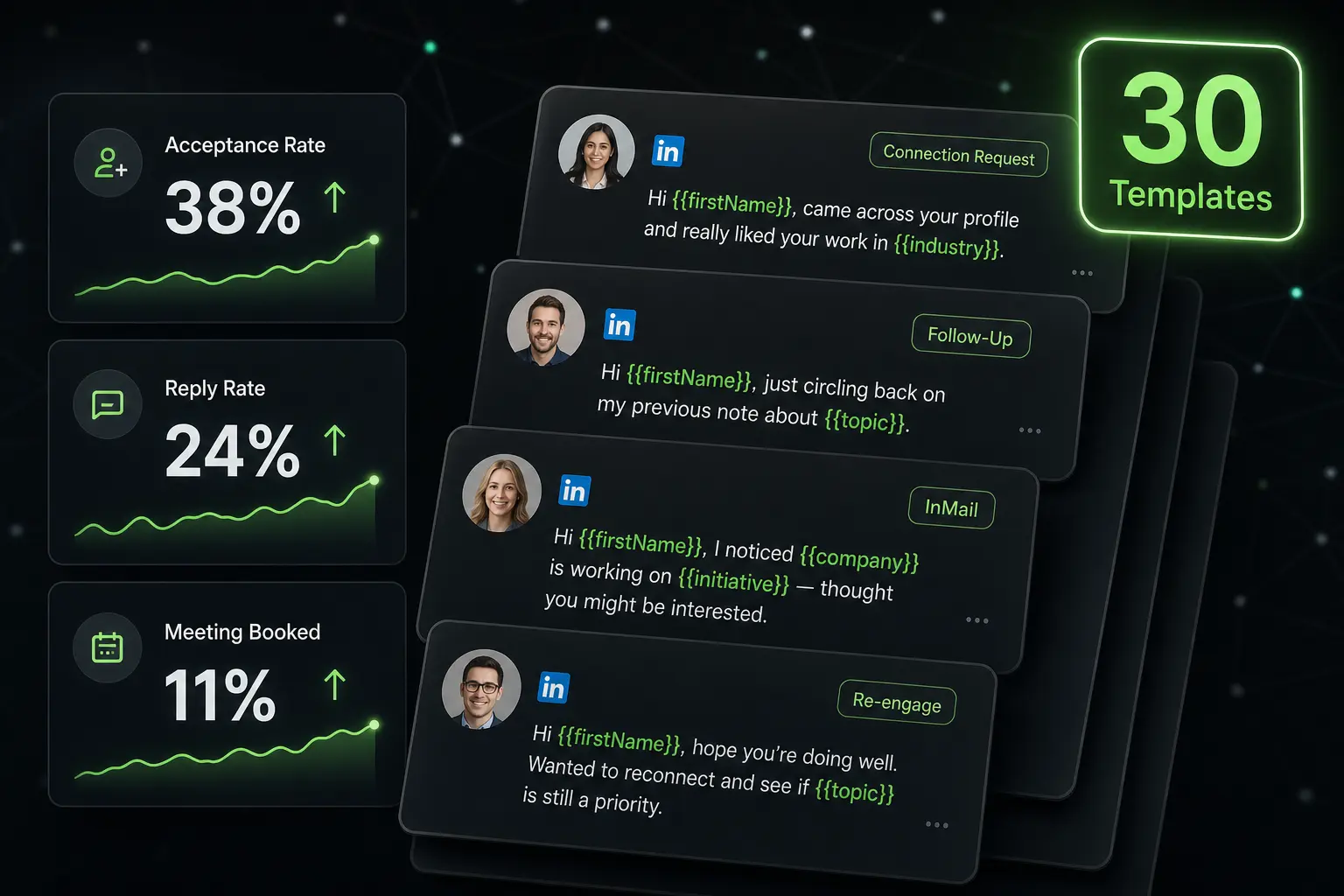
| Personalized connection request | 25-45% acceptance | 50-70% |
| Connection request without note | 15-25% acceptance | 30-40% |
| First post-connection message (short) | 20-30% reply | 35-50% |
| First post-connection message (long) | 5-10% reply | 15-20% |
| Follow-up #1 (3-5 days) | 10-15% reply | 20-30% |
| Follow-up #2 (1-2 weeks) | 5-8% reply | 10-15% |
| Sales Navigator InMail | 10-25% reply | 30-40% |
What these numbers show: brevity often doubles reply rate, follow-up timing matters almost as much as content, and combining personalized connection request + short first message + targeted follow-up massively beats the “mass message” approach.
The other hard fact in 2026: LinkedIn now severely limits automated action volume (see our guide on LinkedIn automation). That means the quality of each message matters more than ever, because you do not have the right to send many.
The documented writing rules
Four parameters decide the reply rate of a LinkedIn message.
Length: 3 to 5 sentences maximum
Studies converge: an effective LinkedIn message fits in 3 to 5 short sentences, that is 40 to 80 words. Beyond 100 words, reply rate drops sharply, because the recipient has to scroll on mobile and gives up before the end.
It is the most mechanical rule: shorter is read more. A 60-word message generally outperforms a 120-word one at equivalent content.
Personalization through concrete detail
First-name personalization alone no longer cuts it in 2026. Personalization that works rests on a concrete, verifiable detail of the recipient’s profile:
- A specific role or a recent role change
- A recent LinkedIn post
- An event trigger (hiring, funding, launch, promotion)
- A documented common ground (school, former employer, sector interest)
- A publication or public talk
Personalization through concrete detail gets a reply rate 2 to 3 times higher than a generic message with first name inserted.
Structure: one request, one CTA
A LinkedIn message must carry only one request. Not three questions, not two links, not a CV attached. A closed, dated, easy-to-accept question (“15 minutes Tuesday or Thursday?”) systematically beats an open question (“when would you be available to chat?”).
Human tone, not marketing
LinkedIn is a professional network but also a human network. A message that reads like a newsletter (“we offer”, “our solution”, “with over X clients”) is immediately deranked. A message that reads like a colleague (“I saw”, “I wonder”, “I’d be curious”) gets read 2 to 3 times more often.
Combine LinkedIn and email in one sequence
Zeliq orchestrates your LinkedIn messages and emails in a coherent sequence, with reply tracking. Explore multichannel prospecting.
30 templates sorted by scenario
All templates below must be adapted to your target and offer. Copying them without personalization produces the opposite effect.
A. Personalized connection request (8 templates)
- “Hi {first name}, saw your Series A funding announcement, congrats. I’m following {related theme} and would love to follow your updates.”
- “Hi {first name}, your post on {topic} really resonated. Happy to expand my network with your profile.”
- “Hi {first name}, we crossed paths at {event / podcast / conference}. Glad to connect here.”
- “Hi {first name}, I see you work on {theme}, which is also my focus. Glad to connect.”
- “Hi {first name}, {common contact} told me about your approach on {topic}. Happy to connect.”
- “Hi {first name}, dropping by LinkedIn today because your post on {topic} got me thinking. Glad to connect.”
- “Hi {first name}, we both went through {school / company}. Happy to widen my {sector} network with you.”
- “Hi {first name}, your talk on {theme} struck a chord. Glad to follow your updates here.”
B. First post-connection message (8 templates)
- “Thanks for connecting {first name}. Out of curiosity, how are you handling {problem related to your offer} at {company}?”
- “Glad to be connected {first name}. I help {persona} achieve {measurable benefit}. If that’s a topic at {company}, happy to share what works. If not, glad to follow your updates.”
- “Hi {first name}, I saw {company} {concrete news}. Congrats. Does that change your priorities on {theme}?”
- “{First name}, thanks for the connect. Quick question: what’s the biggest time sink for you on {theme} right now?”
- “Hi {first name}, after our connection, I wanted to share {free resource}. It’s what helped me on {theme}.”
- “Glad to connect {first name}. I listened to your interview on {podcast / media}, your point on {topic} stuck with me. Happy to learn more about your approach when you have a moment.”
- “Thanks {first name}. I help {persona} on {topic}. Are you open to a short, no-strings chat?”
- “{First name}, I saw your latest post on {topic}. One question: is {relevant hypothesis on their situation}?”
C. Follow-up after no reply (6 templates)
- “{First name}, coming back to you. Did you get a chance to look at my previous message?”
- “{First name}, I don’t want to pester. If {topic} isn’t a priority right now, just tell me and I’ll stop here.”
- “{First name}, one last note from me: {concrete result from a comparable client}. If you’d like to know more, I’m around.”
- “{First name}, bumping this in case it slipped. Here’s what we learned from {recent action}: {short insight}. Resonates?”
- “{First name}, off topic or bad timing? I’d rather know so I don’t bother you.”
- “{First name}, I’ll bump once then let it go. {New element that changes things}. Relevant?”
D. Meeting request (4 templates)
- “Great {first name}. 15 minutes Tuesday 2 PM or Thursday 10 AM, work for you?”
- “Happy to {first name}. Here’s my booking link: {Calendly link}. Grab whatever slot suits you.”
- “{First name}, perfect. I’ll send an invite for {proposed date}. Tell me if it doesn’t work?”
- “Top {first name}. To keep it light, I’m proposing Tuesday or Thursday next week, 15 minutes. Which one?”
E. Re-activating a cold contact (4 templates)
- “{First name}, been a while! I saw {company} {recent news}. Any reason to reconnect?”
- “{First name}, I’m on your profile and realize we haven’t chatted since {date}. Still on {topic}?”
- “{First name}, we crossed paths in {date}. New on my side: {concrete element}. Could interest you, I’d guess?”
- “{First name}, quick note. Our last exchange goes back to {date}, since then we’ve {evolution}. If it’s still relevant, I’m around this week.”
InMail vs free message: when to use which
LinkedIn offers two message types with opposite constraints.
Free message (post-connection)
The standard. Available after a connection request is accepted, with no specific limit beyond the daily action caps (30-60 messages/day). Pro: higher average reply rate (20-30%) because the connection has been accepted. Con: requires a prior connection step, so a few days’ delay.
InMail (without connection)
Reserved for Sales Navigator subscribers (~$99/month) or LinkedIn Premium. Lets you send a message to any profile without a prior connection. You have a monthly InMail quota (20 to 150 depending on the plan). Pro: no delay, direct message. Con: lower reply rate (10-25%) because the recipient has not validated contact, and credit cost per send.
When to use which
InMail: when you need to go fast, when connection acceptance is too low, when you target inaccessible profiles (CEOs, very busy executives), or to reactivate lost contacts.
Free message: for prospecting at scale, when volume matters, when you have time to wait for connection acceptance. It is the dominant path for SDRs.
The optimal approach combines the two: connection request as first intent, InMail if the request is not accepted within 5-7 days and the account warrants a second attempt.
Worked example: isolated LinkedIn vs multichannel sequence
A team of 3 SDRs prospects the Director of Marketing US segment. Comparison over one month between two approaches.
Approach A: isolated LinkedIn
- Volume: 3 SDRs × 25 connections/day × 21 days = 1,575 connections sent
- Acceptance rate: 35% = 551 accepted connections
- First message after connection: 100% sent
- First message reply rate: 22% = 121 conversations
- Meeting conversion rate: 30% = 36 meetings
- Monthly cost: Sales Navigator 3 seats × $99 = $297
Approach B: LinkedIn + email sequenced
- LinkedIn: 3 SDRs × 15 connections/day × 21 days = 945 connections (reduced volume to stay under automation detection radar)
- Acceptance: 35% = 331 connections
- Parallel enriched email: 3 SDRs × 60 emails/day × 21 days = 3,780 emails
- Email reply rate: 5% = 189 replies
- LinkedIn replies: 22% of 331 = 73 replies
- Total conversations: 262
- Meeting conversion rate: 30% = 79 meetings
- Monthly cost: integrated platform 3 seats ~$700-1,000
Differential: the multichannel approach doubles booked meetings while reducing dependency on LinkedIn and account restriction risk. The extra cost ($400-700 more per month) is largely offset by the 43 additional meetings.
The 5 mistakes that get your LinkedIn message ignored
Five patterns come up constantly and kill a reply rate.
1. The immediate pitch in the connection request. Selling before establishing any bond drives people away. The connection opens the door, it does not close. Save the pitch for the first post-connection message.
2. The wall of text. A LinkedIn message over 100 words does not get read on mobile. Cut everything that is not essential. Aim for 40-80 words.
3. Fake personalization. “I love your profile” that could be addressed to anyone fools no one. Personalization must rest on a real, verifiable detail specific to the recipient.
4. The attachment on the first message. PDF, brochure, demo link: all of that requires effort no one makes on a first LinkedIn contact. Save the link for the follow-up or the meeting request.
5. The dumb “bump” follow-up. “Bump??” is the antithesis of effort. A follow-up must bring something new (information, proof, another question), not repeat the initial message.
How Zeliq orchestrates your LinkedIn messages in a sequence
Zeliq combines LinkedIn and email prospecting into a single multichannel sequence, at a human pace that respects platform limits. You identify your prospects (filtered Sales Navigator or imported list), Zeliq enriches contact details through 40+ providers, and orchestrates connection requests, first messages, follow-ups and parallel emails. Tracking measures opens, clicks and replies across both channels. For a Business Developer, it is the industrialization of LinkedIn prospecting without ban risk, because volume stays in safe limits and the sequence naturally pivots to email. See also our guide on LinkedIn automation.
Your LinkedIn messages in a sequence that converts
Zeliq orchestrates your LinkedIn messages and emails with reply tracking. Account created in 2 minutes, no credit card.
Try for freeWhat is the ideal length of a LinkedIn message?
40 to 80 words, that is 3 to 5 short sentences. Beyond 100 words, reply rate drops sharply because the recipient gives up before the end on mobile. Top LinkedIn performers typically write messages of 50-70 words, with a personalized hook in one sentence, a value or question in two sentences, and a clear ask in the last sentence. Brevity is one of the most solid predictors of reply rate in 2026.
Should you personalize LinkedIn connection requests?
Yes, systematically. Personalized requests get 25-45% acceptance, against 15-25% for requests without a note. Effective personalization rests on a concrete detail (recent post by the prospect, event trigger, documented common ground), not a simple “I’d love to expand my network”. The personalization effort is modest (15-30 seconds per request if you scan the profile quickly) and the return is immediate on acceptance rate, therefore on the rest of the sequence.
What’s the difference between InMail and a LinkedIn message?
A standard LinkedIn message is free but requires a prior connection: you first ask to connect, then wait for acceptance to send a message. An InMail is paid (reserved for Sales Navigator or Premium subscribers) and lets you message any profile without a prior connection, with a monthly InMail quota. InMails have a lower average reply rate (10-25% vs 20-30% for post-connection messages) but let you move fast and reach profiles inaccessible otherwise.
Zeliq and the calibrated LinkedIn message
A good LinkedIn message reaches the right decision-maker, at the right moment, with a precise fact. Zeliq combines 450 million B2B contacts filterable by firmographics + technographics + intent with a native Chrome extension for LinkedIn. Your InMails and DMs leave on pre-qualified ground rather than a cold list.
See how Zeliq calibrates your LinkedIn messages on fresh data
Conclusion: three actions to optimize your LinkedIn messages this week
The LinkedIn message remains a powerful lever in 2026, on a few precise conditions. Three concrete actions.
- Audit your last 10 connection requests: how many carried a personalized note with concrete detail? If most went without a note or with “I’d love to expand my network”, your acceptance rate is suboptimal. Use template 1 or 2 above.
- Measure the length of your last 5 first messages: how many fit under 80 words? If most exceed 100 words, you lose reply rate on every send. Rewrite using the short templates in section B.
- Build a multichannel sequence combining LinkedIn and email: a moderate LinkedIn volume (15-25 connections/day) paired with an enriched email sequence doubles conversations without depending exclusively on LinkedIn.
To orchestrate this approach in a single platform, see Zeliq pricing.
And if you want every LinkedIn message to land on the right decision-maker at the right time, try Zeliq for free and combine 450 million enriched contacts with LinkedIn + email sequences.