



You run outbound. Every contact in your CRM is anchored to one thing: an email address. And not all email addresses are worth the same. A verified first.last@company.com is a buying signal. A generic info@company.com is noise. A disposable mailinator.com address is a trap that will hurt your sender score.
This guide breaks down what an email address actually is, what types matter in B2B, how to find business emails at scale, how to validate them before you press send, and how to keep a list clean enough to protect deliverability.
What you will get out of it:
- The anatomy of an email address and the syntax rules that decide what counts as valid.
- The taxonomy of email addresses you meet in B2B.
- The patterns, free methods, and paid stacks that fill a pipeline with verified business emails.
- A four-step validation protocol that keeps hard bounces under 2 percent.
- The compliance map across CAN-SPAM, GDPR, CASL, PECR, and LGPD.
The anatomy of an email address
Every email address on Earth follows the same blueprint: local-part, the @ symbol, the domain. The technical standard behind it is RFC 5322, what every mail server, anti-spam filter, and validation API consults when deciding whether an address is syntactically legal.
The local part sits before the @. RFC 5322 allows letters, digits, periods, hyphens, underscores, and a few special characters, up to 64 characters. Inside one company you will run into john.smith, j.smith, jsmith, johns, or john_smith.
The @ symbol turns a local identifier into a routable Internet address. Without it, you have nothing.
The domain sits after the @. It tells the global mail system which server is responsible for the mailbox. Public providers like gmail.com, outlook.com, yahoo.com, and icloud.com host mailboxes for individuals. Private domains like stripe.com or hubspot.com belong to a single organization and almost always indicate a professional context.
The full address cannot exceed 254 characters, a ceiling irrelevant in normal B2B but worth knowing.
Types of email addresses you will meet in B2B
Not every email address carries the same weight when you prospect. Knowing which is which is half of list hygiene.
Personal email addresses
Gmail, Outlook, Yahoo, iCloud. Hosted on public providers, belong to individuals. In B2B, a personal address usually means a freelancer, the founder of a very small company who never moved to a corporate domain, or an employee using a personal inbox by exception. The buying signal is weaker because the professional context is not built into the domain. Gmail, Yahoo, and Microsoft also enforce DMARC, one-click unsubscribe, and bulk-sender rules more aggressively than corporate servers do.
Business email addresses
first.last@company.com is the gold standard for B2B outbound. A business email tells you three things at once: the person actually works at the company, they have a real identity in the org (not a shared mailbox), and the inbox is one they check during the workday. Most qualified buyer signals you act on as a sales rep, SDR, or founder live behind a business email.
Role-based and generic addresses
info@, contact@, hello@, sales@, support@, hr@, marketing@, billing@. Not tied to a specific human. They land in a shared inbox monitored by anyone, nobody, or an automation. Reply rates on cold outreach to role-based addresses tend to sit below 1 percent, and large mailbox providers treat repeated sending to them as a soft signal of mass marketing, which degrades sender reputation. The rule: exclude role-based addresses from cold sequences. Keep them for triggered, opt-in flows.
Catch-all (accepted-all) addresses
A catch-all domain accepts every email sent to any local part, whether the mailbox exists or not. No bounce, but the message may end up in a quarantine, a postmaster review queue, or nowhere. Verifiers flag these as accepted-all or unknown. Treat with caution: small test batch, watch opens and replies, remove silent addresses before scaling.
Aliases
An alias silently forwards messages to another mailbox. commercial@company.com might forward to john.smith@company.com without the sender ever knowing. Useful internally, opaque externally.
Disposable email addresses
mailinator.com, tempmail.org, 10minutemail.com, guerrillamail.com, yopmail.com. Live for ten minutes to a few days, mostly to bypass signup forms. Zero B2B value. Filter them at the data-ingest stage. Every serious enrichment tool maintains a domain blocklist for exactly this.
Quick read on the taxonomy
| Type | Example | B2B signal | Send in outbound |
|---|---|---|---|
| Business nominative | jane.doe@stripe.com | Strong | Yes, priority |
| Personal (founder, freelancer) | jane.doe@gmail.com | Medium | Context-dependent |
| Role-based / generic | info@stripe.com | Weak | No, except triggered flows |
| Catch-all | unconfirmed at verification | Unclear | Carefully, with test batch |
| Alias | hidden from sender | Variable | Yes if nominative |
| Disposable | random@mailinator.com | None | Never |
The most common B2B email patterns
With a first name, last name, and company domain, you can guess the email address with high accuracy. The patterns below cover most business emails in North America and Europe, in rough order of frequency:
- first.last@company.com (dominant in the US, UK, and most of Europe)
- flast@company.com (first initial plus last name, common in finance and large enterprises)
- first@company.com (startups and small teams)
- firstlast@company.com (US tech, no separator)
- f.last@company.com (a stylistic variant of pattern 2)
- lastf@company.com (last name plus first initial, rare)
- last.first@company.com (rare, mostly legacy enterprises)
The classic operator move: generate the top three or four permutations for a target, then run an SMTP verification on each. That is exactly what Hunter, Snov.io, Apollo, and Zeliq do under the hood for their “find email by name” endpoints.
How to find B2B email addresses
The methods split cleanly into free, slow, and manual on one side; paid, scalable, and automated on the other. Use both, but match the method to the volume.
Free methods (good for low volume)
The company website. Contact, About, and Team pages routinely list nominative addresses. Even if your target is not listed, the pattern is usually inferable from visible addresses. Press and investor-relations pages are particularly rich.
LinkedIn. A profile gives you first name, last name, and current company. Combine with the domain pattern and you reconstruct the address. Some profiles also expose an email in the Contact info section.
Google search operators. Try site:linkedin.com/in “First Last” “Company” to find the right profile, or “@company.com” site:linkedin.com to surface emails leaked in signatures of indexed PDFs, slides, and forums.
Free tools with monthly quotas. Hunter.io, Snov.io, and Skrapp offer 25 to 50 free lookups per month. Enough for occasional research, useless at scale.
Paid methods (volume and reliability)
B2B data platforms aggregate hundreds of millions of contacts, verify them continuously, and let you filter by title, seniority, industry, headcount, technology, geography, and intent signals.
The main names: Hunter, Snov.io, Apollo, Zeliq, Cognism, RocketReach, Lusha, ZoomInfo, ContactOut. They differ on three axes that matter to your pipeline:
- Coverage. How many of your ICP targets exist in the database with a usable email.
- Freshness. How often the platform re-verifies its data and removes deactivated mailboxes.
- Bounce rate. What percentage of addresses bounce on first contact.
A database hitting 95 percent validity outperforms one at 70 percent on real ROI, even if the second one looks cheaper per record. The hidden cost of a bad address is the deliverability damage the bounce inflicts on your domain.
How Zeliq helps here
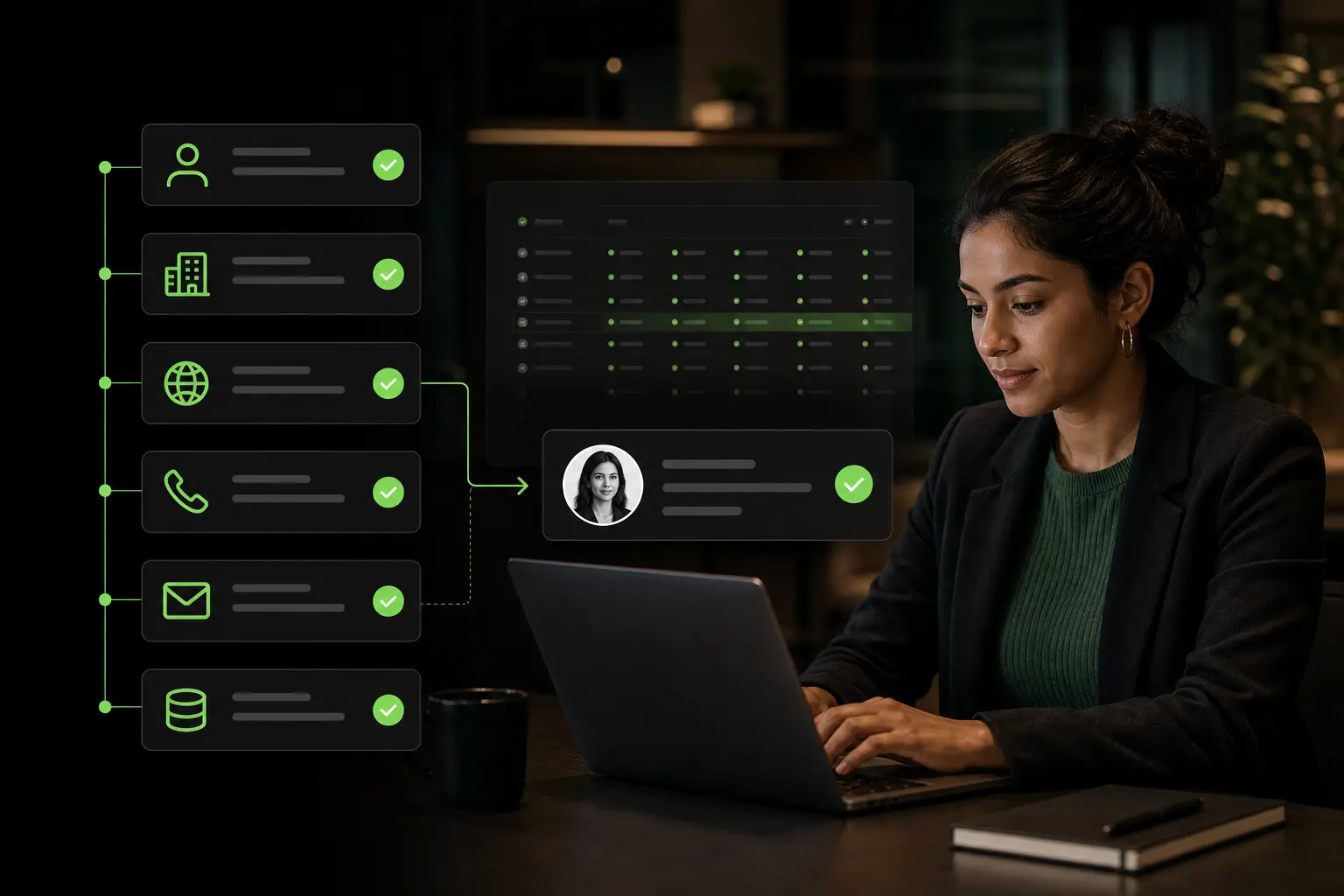
Zeliq combines a B2B database of 450M+ contacts with a waterfall enrichment engine that queries 40+ data providers in cascade to return the freshest email available for each lead. When the first provider returns nothing or stale data, the next one takes over. Coverage typically lands around 80 percent of emails found and verified for a given target list, with direct dials filled in for about 60 percent.
See how the Zeliq B2B lead database works
Pattern guess plus verify
When the target is missing from your database, the fallback is permutation plus verification. Generate the top three or four likely patterns, run them through an SMTP verifier, keep the valid one. Most modern enrichment tools automate this end-to-end. For business developers running outbound at scale, Zeliq handles find-enrich-verify in one workflow.
Email validation: the protocol to run before every send
Finding an address is half the work. Confirming it exists and accepts mail is the other half. Skip the validation step and you will pay the bill in bounces.
Validation runs in four layers, from cheapest to most reliable.
1. Syntax check (RFC 5322)
Does the string look legal? An @ sign in the right place, non-empty local part, non-empty domain, only allowed characters, total length under 254. Catches typos like john.smith@gmail (missing TLD), double dots, stray spaces. Microseconds, free.
2. DNS MX record check
Does the domain publish an MX (Mail Exchange) record in DNS? An MX record tells the mail system which server handles incoming mail. No MX record, every address on that domain is dead by definition.
3. SMTP ping
The verifier opens an SMTP connection to the domain’s mail server and asks, without actually delivering a message, whether the requested mailbox exists. The server replies with one of four states:
- Valid. The mailbox exists and accepts mail.
- Invalid. The mailbox does not exist. Sending will hard bounce.
- Accepted-all (catch-all). The server accepts every address. The verifier cannot positively confirm the specific mailbox.
- Unknown. Timeout, rate limit, or rejection of the probe. Retry later.
4. Reputation and exclusion filters
The verifier overlays a final pass: disposable-domain blocklists, role-based detection, known spam-trap detection, and a composite risk score. The output is a clean status the sender can act on.
Verification services
NeverBounce, ZeroBounce, Hunter Email Verifier, MailerCheck, Kickbox, Bouncer, Emailable. Most B2B platforms (Zeliq, Apollo, Snov, Cognism) integrate their own verifier inside the workflow. Per-address cost is US$0.001 to US$0.008 depending on volume. For 5,000 contacts that is US$5 to US$40, easily justified by the damage you avoid on a single hard-bounce surge.
Hard bounce, soft bounce, catch-all, accepted-all
These four terms come up every time deliverability does. Use them precisely.
Hard bounce. Permanently undeliverable. Mailbox does not exist, domain is shut down, local part is misspelled. Repeated hard bounces tank sender reputation fast. Remove the moment it bounces hard.
Soft bounce. Temporary problem. Mailbox full, server briefly unreachable, message too large. Retry in 24 to 72 hours. Three soft bounces in a row, treat as a hard bounce.
Catch-all. The domain accepts every local part regardless of whether a mailbox exists. No bounce, no guarantee anyone reads. Accepted-all is a synonym in most validation tools.
Benchmark to internalize: keep hard bounces under 2 percent per campaign. Above 5 percent, mailbox providers start throttling your sending or routing your domain straight to the spam folder, even for legitimate recipients.
Why email-address quality drives deliverability
Inbox-placement algorithms at Gmail, Microsoft 365, Yahoo, Proofpoint, and Mimecast weigh dozens of signals. Three of them are downstream of the addresses on your list:
- Bounce rate. A list packed with dead addresses signals a low-quality sender.
- Engagement rate. If recipients do not open, click, or reply, the algorithm concludes your content is irrelevant. Verified, in-role contacts lift engagement automatically.
- Complaint rate. Non-opt-in recipients are more likely to mark messages as spam. Complaints destroy sender reputation faster than any other signal.
A dirty list does not only sabotage the current campaign. It poisons every campaign that follows from the same domain, sometimes for weeks.
Worked example: cleaning a 12,000-address list before scaling outbound
Take a B2B outbound team in mid-market SaaS (3 SDRs, $10M ARR, ICP VP Sales and Head of Marketing in tech 50-300 employees). Their CRM holds 12,400 contacts collected over 24 months: past prospecting, purchased lists, cold inbound leads never recycled. The team wants to scale from 4,000 to 15,000 emails sent per month without torching the deliverability of their 3 sending domains.
The initial audit (SMTP verification + ICP cross-check) shows 47 percent valid addresses, 9.2 percent bounce rate on a test batch of 800, and a historical 1.4 percent reply rate. At those levels, scaling volume means scaling bounce and burning out within four weeks.
Action: a two-pass cleanup. First pass automatic via Hunter + Dropcontact for technical validation (syntax, MX, SMTP). Second pass manual for ICP-fit qualification (title + company + buying signal). Total: 5 days of RevOps time + $1,500 in external verification.
| Metric | Before cleanup | After cleanup | Delta |
|---|---|---|---|
| List size | 12,400 | 5,100 | -59% |
| % valid addresses | 47% | 96% | +49 pts |
| Bounce rate (800-test) | 9.2% | 1.5% | -7.7 pts |
| Cold sequence open rate | 24% | 41% | +17 pts |
| Cold sequence reply rate | 1.4% | 3.8% | +2.4 pts |
| Qualified meetings / month (at 15K sends) | 8 | 22 | +14 |
| Monthly pipeline generated | $108K | $295K | +$187K |
The counter-intuitive result fits in one line: a list cut in half generates 2.75 times more meetings. Three mechanics compound. Sub-2-percent bounce rate protects domain reputation. Spam filters let more emails through because engagement history stays healthy. And each remaining contact being genuinely ICP-fit lifts conversion at every funnel step.
Cost of the cleanup: 5 days of senior RevOps at $700 ($3,500) + $1,500 external verification (Hunter, Dropcontact, NeverBounce). Total one-time: $5,000. At an average deal size of $13K ARR and 22 percent AE win rate on the 14 incremental monthly meetings, the team signs roughly 3 extra customers per month, or $40K incremental monthly ARR. Cash ROI over 12 months lands at about 9× the cleanup cost, before counting LTV beyond year one.
The non-negotiable rule: never scale send volume on an unverified list. The only move that compensates for skipping verification is to cut the send volume by 70 percent, which defeats the point of scaling in the first place.
Building and maintaining a B2B email list
Five disciplines do most of the work on an evergreen list.
Compliant sourcing. Source from channels you can defend in writing: your own database, opt-in forms, public business directories, your enrichment provider’s terms-allowed exports, partner exchanges with documented consent. Avoid scraped lists from unknown sellers.
Deduplication. A healthy list has each person exactly once. Dedup on three keys combined: email (primary), full name plus company, LinkedIn profile URL. Without dedup you double-send and tag yourself as a spammer.
Waterfall enrichment. Queries multiple providers in cascade. Provider one returns nothing or stale data, provider two takes over, then three. Broader coverage and fresher data than any single source on its own. Explore how Zeliq runs waterfall data enrichment.
Quarterly refresh. B2B contact data decays at roughly 2 to 3 percent per month: job changes, layoffs, mergers, reorgs. Over twelve months that compounds to 25 to 35 percent going stale. A quarterly re-verification through your enrichment provider is the minimum.
Storage. CRM (HubSpot, Salesforce, Pipedrive, Close) is the default for a team running outbound. Two-way sync with the outreach tool is mandatory. Spreadsheets are acceptable below 1,000 contacts. Data warehouses (BigQuery, Snowflake, Postgres) fit advanced RevOps teams orchestrating multi-source enrichment at scale.
Capture leads from LinkedIn and any company website with the Zeliq browser extension
Security: telling a real address from a phishing impostor
Any email address can be spoofed at the From: header. Three authentication protocols prove an inbound message actually originated from the domain it claims, and one new standard is becoming mainstream in 2026.
SPF. A DNS record on the sending domain listing which servers are authorized to send on its behalf.
DKIM. A cryptographic signature on the message that proves the content was not modified in transit and that the sender controls the signing key.
DMARC. A policy layer on top of SPF and DKIM that tells receiving servers what to do when a message fails both checks: none, quarantine, or reject. Also generates aggregate reports.
BIMI. A 2026 standard that, when SPF, DKIM, and DMARC are all in place at the strictest level, lets the sender display a verified brand logo next to the inbox preview in Gmail and Yahoo. Visible authentication, useful as a trust signal at scale.
Defensive read: a message claiming to come from accounting@company.com via a sending domain of company-accounting.net is phishing. Offensive read: configure SPF, DKIM, and DMARC on every cold-outreach domain, otherwise you will be filtered as a suspected impostor of yourself.
Legal compliance: a five-region map
Outbound prospecting touches data protection law everywhere. Five frameworks cover most B2B markets.
CAN-SPAM (United States, 2003). The federal anti-spam law for commercial email. Identify yourself accurately, no deceptive subject lines, label promotional content, include a valid postal address, honor unsubscribes within 10 business days. Opt-out regime: you can email a B2B prospect without prior consent provided the message complies on form.
GDPR (European Union, 2018). Governs every piece of personal data tied to an EU resident, including business emails. For B2B prospecting the basis is usually legitimate interest, which requires proportionality, transparency, a documented balancing test, and a clear opt-out. The French CNIL allows B2B prospecting to a nominative professional address provided the message is relevant to the role.
CASL (Canada, 2014). One of the strictest opt-in regimes in the world. Requires either express consent or a narrow implied consent (existing business relationship, public publication with no opt-out notice). Fines reach CA$10 million per violation.
PECR (United Kingdom). Operates alongside UK GDPR. For B2B email to corporate subscribers (limited companies, LLPs, government bodies), PECR allows unsolicited mail with a clear opt-out. For sole traders, partnerships, and individuals, consent is required.
LGPD (Brazil). Brazil’s GDPR equivalent. Applies to any company processing data of Brazilian residents, regardless of headquarters. Accepts legitimate interest for B2B prospecting.
Operator move: keep an audit trail of where each address came from, when, and on what basis. Honor opt-outs in under 48 hours. Do not blend B2B and B2C data in the same campaign.
What are the different types of email addresses?
Six categories show up in B2B outbound. Business nominative (first.last@company.com), personal (Gmail, Outlook, Yahoo, iCloud), role-based (info@, sales@, support@), catch-all, alias, and disposable (mailinator and similar throwaway providers). Business nominative addresses carry the strongest buying signal. Disposable addresses carry zero value and should be filtered at ingest.
How do I find someone’s business email?
Four methods. Check the company website’s Contact, About, and Team pages for nominative emails or a visible pattern. Search LinkedIn for the person and combine first name, last name, and the domain’s known pattern. Run Google operator queries like “@company.com” site:linkedin.com to catch leaked addresses. For volume, plug into a B2B database (Zeliq, Hunter, Apollo, Snov, Cognism) that returns the verified email from a name and company input. Always run the result through a verifier before sending.
How do I validate an email address?
Four sequential layers. First, check syntax against RFC 5322 to eliminate typos and malformed strings. Second, verify the domain publishes an MX record in DNS. Third, run an SMTP ping that asks the receiving server whether the specific mailbox exists; the response is valid, invalid, catch-all, or unknown. Fourth, overlay reputation filters for disposable domains, role-based addresses, and known spam traps. Services like NeverBounce, ZeroBounce, Hunter Email Verifier, and the Zeliq Email Verifier automate all four in a single call.
The common mistakes that wreck outbound
- Buying an unverified list. The pitch: ten cents a contact. The reality: 40 to 60 percent bounces, your domain is burned in two campaigns, three months warming up a new sender.
- Sending without pre-flight validation. Even a fresh list contains 5 to 15 percent invalid addresses after a few months of decay.
- Ignoring hard bounces. Every hard bounce that hits a major mailbox provider is logged against your sending domain. Suppress immediately, do not retry.
- Loading sequences with role-based addresses. Reply rates collapse, complaints rise, and you train mailbox providers to treat your domain as a bulk sender.
- Mixing personal and business addresses in the same sequence. Different legal regimes, different inbox-placement rules, different engagement profiles. Segment them.
- Treating an opt-out as a soft delete. Opt-out is permanent and global in every jurisdiction listed above.
- Never refreshing the list. A list left untouched for twelve months has lost a third of its accuracy. Quarterly re-verification is the floor.
Zeliq and B2B email address sourcing
Finding verified B2B email addresses at scale takes more than an isolated email finder: you need to combine ICP-filtered sourcing, real-time SMTP verification, and documented compliance. Zeliq centralizes all three across 450 million B2B contacts with a measured 30-day validity rate of 84%. All in a single interface, no stacking three tools.
Conclusion: a clean address beats a thousand dirty ones
Outbound success is not won on raw volume. It is won on the quality of the addresses sitting in your list at the moment of send. A list of 5,000 verified, in-role, opt-out-respecting business email addresses will out-convert a list of 50,000 scraped records every single time, with healthier deliverability and zero legal exposure on top.
If you want to compress the find-enrich-verify loop into a single workflow and stop juggling four tools to send one campaign, check Zeliq pricing and start building a verified B2B email list today.
Find verified B2B email addresses
Zeliq combines verified contacts, enrichment and multichannel sequences in a single platform. Account created in 2 minutes, no credit card.
Book a demoAnd if you want to find and verify B2B email addresses at scale without stacking three tools, try Zeliq for free and access 450 million enriched contacts from day one.



.webp)