
NAICS Code Lookup: How to Find Your NAICS Code (and Use It for Sales)
If you have ever filled out a tax form, applied for a small business loan, or set up a target account list in a sales platform, you have run into the NAICS code. Six digits that classify what your company does. The problem: most people know they need one, do not remember what theirs is, and end up clicking through three government websites before giving up.
This guide fixes that. We walk through what NAICS codes are, how the structure actually works, where to look up yours in under five minutes, and how to find a competitor’s code. Then we get into the part that matters for revenue teams: using NAICS as a filter for ICP segmentation, outbound list building, and account scoring. With limitations. And with workarounds for the parts where NAICS is too broad to be useful on its own.
Built for business owners who need their own code, sales reps building targeted lists, and RevOps leaders trying to enforce ICP discipline across the funnel.
What is a NAICS code
NAICS stands for North American Industry Classification System. It is the standard taxonomy used by the federal statistical agencies of the United States, Canada, and Mexico to classify businesses by their primary economic activity. The system was introduced in 1997 as a replacement for the older SIC system, and it gets revised every five years to reflect new industries (the most recent revision was 2022, with the next round scheduled for 2027).
A NAICS code is a six-digit number. Each digit narrows the focus, from broad sector down to a specific national industry. The code 541511, for example, describes “Custom Computer Programming Services” inside the Professional, Scientific, and Technical Services sector. Same logic for any business: you start with the broad sector and drill down to the activity that produces most of your revenue.
Why does this matter? Three reasons. Government agencies use it for tax filings, federal contracting eligibility, and industry statistics. Banks and insurers use it to assess underwriting risk. And, most relevant for anyone reading this, B2B sales and marketing teams use it as the backbone of ICP segmentation, because every reputable lead database (Apollo, ZoomInfo, Cognism, Zeliq) lets you filter accounts by NAICS code.
NAICS vs SIC: why both still exist
Before NAICS, there was SIC. The Standard Industrial Classification was developed in the 1930s by the U.S. government and used a four-digit code system to classify businesses. It was retired as the official federal standard in 1997 when NAICS came in.
So why does anyone still talk about SIC? Two reasons. First, some legacy systems and government databases (the SEC’s EDGAR filings, for example) still use SIC alongside or instead of NAICS. Second, certain industries felt better served by the older taxonomy and the data attached to it has decades of historical depth that NAICS cannot match yet.
For practical purposes today:
- If you are filing with the IRS, applying for an SBA loan, registering on SAM.gov for federal contracts, or doing anything official in the U.S., Canada, or Mexico, you use NAICS.
- If you are reading older industry reports, looking at SEC filings, or working with a legacy CRM that has not been updated since 2005, you may see SIC codes.
- Most modern sales tools support both, and many companies are tagged with both a NAICS code and a SIC code in lead databases.
NAICS is more granular, more current, and more aligned with how modern industries actually segment. SIC is a fossil that refuses to fully die. If you have a choice, use NAICS.
How NAICS is structured: the six digits explained
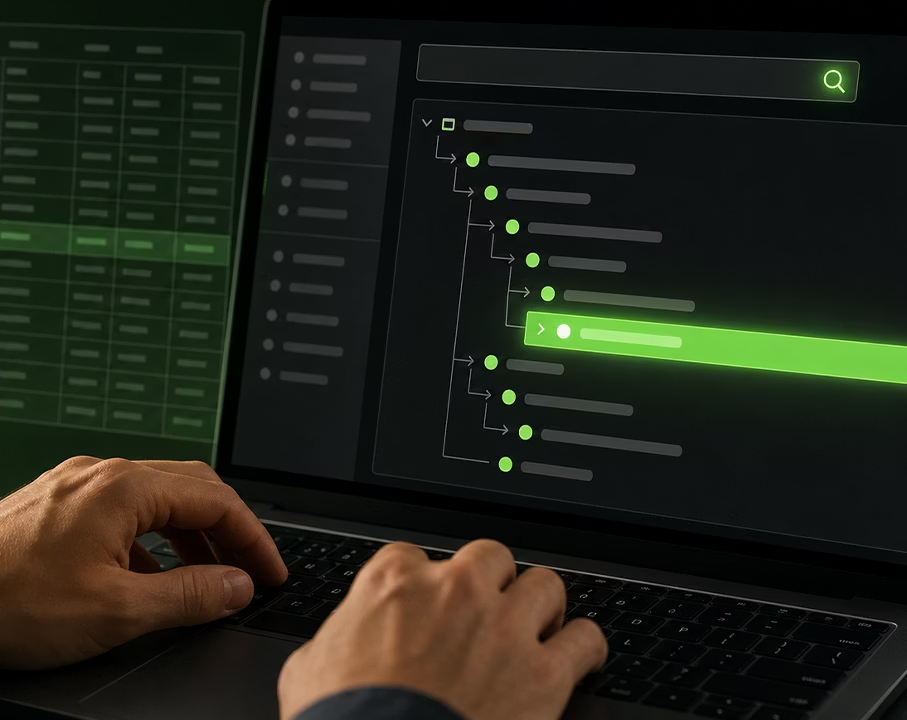
The six-digit NAICS code is hierarchical. Each pair of digits represents a level of detail.
- Digits 1 and 2: Sector. The broadest category, 20 sectors total. Examples: 11 (Agriculture, Forestry, Fishing and Hunting), 31-33 (Manufacturing), 54 (Professional, Scientific, and Technical Services), 72 (Accommodation and Food Services).
- Digit 3: Subsector. Narrows down inside the sector. Inside sector 54, subsector 541 is Professional, Scientific, and Technical Services as a unified group.
- Digit 4: Industry Group. Inside 541, group 5415 is Computer Systems Design and Related Services.
- Digit 5: NAICS Industry. 54151 is Computer Systems Design and Related Services, with most companies still falling under this five-digit umbrella.
- Digit 6: National Industry. This is country-specific. The U.S. uses 541511 (Custom Computer Programming Services) and 541512 (Computer Systems Design Services). Canada and Mexico may have slightly different sixth-digit splits to reflect their economies.
For a B2B sales team, the practical takeaway: filtering at the two-digit level is too broad (sector 54 contains everyone from law firms to advertising agencies), filtering at the six-digit level is usually too narrow for top-of-funnel volume, and filtering at four to five digits is the sweet spot for ICP segmentation. We will come back to this.
How to look up your NAICS code
You have four reliable paths. Pick the one that matches what you know.
Method 1: Search by keyword on the Census Bureau’s official site
The U.S. Census Bureau hosts the official NAICS lookup at census.gov/naics. Free, authoritative, no account required. Type a keyword that describes your main activity (“software development”, “dental clinic”, “freight trucking”) and the search returns matching codes with full descriptions. This is the source of truth. If you only have time for one method, use this one.
Method 2: Search on NAICS.com
NAICS.com is a private site that mirrors the official codes and adds a friendlier search interface, including a guided questionnaire that walks you through your business activity to suggest a code. Free for basic lookups. Useful when the official Census search is throwing too many results and you want something more conversational.
Method 3: Search by description (if your activity is unusual)
Some businesses do not fit cleanly into a single keyword. A bakery that also runs a delivery fleet, a marketing agency that owns its own SaaS product. For these, search the Census site by description rather than keyword. Read the full code description (the Census site provides one or two paragraphs per code) and match the activity that produces the largest share of your revenue. That is the rule the IRS and the SBA apply: primary activity by revenue, not by headcount or by founder’s title.
Method 4: Check existing filings
If you have ever filed a federal tax return for the business, your NAICS code is on it (Schedule C for sole proprietors, Form 1120 for corporations). Loan applications, business insurance policies, and SAM.gov registrations all carry it too. Five minutes of digging through paperwork can save the lookup entirely.
How to find a competitor’s NAICS code
This is where it gets interesting for sales teams. You rarely need your own code more than once. But you may need to look up dozens of target accounts.
Dun and Bradstreet (D&B) assigns NAICS and SIC codes to most U.S. businesses with a DUNS number. The free D&B Hoovers preview shows the primary code for many companies; the paid version gives full multi-code coverage and revenue brackets.
OpenCorporates is a free global database of company registrations. Coverage of NAICS is uneven (it is stronger on company filings than industry classification), but for U.S. and Canadian incorporated entities you often get the code in the public record.
Government registries are the official source for any company that bids on federal contracts. SAM.gov (U.S.) lists every registered vendor with their NAICS codes. The SEC’s EDGAR database carries SIC for public companies. Provincial and state business registries vary in what they expose.
B2B sales platforms like Zeliq, Apollo, ZoomInfo, and Cognism enrich every company record with at least one NAICS code, often several. This is usually the fastest path when you are working through a list of 50 or 500 accounts: import the list, let the platform tag it, then filter or segment.
Why B2B sales teams care about NAICS
Three reasons sit at the top, and a fourth that becomes a competitive moat once you do it well.
1. ICP filtering at scale. Your ideal customer profile probably names an industry. “Mid-market SaaS companies”, “construction firms with 50-200 employees”, “regional law practices”. NAICS is the only universal language for that filter. If you can express your ICP as a list of NAICS codes, you can buy or build a list against it in any data tool, and you can compare segmentation logic across teams without ambiguity.
2. List segmentation for outbound. Different industries have different pain points, buying cycles, and tech stacks. A sequence that works for SaaS companies (NAICS 5112, 518) will fall flat on construction firms (NAICS 23). Tagging your outbound list by NAICS lets you write segment-specific copy without guessing which template to apply.
3. Firmographic plus intent targeting. When you combine NAICS with intent signals (job postings, tech stack changes, funding events), you stop spraying. You target a SaaS company that just hired three sales reps, or a manufacturer that just signed up for a freight management trial. NAICS is the firmographic anchor that makes the intent layer interpretable.
4. Tax and regulatory awareness. Less glamorous but real. Some industries are regulated in ways that change the sales conversation: HIPAA for healthcare (NAICS 62), GLBA for finance (52), GDPR-equivalent state laws for consumer-facing businesses. Knowing your prospect’s NAICS up front means you walk into discovery with the right compliance lens already on.
Stop guessing your ICP industry filter. Zeliq’s lead database lets you slice 35M+ companies by NAICS code, headcount, revenue, tech stack, and funding signals in a single query. See how it works or explore the full feature.
NAICS for ABM and outbound list building
For account-based marketing or any high-precision outbound motion, NAICS is the first filter you apply, not the last.
The workflow most RevOps teams settle on after a few iterations:
- Define your ICP as a list of NAICS codes at the four to five-digit level. Two-digit is too coarse, six-digit is usually too narrow for outbound volume. Example for a SaaS sales tool: 5112 (Software Publishers), 518 (Computing Infrastructure Providers), 5415 (Computer Systems Design and Related Services).
- Pull a list from your data provider filtered on those codes. Apollo, ZoomInfo, Cognism, and Zeliq all support NAICS as a primary filter. Layer headcount, revenue, geography, and tech stack on top.
- Enrich missing fields (direct phone, verified email, LinkedIn URL of the right contact) before you push the list anywhere. A company filtered on NAICS but missing the contact data is still a dead end. This is where waterfall enrichment matters: a single provider might have email coverage of 50% on your list, while a multi-source enrichment can push that to 80% or more. Zeliq’s enrichment layer routes through 40+ providers in cascade.
- Segment by NAICS for sequence assignment. Same outbound platform, different copy per industry. The NAICS code becomes the routing key.
- Score and prioritize. Combine NAICS with intent (hiring, funding, tech adoption) for a heat score. RevOps teams running this at scale see the productivity gains documented on the Zeliq RevOps page.
For sales leaders running multiple SDR pods, NAICS is also a clean way to assign territories without overlap. Pod A owns 5112, Pod B owns 518, Pod C owns 23. No fights over who emails which account. Sales leaders working with team distribution at scale will recognize the pattern from the Zeliq for Sales Leaders playbook.
NAICS limitations: what the code cannot tell you
Three known weaknesses, and how to work around them.
Codes are too broad for some industries. NAICS 541511 (Custom Computer Programming Services) covers a freelance Ruby developer, a 50-person agency building React apps, and a 5,000-person consulting firm doing legacy mainframe migrations. The code is the same. The buyer is not. Workaround: combine NAICS with headcount, revenue, and tech stack filters. NAICS gives you the industry; the other filters give you the segment.
Companies often have more than one code. A company that does SaaS, consulting, and training will be classified under whichever activity generates the most revenue, but the other two activities will be missing from the primary code. Some data providers tag companies with multiple codes (primary, secondary, tertiary); always check whether your filter is hitting “primary code only” or “any code”. The wider the filter, the higher the noise, but also the higher the recall.
Evolving industries lag behind the taxonomy. AI-native companies, vertical SaaS for niche industries, creator economy businesses, and Web3 companies all sit awkwardly inside NAICS. The 2027 revision will catch up partially, but expect a permanent gap between fast-moving categories and the slow-moving classification system. Workaround: do not rely on NAICS alone for emerging segments. Layer in keyword search on company description, LinkedIn industry, or tech stack signals.
How to update your NAICS code
You do not “register” a NAICS code. There is no central registry that tracks it for you. You declare it on each filing: tax returns, loan applications, government contract registrations, business insurance.
If your business has pivoted (a consultancy that became a SaaS, a retailer that became a wholesaler), update the code on your next filing. For SAM.gov registrations, log in and update directly. For tax returns, your accountant updates it on the next year’s filing. There is no penalty for “having had the wrong code” as long as the new one accurately reflects your current primary activity.
The IRS rule of thumb: if more than 50% of your revenue now comes from a different activity, update the code.
International equivalents: NAICS, SIC, NACE, NAF, ANZSIC
NAICS is North American. If your sales motion crosses borders, you need to know the local equivalents.
- United Kingdom: SIC (the UK SIC, separate from the U.S. legacy SIC). Companies House tags every registered UK company.
- European Union: NACE. A four-digit hierarchical system used across all EU member states. Statistically harmonized with the UN’s ISIC.
- France: NAF. The French national variant of NACE, four digits plus a letter (e.g. 6201Z for computer programming). Issued by INSEE on company registration.
- Australia and New Zealand: ANZSIC. A joint four-digit system used by the Australian Bureau of Statistics and Stats NZ.
- United Nations: ISIC. The global parent of all the above. Useful when you need to map across jurisdictions.
For a global outbound motion, do not try to harmonize manually. Most enterprise lead databases have built crosswalks between NAICS, NACE, SIC (UK), and ISIC. Use the platform’s own mapping, not your own spreadsheet.
FAQ
Do I have to use a NAICS code? For U.S. tax filings, federal contracting, and most business loans, yes. For private-sector use (a vendor questionnaire, a sales database), it is functionally required because that is what the systems use.
Can a business have more than one NAICS code? Yes. The federal tax filing uses one primary code, but data providers and federal contracting registrations support multiple codes when a business has multiple revenue lines.
How often do NAICS codes change? The system is revised every five years. Most codes carry over unchanged; a small number get added, retired, or merged. The next revision is scheduled for 2027.
What is the difference between NAICS and a business license code? NAICS is a federal statistical classification. Business licenses are issued by state, county, or city governments and use their own internal categories. The two are not synonymous, and a NAICS code does not function as a license.
Where do I find the NAICS code on a tax return? On Schedule C (sole proprietors), it is on line B of Part I. On Form 1120 (corporations), it is on line B of the heading. On Schedule K-1 and other forms, it usually sits at the top of the first page.
Bottom line
A NAICS code is a six-digit answer to the question “what does this business do?” Five minutes on the Census Bureau site gets you yours. The harder work, and the work that actually moves pipeline, is using the code: as the backbone of your ICP filter, as the segmentation key for your outbound copy, and as the firmographic anchor for your intent signals.
For sales and RevOps teams, the leverage is not in the lookup. It is in turning industry classification into a repeatable filter that produces clean, segmented, enrichable lists. That is what a modern lead database is built to do.
Ready to put NAICS to work on your pipeline? Explore Zeliq pricing or start a free account and pull your first NAICS-filtered list in under ten minutes.