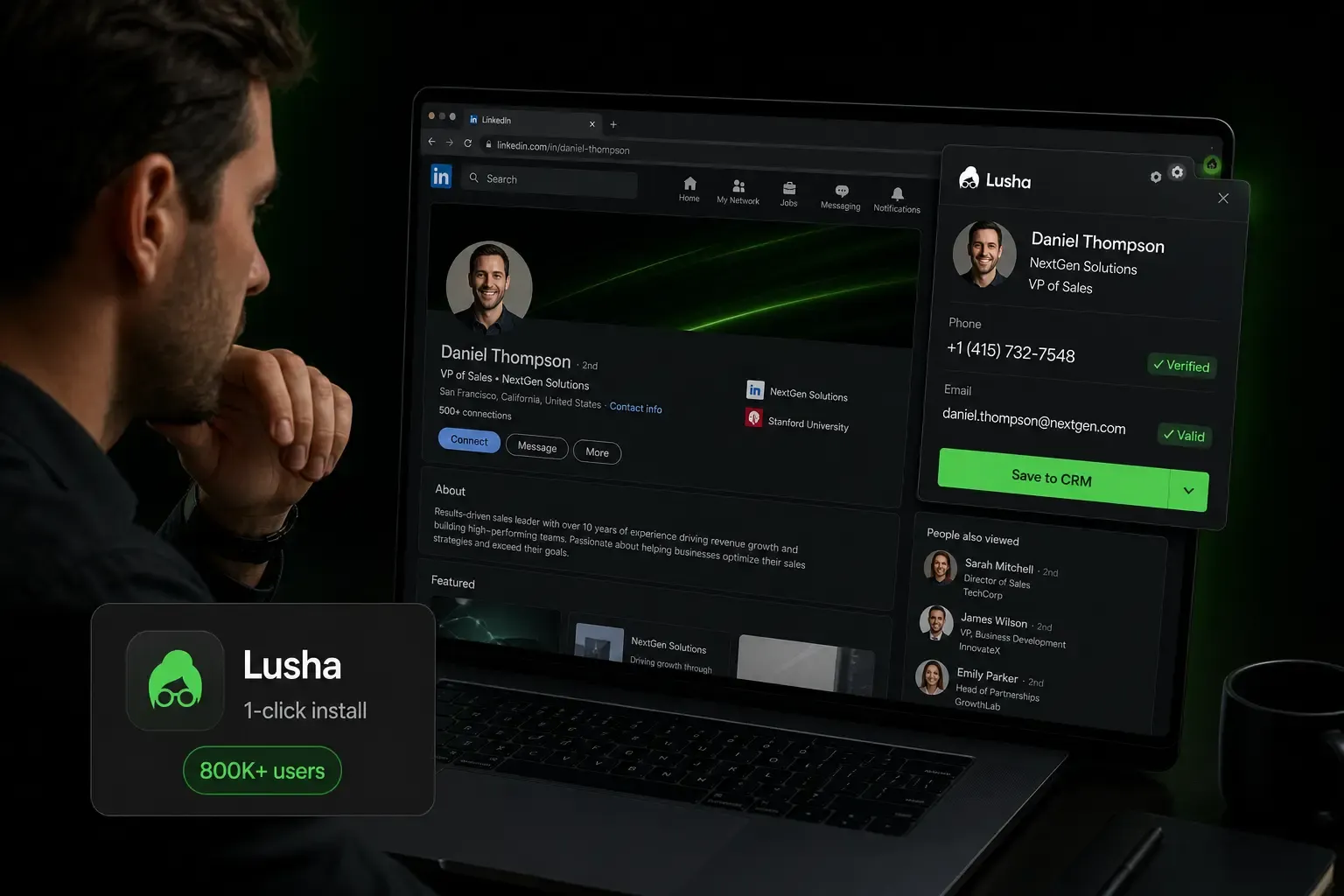

The Lusha Chrome extension brings contact and company intelligence into the pages where sales teams already work. It can reveal business emails and phone numbers from LinkedIn and Sales Navigator, surface data on B2B websites, enrich records in supported CRMs, and add prospects to Lusha Engage email sequences without forcing the user to rebuild the contact manually in another tab.
This 2026 review explains what the extension actually supports, how its credit model works, where it saves time, where its limits appear, and how to compare it with alternatives such as Kaspr, Cognism, Apollo, Hunter and Zeliq.
On the agenda:
- What the Lusha Chrome extension does today
- How to install and verify it safely
- LinkedIn, Sales Navigator, Gmail, CRM and company-site workflows
- Email and phone credit consumption
- Lusha Engage and CRM integrations
- Current plans and the real cost of extension usage
- A reproducible 30-day evaluation protocol
- The strongest Lusha Chrome extension alternatives
Key takeaways:
- Reach: Lusha documents support for LinkedIn, Sales Navigator, Gmail, supported CRMs and B2B websites through Lusha Everywhere.
- Adoption: the Chrome Web Store lists roughly 400,000 users and a 4.6/5 rating from around 1,800 reviews.
- Free access: the current Free plan includes 40 credits per month and one seat, with no card required.
- Credit logic: Lusha's current user guide prices an email at 1 credit and a phone number at 5 credits, although some commercial pages may display a different phone cost.
- Outreach: Lusha Engage is an email-sequencing product. It should not be presented as native automated LinkedIn or calling orchestration.
- Best fit: the extension is strongest for teams that want verified data directly inside several daily work surfaces. Teams seeking one workflow for enrichment, assignment and multichannel execution should compare it with Zeliq.
1. What the Lusha Chrome extension does
The extension overlay principle
The Lusha Chrome extension is a browser layer connected to the same account, data and credit balance used in the Lusha platform. Instead of copying a name from LinkedIn into a separate database, a rep can open the extension in the current tab, reveal available contact details, save the person to a table, export the record to a CRM or enroll the contact in an email sequence.
The value is therefore less about creating a new source of data than about reducing context switching. The extension makes Lusha's data actionable from the page the rep is already viewing.
What data the extension reveals
Depending on the page and the record available, the extension may display:
- business email addresses and direct phone numbers;
- job title, seniority, department and LinkedIn profile;
- company size, industry, revenue, location and funding data;
- technology, hiring, job-change and buying-signal information when available;
- actions to save the contact, export it, sync it to a CRM or add it to an email sequence.
Availability is record-specific. A polished extension interface does not guarantee that every profile will return both an email and a mobile number, so coverage must be tested on the exact geography, seniority and industry that the team targets.
How the extension pulls data
When a user opens a profile or company page, the extension matches visible identifiers against Lusha's backend. Search and company information can be viewed without necessarily consuming a contact-data credit; credits are used when the user reveals chargeable data points such as an email or phone number.
Lusha's current documentation states that a revealed email costs 1 credit and a phone number 5 credits, and that the same data point is not charged again after it has already been revealed. Because the public Pricing FAQ has previously displayed a different phone cost, teams should verify the checkout and account documentation that applies to their subscription.
Why teams prefer the extension over the web app
The extension is preferable when the rep is researching one person or one account at a time. It reduces copy-paste, keeps the prospect's context visible and provides immediate actions after enrichment.
- Use the extension for live prospecting, profile review, CRM updates and one-click enrollment.
- Use Workspace or Prospect Search to build larger filtered lists.
- Use CSV enrichment or API workflows for database cleanup and operational-scale enrichment.
The extension and the web platform therefore complement one another rather than replacing each other.
2. Install the Lusha extension from the Chrome Web Store
Prerequisites
- A supported Chrome or Microsoft Edge browser.
- An active Lusha account; the Free plan is sufficient for initial testing.
- Access to the pages the team intends to use, such as LinkedIn, Sales Navigator, Gmail or a supported CRM.
- Permission from the company's IT or security team when browser extensions are centrally managed.
Lusha extension installation steps
- Open the official Chrome Web Store listing published by Lusha.
- Select Add to Chrome and review the requested permissions.
- Pin the extension to the browser toolbar.
- Sign in with the intended Lusha workspace.
- Open a known LinkedIn profile or company page and confirm that the panel loads.
- Before revealing data at scale, connect the correct CRM and verify field mappings.
The Chrome Web Store currently lists version 10.9.5, updated on June 9, 2026, with approximately 400,000 users. These figures change over time and should be treated as a snapshot rather than a permanent product specification.
Install it on Microsoft Edge
Lusha also publishes the add-on in the Microsoft Edge Add-ons store. Find Lusha in the store and select Get. Then confirm with Add extension. A privacy policy pop-up opens on LinkedIn. Choose “Got it, let's go” to finish. The same pop-up appears on Chrome after Add to Chrome.
Verifying that the extension is active
Test the extension on a profile for which the team already knows the correct company and role. Confirm that the account shown in the panel is the right workspace, that the contact match is unambiguous and that the CRM destination is correct before revealing or exporting anything.
If the panel does not load, first check whether the extension is enabled and updated, then refresh the tab, verify that third-party browser controls are not blocking it and consult Lusha's troubleshooting guide. Avoid assuming that a missing panel means the contact is absent from the database.
How to use it step by step
- Log in to Lusha in the same browser.
- Open a profile, a search results page or a company page.
- Select the blue Lusha icon. A badge counter on the icon tells you whether results exist.
- Reveal the details you need. Each reveal uses credits.
- Save the result to a table, send it to your CRM as a lead, contact or account, or start a sequence.
Lusha is moving the tool to a native browser side panel. It no longer opens on its own on profile pages, so pin the icon to the toolbar. A rep can send up to 150 people at a time to a sequence from it.
Browser and device support
Lusha explicitly documents Chrome and Edge. Other Chromium-based browsers may technically load Chrome extensions, but they are not necessarily covered by the same support commitment. For a production rollout, standardize on a documented browser and test company security policies, SSO and extension permissions in advance.
3. LinkedIn compatibility
LinkedIn Sales Navigator workflows
Sales Navigator is one of the extension's strongest contexts. Lusha documents individual prospect enrichment as well as bulk enrichment and bulk saving from Sales Navigator into a Lusha table or a connected CRM.
- Reveal contact data on individual lead profiles.
- Save several Sales Navigator results to a table.
- Push enriched leads to a CRM when the account and plan support the workflow.
- Use the resulting table for filtering, exporting or email-sequence enrollment.
The operational benefit should be measured through time per usable contact and duplicate rate, not through an assumed number of minutes saved per account.
Standard LinkedIn
The extension can reveal data from visible LinkedIn profiles without requiring Sales Navigator. The main limitation is not the Lusha panel itself but the narrower search, filtering and profile-access capabilities available in a standard LinkedIn account.
For low-volume or founder-led prospecting, standard LinkedIn may be enough. For repeatable territory building and bulk workflows, Sales Navigator generally provides a more structured starting point.
Recruiting and Recruiter workflows
Lusha documents an extension use case for recruiters who need business contact details from professional profiles. Exact behavior can vary by LinkedIn interface and account type, so teams using Recruiter Lite or Recruiter should test their own pages before purchasing a plan specifically for that workflow.
Recruiting teams must also define an appropriate lawful basis, communication policy and opt-out process rather than treating the availability of a phone number as permission to contact a candidate without context.
4. Gmail, CRM and company-site workflows
Gmail and calendar context
Lusha Everywhere can surface contact context in Gmail, and the Chrome Web Store listing also references Google Calendar. This is useful when a rep has already exchanged messages or booked a meeting and wants to complete the contact record without leaving the conversation.
- Review the sender or recipient's company and role.
- Reveal missing contact data when it is genuinely needed.
- Save or update the person in a Lusha table or connected CRM.
- Add the contact to an appropriate email sequence rather than copying the record manually.
The workflow should be used selectively. Revealing a phone number for every email correspondent can waste credits and create unnecessary personal-data processing.
Company websites through Lusha Everywhere
Lusha documents support for any B2B website through Lusha Everywhere. On a company page, the extension can help identify the organization, surface relevant employees and provide available company intelligence without requiring a direct LinkedIn profile URL.
- Research target accounts while reading their website.
- Identify decision-makers linked to the company.
- Review company attributes and signals before contacting anyone.
- Move selected prospects into a table, CRM or sequence.
This is broader than a LinkedIn-only lookup workflow. The practical coverage still depends on whether Lusha can confidently identify the company and match the relevant people.
A practical multi-context workflow
A coherent workflow starts with account research, not indiscriminate reveals:
- Build or select the target account in Workspace or Sales Navigator.
- Use the extension to review people on LinkedIn or the company website.
- Reveal only the data points needed for the next action.
- Save the record to a shared table or CRM with a clear owner.
- Enroll qualified contacts in an email sequence or pass them to the correct rep.
The same credit balance follows the user across the platform, extension, AI workflows and API, so governance matters more than the surface from which the reveal occurs.
5. The Lusha email finder extension
Email and phone discovery
The extension's core job is to turn a recognized professional profile into usable business contact data. Lusha's documentation currently prices an email reveal at 1 credit and a phone reveal at 5 credits. Company data is free in the platform and extension, while API use follows additional request rules.
- Reveal a business email only when email outreach is planned.
- Reveal a phone number only when a call is part of the sequence.
- Reuse already revealed data instead of paying to rediscover it in another workflow.
- Track the cost per usable, unique contact rather than the nominal credit price alone.
When no LinkedIn profile is available
For event lists, inbound leads or CRM records without a LinkedIn URL, the Lusha platform's search and enrichment tools are generally more appropriate than forcing the browser extension to act as a manual contact finder. A company, name, role and domain provide the matching context needed to reduce false positives.
Use the extension when the page itself contains meaningful identity context; use Workspace, CSV enrichment or the API when the input is a structured dataset.
Free versus paid access
The current Free plan includes 40 credits per month and one seat. At the documented data-point rates, that could represent up to 40 email reveals, eight phone reveals, or a mixture of both. The exact output is lower when a workflow uses credits for other features.
Paid plans increase the annual credit pool and add capabilities such as bulk enrichment, API access, signals, team controls and additional seats. The right plan is determined by the number of unique data points revealed, not simply the number of profiles viewed.
6. Lusha Engage for sequences
What Lusha Engage adds
Lusha Engage lets users create and manage personalized, multi-step email sequences inside Lusha. Prospects can be added from Workspace, search, CSV, CRM or directly from the extension.
- Create multi-step email cadences.
- Use an AI assistant to draft and personalize copy.
- Set sending windows, delays and time zones.
- Track replies, bounces and engagement.
- Pause contacts for out-of-office responses and troubleshoot provider limits.
This is a genuine workflow advantage, but it must be described accurately: Lusha Engage is documented as email sequencing, not as native automation of LinkedIn messages and phone calls.
Availability across plans
Lusha's current pricing page includes automated email sequences in the Free plan's feature list, and the Engage product page states that Engage is available to all Lusha users at no extra charge. Sending still requires a connected Gmail or Microsoft Outlook account, and provider-specific sending limits apply.
Plan differences therefore concern data volume, enrichment, signals, API access, seats and team administration more than the simple presence or absence of an email sequence builder.
Limits to account for
Teams needing advanced multichannel execution should distinguish an email sequence from a full sales-engagement workflow. Native social actions, call tasks, dialer orchestration, complex branching and broad channel analytics may require another platform or integration.
Before migrating from a dedicated sales-engagement tool, test inbox connection, deliverability controls, personalization, reporting, reply handling, Salesforce sync and the team's real sequence complexity.
7. Lusha extension pricing plans
Pricing overview in 2026
| Plan | Public pricing snapshot | Credits | Included seats | Typical fit |
|---|---|---|---|---|
| Free | $0/month | 40/month | 1 | Evaluation and occasional lookup |
| Starter | List price shown at $49.90/month; annual promotions may reduce it | 4,800/year, granted upfront | 1 | Individual prospecting and bulk enrichment |
| Pro | List price shown at $69.90/month; annual promotions may reduce it | 7,200/year, granted upfront | 2 | Small teams needing API, CSV, signals and webhooks |
| Premium | List price shown at $399.90/month; annual promotions may reduce it | 40,800/year, granted upfront | 5 | Teams needing larger volume and administration controls |
| Scale | Custom | Custom | Custom | Large organizations, SSO and negotiated governance |
Promotional prices, taxes and regional checkout values can change. Use the figures above as a review snapshot and validate the final annual commitment, seat count and credit allocation in the checkout or written quote.
Which plan supports what
- Free: extension access, search, filters, basic data reveals and email sequences within a small monthly credit pool.
- Starter: more data volume, lookalikes, bulk enrichment, AI assistance and intent topics.
- Pro: two included seats, API, CSV enrichment, signals and webhooks.
- Premium: five included seats, advanced team management and credit allocation.
- Scale: custom credits and seats, SSO, expanded intent topics, compliance support and dedicated service.
Monthly-plan credits can roll over up to twice the monthly allowance. Annual plans grant credits upfront, with unused credits resetting at the end of the annual cycle.
8. CRM integrations
Native CRM and sales-tool integrations
Lusha currently documents native connections with Salesforce, HubSpot, Pipedrive, Bullhorn, Microsoft Dynamics, Zoho, Outreach and Salesloft, plus automation connectors and webhooks for broader workflows.
- Push new contacts and companies into the CRM.
- Enrich existing records and fill missing fields.
- Map Lusha fields to the correct CRM properties.
- Use CRM records as inputs for prospecting and outreach.
Availability can depend on the plan and product. Validate permissions, field mapping and deduplication on a sandbox or small test set before team-wide use.
A controlled enrichment flow to CRM
The safest extension-to-CRM process is:
- search for an existing person and company before creating a new record;
- reveal only the missing data points;
- confirm the company match and record owner;
- push the record using an agreed field mapping;
- audit duplicates, overwrites and rejected exports after the pilot.
One-click export is useful only when the CRM rules are clear. Without governance, faster enrichment can also accelerate duplicate creation and inconsistent field values.
Zeliq as an all-in-one Lusha alternative
Zeliq combines a browser extension with access to 450M+ contacts, waterfall enrichment across 40+ providers, prospect assignment, CRM synchronization and multichannel sequences. The comparison is especially relevant when a team wants to move from capture to outreach without assembling a separate engagement stack.
9. Alternatives to the Lusha Chrome extension
Kaspr extension
Kaspr is primarily a LinkedIn-centered contact-data extension. It is worth testing when mobile-number coverage on European LinkedIn prospects is the main requirement. Compare it on the same profiles rather than relying on generic regional claims.
Cognism browser extension
Cognism is oriented toward teams that value enterprise data governance, phone verification and structured compliance processes. Its public pricing is quote-based, so comparison requires a written scope covering licences, credits, enrichment and support.
Apollo extension
Apollo combines a browser extension with a large prospect database, CRM integrations, sequences and broader sales intelligence. It is a logical benchmark for teams considering an all-in-one platform rather than a dedicated contact lookup layer.
Zeliq extension and platform
Zeliq is designed to capture a prospect from a profile, search result or company page, enrich the record through multiple providers, assign it, sync it to HubSpot and launch multichannel outreach from the same workflow. Its Starter plan is publicly listed at €59 per user/month with 750 monthly credits, while the Basic plan is free.
Hunter
Hunter is an email-first alternative centered on domain search, email discovery and verification. It is better suited to teams that primarily need business emails than to teams whose workflow depends on direct mobile numbers and rich account signals.
10. A 30-day Lusha Chrome extension evaluation framework
Do not evaluate Lusha on a hand-picked demonstration or a fictitious ROI model. Use a controlled sample that reflects the team's real territory.
Build the test set:
- 100 to 300 unique prospects from the target geography, industry and seniority;
- a balanced mix of known contacts, difficult profiles and net-new accounts;
- the same records tested in Lusha and one or two alternatives;
- duplicates removed before the test begins.
Run the test over four weeks:
- Week 1: install, permissions review, CRM mapping and baseline measurement.
- Week 2: individual LinkedIn and company-site enrichment.
- Week 3: Sales Navigator bulk workflow, Gmail context and sequence enrollment.
- Week 4: data verification, user feedback, credit analysis and TCO review.
| KPI | How to calculate it | Why it matters |
|---|---|---|
| Email coverage | Valid business emails found / eligible prospects | Measures usable email reach |
| Phone coverage | Working direct numbers / eligible prospects | Measures call-ready data |
| Accuracy | Verified correct data / data points revealed | Separates volume from quality |
| Cost per usable contact | Total plan and credit cost / unique usable contacts | Allows fair vendor comparison |
| Time per saved contact | Active operator time / contacts correctly stored | Measures workflow efficiency |
| CRM quality | Duplicates, failed exports and incorrect overwrites | Captures operational risk |
| Positive reply or meeting rate | Qualified outcomes / contacted prospects | Connects data to revenue activity |
Choose the tool that produces the lowest cost per accurate, action-ready contact and the highest user adoption. A larger headline database or lower seat price does not automatically produce a better outcome.
11. Frequently asked questions
What are the Lusha Free plan limits with the Chrome extension?
The current Free plan includes one seat and 40 credits per month. The extension, verified email and phone reveals, filters, company data, automated email sequences and call-recording features appear in the plan's public feature list. The small credit pool remains the main limit. At 1 credit per email and 5 per phone under the current user-guide rules, phone-first prospecting can exhaust the allowance quickly.
Does the Lusha Chrome extension work on company websites?
Yes. Lusha documents Lusha Everywhere as a way to surface company and contact data on B2B websites, in addition to LinkedIn and Sales Navigator. Match quality depends on the website, company identity and available data. Test the extension on the actual sites used by the team rather than assuming universal coverage.
How does the Gmail integration work?
The extension can surface Lusha data in Gmail so users can review or complete the contact record while reading a conversation. From there, the contact can be saved, synced or added to an email sequence when the account supports the action. Reveals draw from the same credit balance as other Lusha surfaces, so teams should avoid paying for data they already possess.
Can using Lusha get my LinkedIn account banned?
Lusha states that its add-on does not automate any browsing activity on LinkedIn and does not break its terms of service. Nothing is revealed until you click. Check your own company policy as well.
Why does Lusha show no results?
Lusha links this issue to browser cookie settings. Open chrome://settings/cookies and select Allow all cookies. Then log out of the Lusha dashboard, close the browser completely and log back in.
12. Three actions to evaluate the Lusha extension
- Install it in a controlled workspace. Review permissions and test the panel on a handful of known records before enabling bulk actions.
- Run a matched-data benchmark. Compare Lusha and at least one alternative on the same 100 to 300 prospects, including phone validity, email validity, credit use and CRM duplicates.
- Calculate the whole workflow cost. Include seats, credits, CRM and sequence requirements, administration time and any additional engagement tool needed beyond email.
Turn browser research into a complete prospecting workflow
Zeliq captures prospects from profiles, searches and company pages, enriches them through 40+ providers, syncs the data and launches outreach from one interface.
Try for freeFor teams that want browser capture, multi-provider enrichment and execution in one place, try Zeliq for free and compare the two products on the same target contacts.
Further reading
Table of contents
Placeholder Title
Table of contents
Placeholder Title
Placeholder Title