
Email Definition: What It Is, How It Works, and Where It Came From
You use email every day. Ask five people for a clean definition of what it is, where the word comes from, why some still spell it “e-mail”, and how a message gets to a stranger’s inbox in two seconds, and you will get five different answers.
This guide covers the definition, the spelling debate, the anatomy of a message, the protocols under the hood, the 50-year history from Ray Tomlinson to AI-assisted inboxes, the legal frameworks for professional sending, and where email sits in 2026 for B2B sales and marketing.
TL;DR: email in five points
- Definition: an electronic message transmitted between a sender and one or more recipients over a computer network, almost always the public Internet.
- Origin: first message sent in 1971 by Ray Tomlinson, who also picked the @ symbol to separate the user from the host.
- Spelling: “email” without a hyphen is the standard. AP dropped the hyphen in 2011. The Chicago Manual still permits “e-mail”.
- Technical: travels via SMTP for sending and IMAP or POP3 for retrieval. Servers find each other through MX records in DNS.
- Legal: governed by CAN-SPAM in the US, GDPR in the EU, CASL in Canada and PECR in the UK. Disclosure and easy opt-out are universal.
Email definition: what is email?
An email is a digital message, made of text and optionally attachments, sent from one address to one or more recipients over a network. The standard format is defined by the IETF in RFC 5322 (Internet Message Format) and the transport rules in RFC 5321 (SMTP). In plain terms, an email is the network-age equivalent of a letter: it has a sender, a recipient, a subject line, a body, sometimes attachments, and it sits in a mailbox until read or deleted.
The word “email” is short for “electronic mail”. It works as a mass noun (“too much email”), a count noun (“send me an email”) and a verb (“I will email you later”). Email is asynchronous, addressable and persistent: the recipient does not need to be online, every mailbox has a unique address (local-part@domain.com), and messages remain on the server until acted upon. That persistence is what makes email a reliable record for legal, financial and audit purposes.
Etymology: where the word comes from
The technology predates the word. In the early 1970s, ARPANET researchers said “network mail” or “computer mail”. The shorter “email” and its variant “e-mail” emerged in the 1980s. By the late 1990s, “e-mail” was the dominant printed form. By the late 2000s, “email” had taken over. The Associated Press officially dropped the hyphen in March 2011.
Email vs e-mail: which spelling is correct?
Both spellings are technically correct in 2026, but the answer in practice depends on which style guide you follow.
The Associated Press, Reuters, the Guardian, most major US and UK newsrooms and nearly all technology brands now use “email” without the hyphen. If you write for the web, that is the form to use. The Chicago Manual of Style, widely used in academic and traditional book publishing, still recognizes “e-mail” as acceptable, alongside other “e-words” like e-commerce and e-book. You will see “e-mail” in older academic papers, legal documents and a handful of style-conservative publications.
Quick rule of thumb: web, blog, product, marketing or social, write “email”. Academic journal that follows Chicago, check its guide. When quoting a source, keep the spelling the source used.
A separate point about “mail”: in British English, “mail” alone often means physical post; in American English, it can refer to either physical or electronic mail depending on context. Business communications use “email” for digital messages and “postal mail” for physical ones to remove the ambiguity.
Anatomy of an email: every part explained
An email is more structured than it looks. The visible fields:
- From (sender): your display name and address in the form name@domain.com.
- To (recipient): the primary recipients, all visible to each other.
- Cc (carbon copy): people in informational copy, visible to everyone.
- Bcc (blind carbon copy): people in copy whose addresses are hidden from the other recipients.
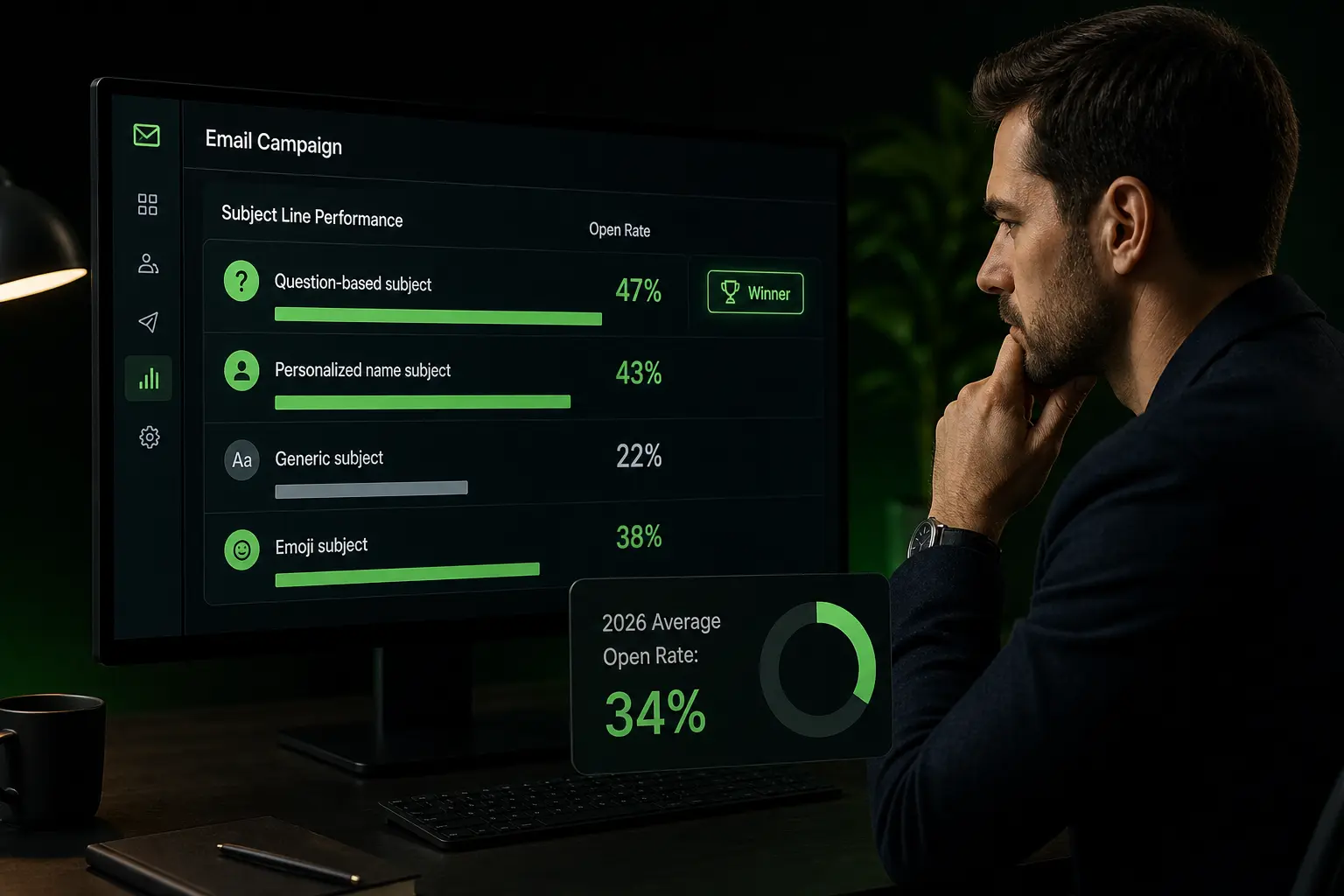
- Subject: the line that summarizes the message, the single biggest driver of open rates.
- Body: the message itself, plain text or HTML.
- Signature: your identity block at the foot of the message.
- Attachment: any file appended to the message, typically up to 25 MB on most providers.
Below the surface, every email carries dozens of technical headers. Three of them decide whether your mail lands in the inbox or in spam. SPF is a DNS record listing the servers authorized to send for your domain. DKIM is a cryptographic signature added to each message, proving it was sent by an authorized server and has not been altered. DMARC is a policy combining SPF and DKIM that tells receiving servers what to do on failure and how to report it back. Since February 2024, Google and Yahoo require all three for any sender shipping more than 5,000 messages per day. For cold email, this is now table stakes.
How email works: the technical journey
When you click Send, a well-defined sequence happens in roughly two seconds.
- Your mail client (Gmail web, Outlook, Apple Mail, Thunderbird) hands the message to your outgoing SMTP server.
- That server queries the DNS to find the MX records of the recipient’s domain. The MX record points to the recipient’s incoming mail server.
- The outgoing server opens an SMTP connection to that incoming server and transfers the message.
- The incoming server runs authentication checks (SPF, DKIM, DMARC), applies spam filtering and places the message in the recipient’s mailbox.
- When the recipient opens their mail app, the app pulls the message via IMAP (which keeps it on the server and syncs across devices) or POP3 (which downloads and usually deletes it from the server).
If anything fails along the way, you get a bounce. “Hard” bounces are permanent (the address does not exist), “soft” bounces are temporary (full mailbox, server down). Three protocols handle the work: SMTP for sending, IMAP for reading mail while keeping it on the server, POP3 for the older download-and-delete model still used in legacy setups.
History of email: 50 years of evolution
Email is older than the public Internet by roughly two decades. Here are the key dates.
1971: Ray Tomlinson sends the first networked email. Tomlinson, an engineer at BBN Technologies, sent the first message between two distinct hosts on ARPANET. He needed a way to address users on remote machines and picked the @ symbol to separate the user from the host. He later said the content was probably “QWERTYUIOP”. The symbol, on the other hand, became one of the most recognizable characters in modern computing.
1978: the first marketing email. In May 1978, Gary Thuerk at Digital Equipment Corporation sent a message to about 400 ARPANET users to promote a new computer line. The campaign generated an estimated 13 million dollars in sales, the first known commercial email and the first complaints about unsolicited email. Spam was born the same day as email marketing.
1982: SMTP standardized. RFC 821 formalized the Simple Mail Transfer Protocol, the open standard that let any system send to any other.
1996: webmail goes mass-market. Hotmail launched in 1996 as one of the first free webmail services accessible from any browser, followed by Yahoo Mail in 1997. Email moved out of universities and into hundreds of millions of homes.
2004: Gmail. Google launched Gmail with 1 GB of free storage at a time when competitors offered 4 to 25 MB. It redefined what users expected: vast storage, fast search, conversation threading and a clean interface.
2010s: mobile-first. By mid-decade, more than half of all email opens happened on a phone. Responsive design became mandatory.
2018: GDPR. Forced anyone emailing European recipients to rethink consent and the right to opt out.
2024: tighter authentication. Google and Yahoo now require SPF, DKIM and DMARC for bulk senders (more than 5,000 messages per day), spam complaint rates under 0.3 percent, and one-click unsubscribe.
2024 to 2026: AI in the inbox. Gmail integrates Gemini, Outlook integrates Copilot, Apple Mail adds AI summaries. On the sender side, AI helps with personalization at scale, send-time optimization, subject line testing and lead scoring.
Professional uses of email in 2026
Email remains the number one professional communication channel worldwide, with daily volume estimated by Radicati at more than 360 billion messages. Several distinct use cases sit inside that volume:
- Transactional: order confirmations, password resets, shipping notifications, receipts. Triggered by a user action, typically with open rates above 60 percent. No prior consent needed, but they must stay functional and not slip in marketing.
- Marketing and newsletters: recurring sends to an opted-in list (Mailchimp, Brevo, HubSpot, ActiveCampaign, Klaviyo). One-click unsubscribe now required by Google and Yahoo for any high-volume sender.
- B2B sales outreach and cold email: a rep contacts a prospect who has not opted in but fits a defined ICP. Allowed in most B2B contexts in the US, Canada and the UK under specific rules, allowed in the EU under “legitimate interest” with safeguards.
- Internal communication: Slack and Teams have absorbed the chatty traffic; email remains the channel for formal decisions, HR, finance, legal notices and anything that benefits from a written record.
Legal frameworks for professional email
Four frameworks cover most of the business population sending email in 2026.
CAN-SPAM (United States, 2003). Sets the baseline for commercial email sent to US recipients. No prior opt-in required, but senders must use accurate header information and a non-deceptive subject line, disclose the message as an advertisement when relevant, provide a valid physical postal address, and honor opt-out requests within 10 business days. Enforced by the FTC, with penalties of more than 50,000 dollars per violating message.
GDPR (European Union, 2018). Governs any processing of personal data of EU individuals, email addresses included. In B2C, the legal basis is usually explicit consent (opt-in). In B2B, you can rely on legitimate interest if three conditions hold: the address is a professional one, the message is relevant to the recipient’s role, and opt-out is easy. Maximum penalty: 4 percent of global revenue or 20 million euros.
CASL (Canada, 2014). Among the strictest regimes. Requires express or implied consent before any commercial electronic message to a Canadian recipient, clear sender identification and a working unsubscribe. Fines reach 10 million Canadian dollars per violation for organizations.
PECR (United Kingdom). The Privacy and Electronic Communications Regulations, complemented by UK GDPR, mirror GDPR rules. Opt-in is required for individuals, with a soft opt-in exception for existing customers receiving messages about similar products. Enforced by the Information Commissioner’s Office.
How Zeliq helps on B2B email prospecting
Zeliq combines a B2B lead database, waterfall enrichment for finding and verifying email addresses, and multichannel sequence sending in a single platform. You stay on top of authentication, consent rules and bounce management without juggling four tools.
Email and B2B prospecting in 2026
For a sales development representative or a Business Developer, email remains the most efficient cold outreach channel, provided a few rules are respected.
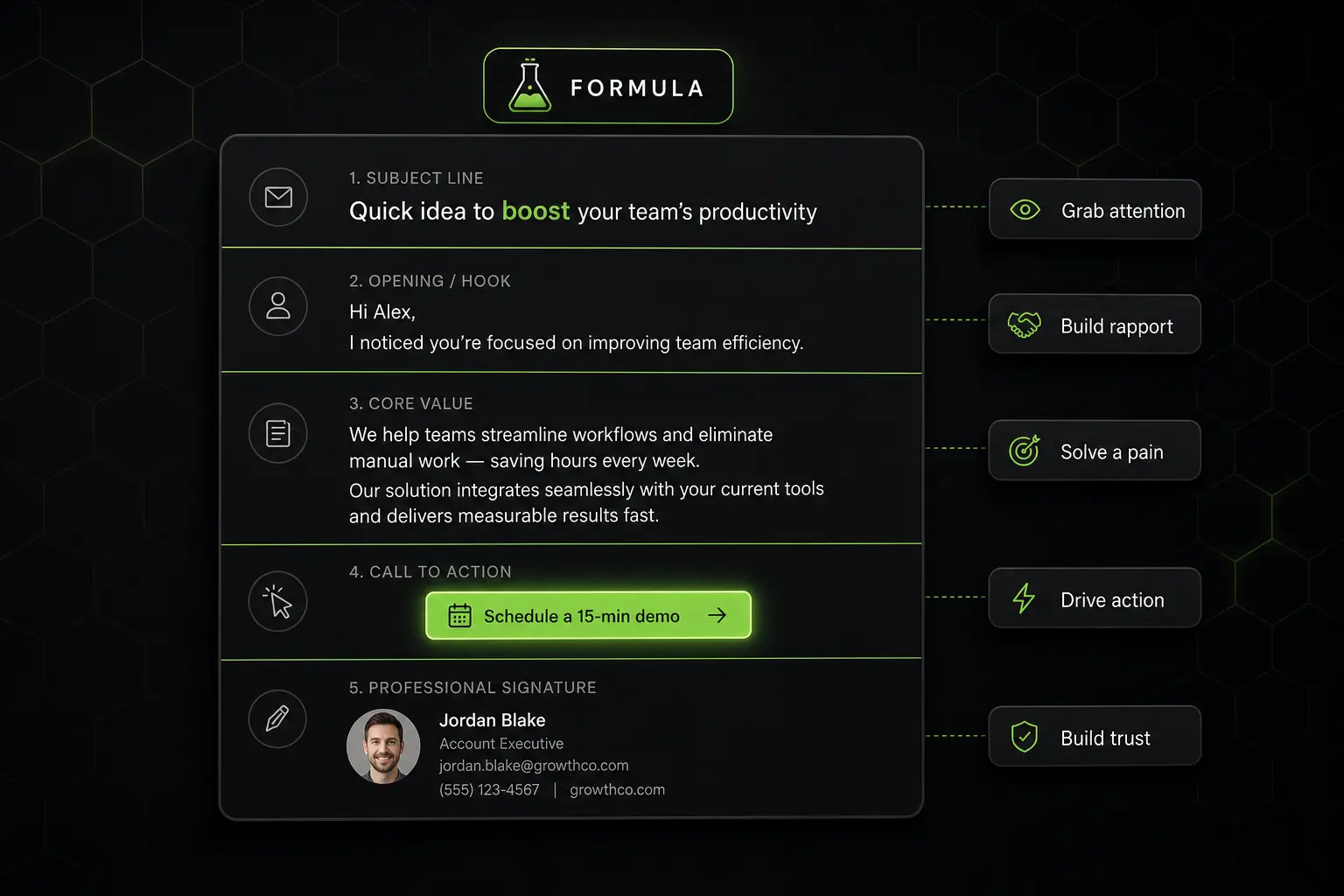
The fundamentals of a cold email that works: a short, specific subject line (4 to 7 words), an opening that is about the prospect (not you), a brief body of 60 to 120 words with one idea per paragraph, a single call to action, and a clean signature with name, role, company and one link.
Deliverability is half the game. A perfect message can still land in spam for purely technical reasons. Three priorities matter: domain authentication (SPF, DKIM, DMARC fully configured), sending-domain warmup (gradual volume ramp over several weeks for a new domain), and address verification (never send to unverified addresses, since bounces destroy sender reputation faster than anything else). This is where platforms like Zeliq earn their keep: verified contact data from a B2B lead database, waterfall data enrichment that tests addresses against multiple providers, and orchestration without manual juggling.
Email alone is rarely enough in 2026. Strong motions combine 3 to 5 touches across 2 to 3 channels: email opener, LinkedIn message, email follow-up, phone call, LinkedIn comment. Teams led by a Business Developer or a Sales Leader now build cadences around this multichannel logic by default. Email starts the conversation and threads through it, but it does not carry the whole load.
Best practices for writing a professional email
A short list of habits that still matter:
- A clear subject line in 5 to 8 words: if the reader cannot tell what the message is about, they will not open it.
- The right salutation: “Hi [First name]” in most B2B contexts, “Dear [Title] [Last name]” in formal or institutional ones.
- Keep the message short: 80 to 200 words for a standard professional email.
- One topic per email: two topics deserve two messages, easier to reply, easier to archive.
- A standard closing: “Best regards” in standard tone, “Thanks” in friendly tone, “Sincerely” in formal contexts.
- A clean signature block: name, role, company, one link.
- Reread before sending: a typo in the first line costs credibility you cannot get back.
Email vs messaging apps in B2C
In B2B, email is still dominant. In B2C, WhatsApp, Messenger, Telegram, iMessage and push notifications have absorbed a large share of consumer communication. What email keeps in both worlds is its archival quality: a WhatsApp message disappears into a scroll, an email sits in a searchable folder indexed by subject, sender and date, ready to be referenced two years later. That is what makes email irreplaceable for any communication with legal, financial or contractual weight.
Common questions answered along the way
What is email and how does it work? An email is an electronic message transmitted over a computer network. The sender’s mail client passes the message to an SMTP server, which finds the recipient’s mail server via DNS MX records, transfers it via SMTP, and lets the recipient’s mail client retrieve it through IMAP or POP3. Full mechanism in the “How email works” section above.
When was email invented? Email as a networked, addressable message system was invented in 1971 by Ray Tomlinson at BBN Technologies, who sent the first message between two distinct hosts on ARPANET and chose the @ symbol to separate the user from the host.
Is e-mail or email correct? Both are technically correct. “email” without the hyphen is the dominant form in 2026 (AP since 2011, most newsrooms, almost all technology publications and B2B brands). “e-mail” with the hyphen is still permitted by the Chicago Manual of Style. If you write for the web, use “email”.
Conclusion
Email is an electronic message transmitted over a network. It was invented by Ray Tomlinson in 1971, standardized by SMTP in 1982, opened to the public by Hotmail and Yahoo in the mid-1990s, redefined by Gmail in 2004, made mobile-first in the 2010s and reshaped by AI from 2024 onward. The spelling debate is settled in practice: write “email” without a hyphen. The hard part of email today is doing it well at scale, with the right authentication, the right consent and the right tone.
One action you can take this week: check that your sending domain has SPF, DKIM and DMARC properly configured. Without those, even your best message has one foot in the spam folder.
If you send email as part of a B2B sales motion and you want to consolidate your stack, take a look at Zeliq’s pricing: a single platform to find, enrich and engage your prospects, with the email layer built in.