LinkedIn Double Profile Visit Strategy for Social Selling

Visit Their Profile Twice. Then Send the Connection Request.
Most people get LinkedIn connection requests backwards. They send the invite first, hoping the prospect will check their profile after accepting.
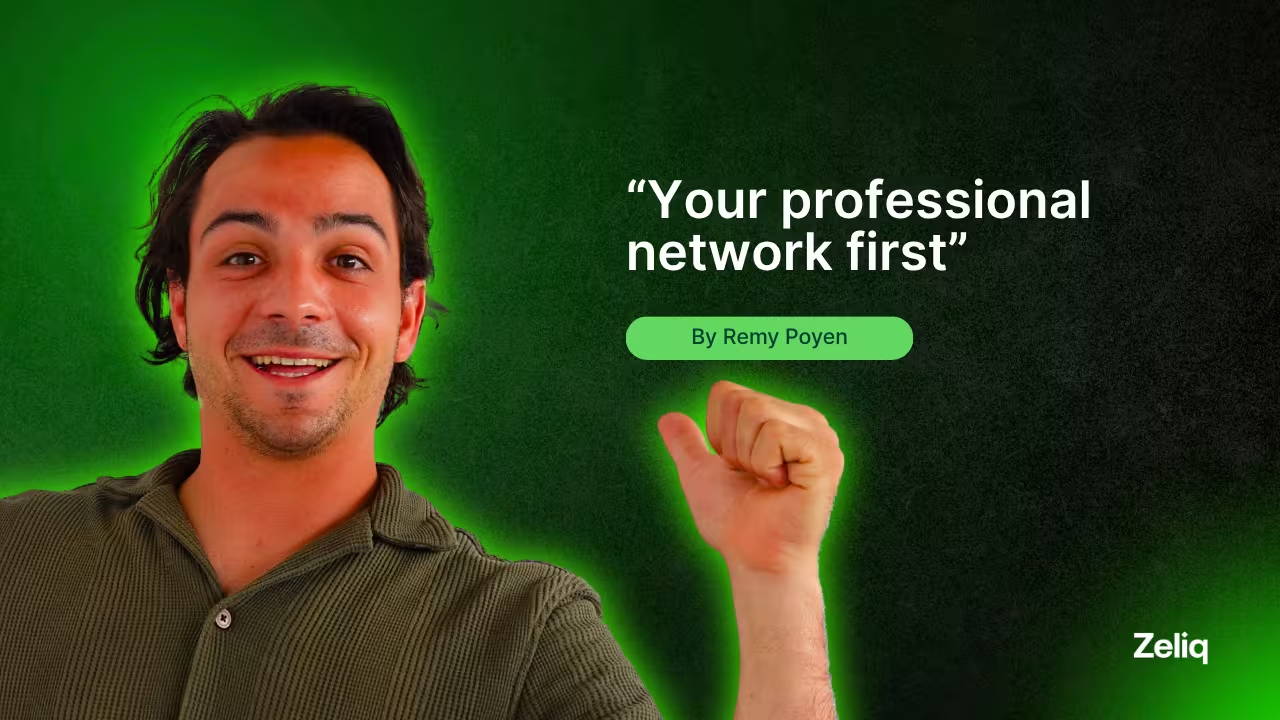
Remy Poyen, Account Executive at Zeliq, flips the script. He makes prospects curious before they see his connection request. Two profile visits in 24 hours. Then the invite. Acceptance rate? 67%, compared to 23% for cold invites.
Here's the exact sequence.
Day 1, 10 AM: First profile visit
Open LinkedIn. Navigate to your prospect's profile. Scroll halfway down. Stay for 8 to 12 seconds. Leave.
That's it. No like, no comment, no follow. Just a view.
Within minutes, they get a notification: "Remy Poyen viewed your profile." Most people click. They see you're an Account Executive at a sales tech company. They read your headline. They close the tab.
You're planted in their mind now. Not intrusive. Just... there.
Day 2, 10 AM: Second profile visit
24 hours later, you visit again. Same routine. Scroll, linger 10 seconds, leave.
Another notification hits their phone: "Remy Poyen viewed your profile again."
Now it's different. Once is random. Twice is intentional. They're thinking: "Why is this person checking me out?" Some will even visit your profile back. That's 40% of prospects, based on Remy's tracking.
Curiosity is peaking. Time to act.
Day 2, 10:05 AM: Connection request
5 minutes after the second visit, send the invite. Keep the note short and specific:
"Hi {{FirstName}}, noticed we're both in [INDUSTRY/ROLE]. Thought it made sense to connect."
No pitch. No "I'd love to chat." Just a reason that feels natural.
Because they've seen your name twice in 24 hours, the request doesn't feel random anymore. It feels like the logical next step. Acceptance rate jumps to 65-70% vs. the 20-25% you'd get from a cold invite with no prior interaction.
What happens next splits into two paths.
If they accept within 48 hours, an automated LinkedIn message sends on Day 4:
"Hi {{FirstName}}! Nice to meet you.
How do you currently handle [YOUR KIND OF SERVICE]? Is that a current issue at {{CompanyName}}?"
Simple. Direct. Not selling yet. Just opening a conversation. About 30% reply to this message. That's when Remy moves the conversation off LinkedIn into email or a call.
If they don't accept the connection request after 3 days? The sequence pivots. A manual email goes out instead:
"Hi {{FirstName}},
I reached out on LinkedIn earlier this week but thought email might work better.
Quick question: how are you currently handling [SERVICE]? We've helped similar companies in [INDUSTRY] reduce [PAIN POINT]. Worth a quick chat?"
The email references the LinkedIn outreach without being pushy. It's a natural follow-up, not a second cold pitch.
Why the double visit works
Single profile visits get lost in the noise. Everyone scrolls LinkedIn. But two visits in 24 hours? That's deliberate. That triggers pattern recognition in the prospect's brain: "This person is looking at me for a reason."
It's the same psychology as bumping into someone twice at a conference. First time is coincidence. Second time, you say hello.
Remy tested this against single-visit sequences and standard cold invites. The double visit method delivered:
- 67% connection acceptance rate (vs. 23% cold)
- 30% reply rate to the first LinkedIn message (vs. 12% on cold messages)
- 18% conversion from LinkedIn conversation to booked meeting
For social selling, where LinkedIn is the primary channel, these numbers add up fast. 100 prospects in this sequence = 67 connections = 20 replies = 12 meetings. That's a full pipeline week.
How to automate it in Zeliq
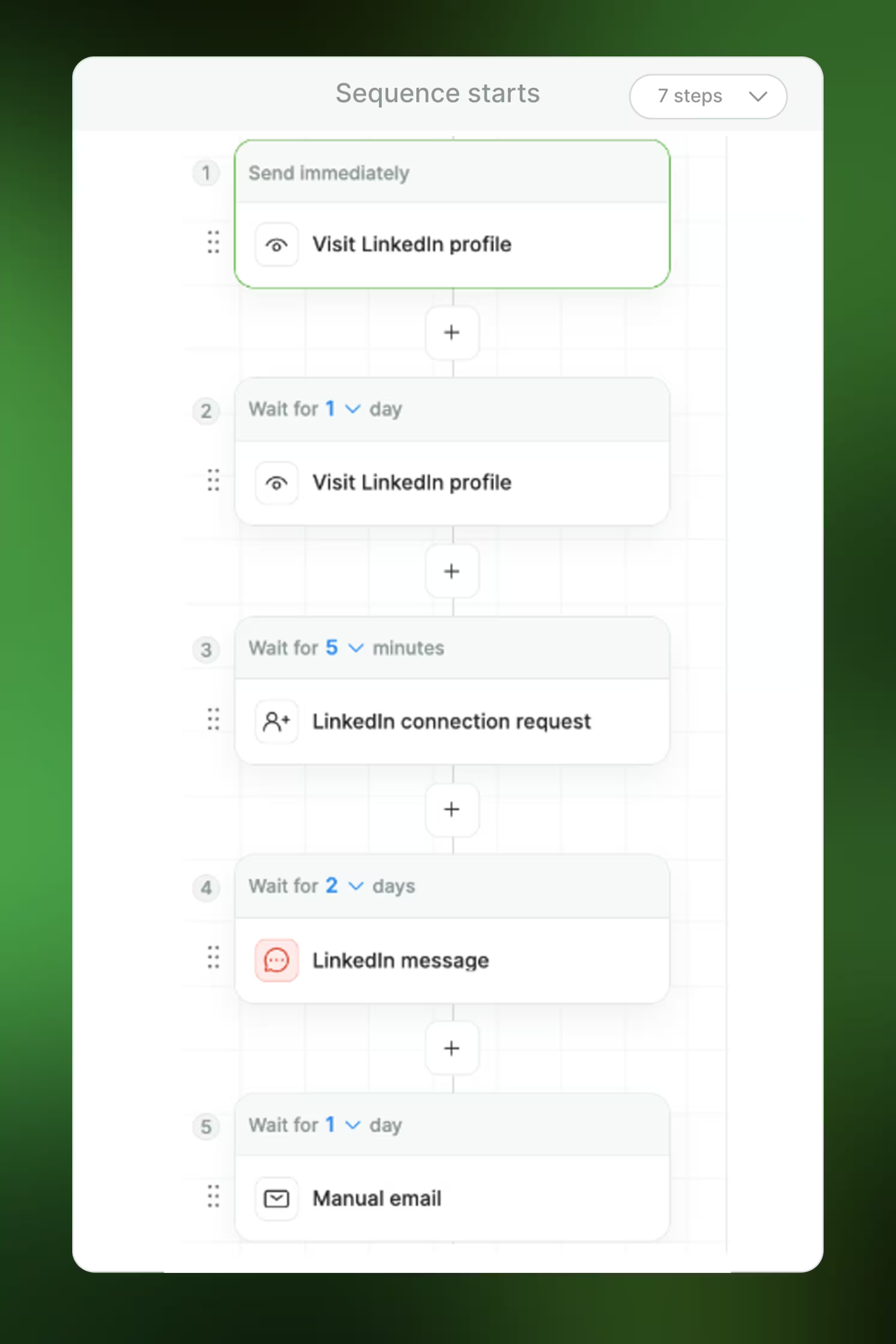
Create a new sequence. Name it "LinkedIn Double Visit" or something you'll recognize.
Set up these steps:
- LinkedIn profile visit (Day 1)
- LinkedIn profile visit (Wait 1 day)
- LinkedIn connection request (Wait 5 minutes, personalized note template)
- Conditional split:
- If connection accepted: LinkedIn message (Wait 2 days)
- If not accepted after 3 days: Manual email task
In the sequence settings, enable "Pause if replied" and "Pause if meeting booked." You don't want automated messages going out after someone's already engaged.
Load 50 prospects at a time. Monitor acceptance rates after the first batch. If you're below 60%, tweak the connection request note. If replies are low, adjust the LinkedIn message to be more specific to their industry.
💡 Pro tip: Use LinkedIn Sales Navigator filters to build your prospect list before uploading to Zeliq. Filter by recent job changes (last 90 days) or company growth signals. People in transition are 3x more likely to accept connections and engage.