
Keep every lead, owner, and next action in sync.
Manage leads, assign ownership, and track every interaction in one workspace. Give reps the context they need and managers a clear view of what needs attention.




Shared workspace
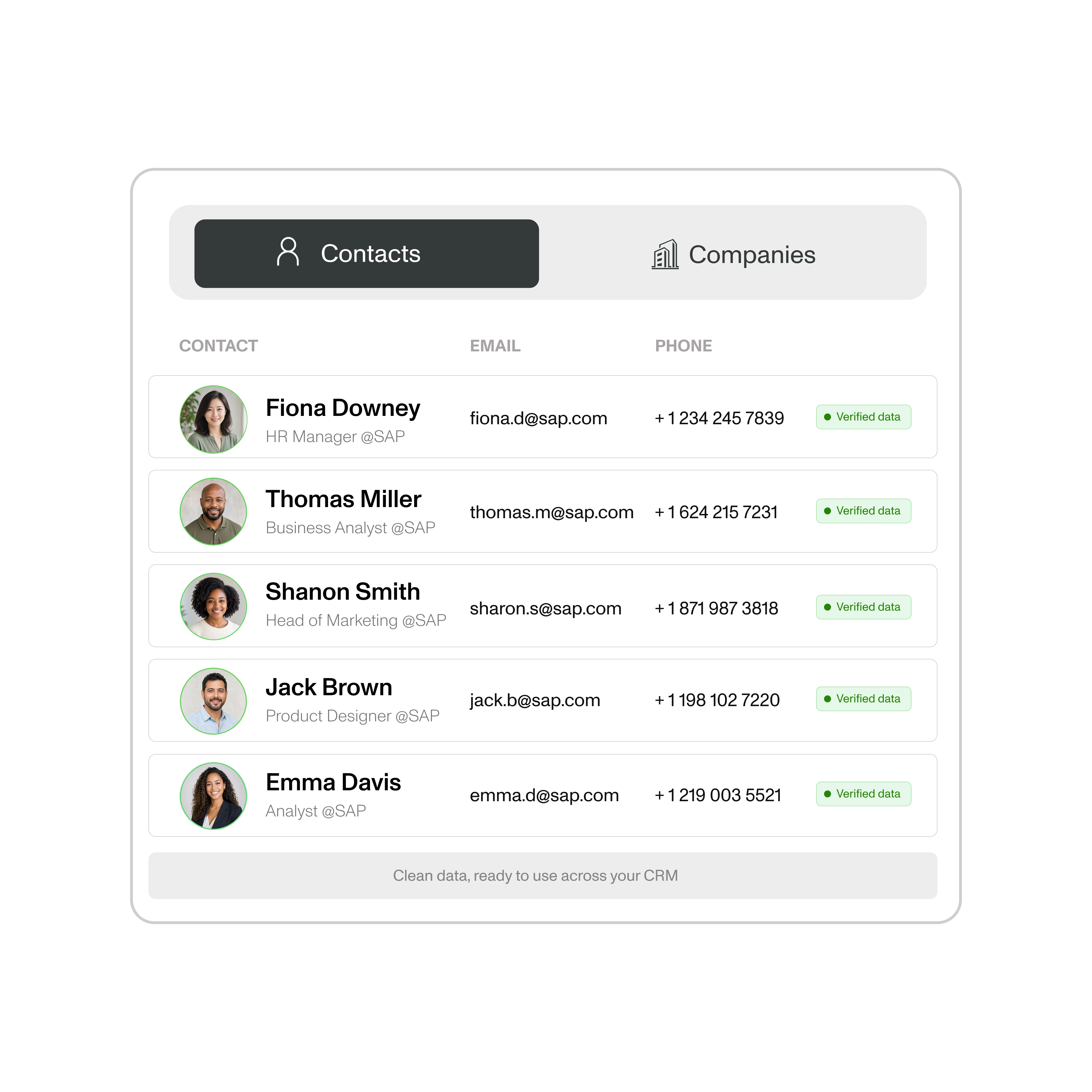
Give every rep the right view of the pipeline.

Keep all leads in one shared workspace, then give each rep a focused view of their own leads. See ownership, contact history, status, and next action without switching tools.
Lead assignment
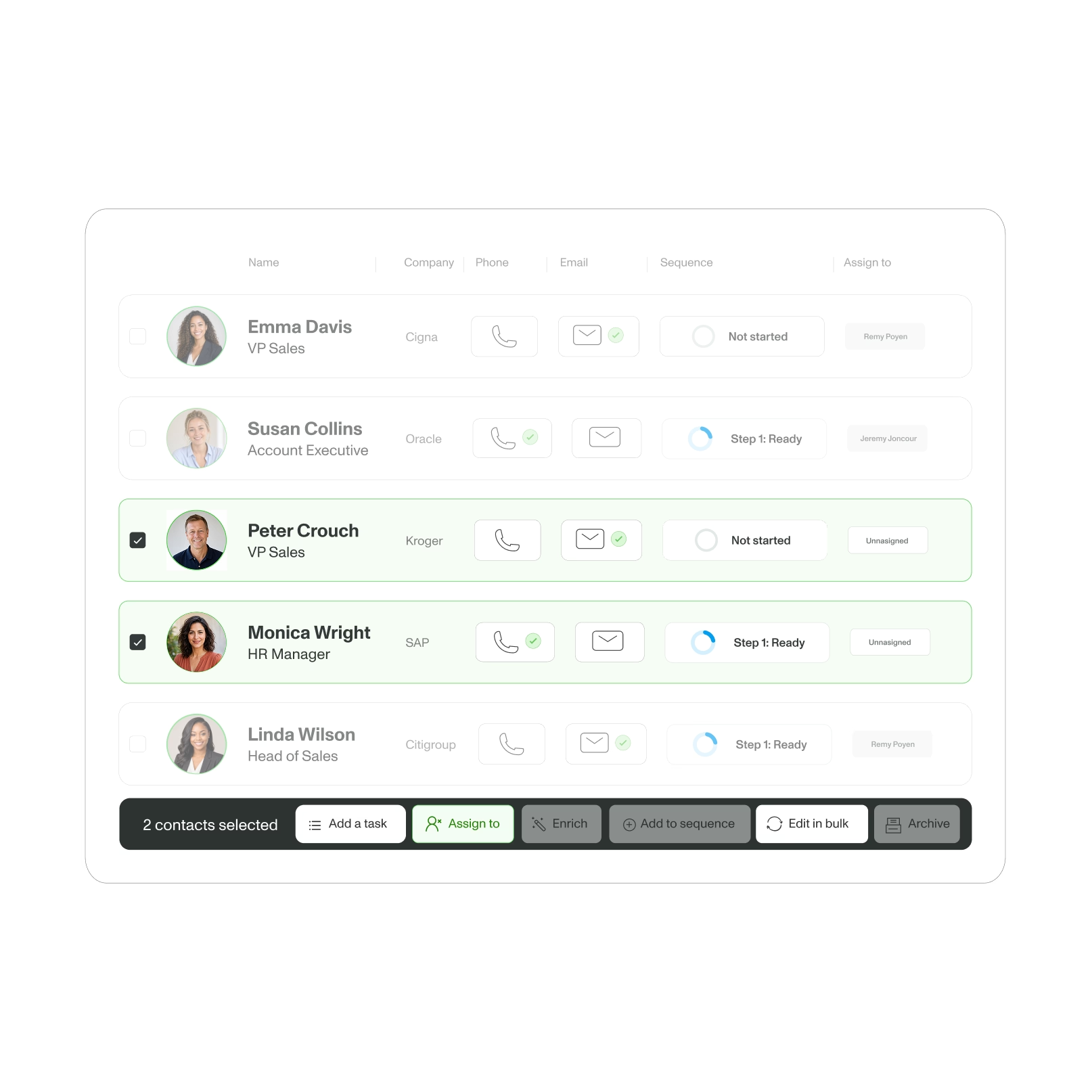
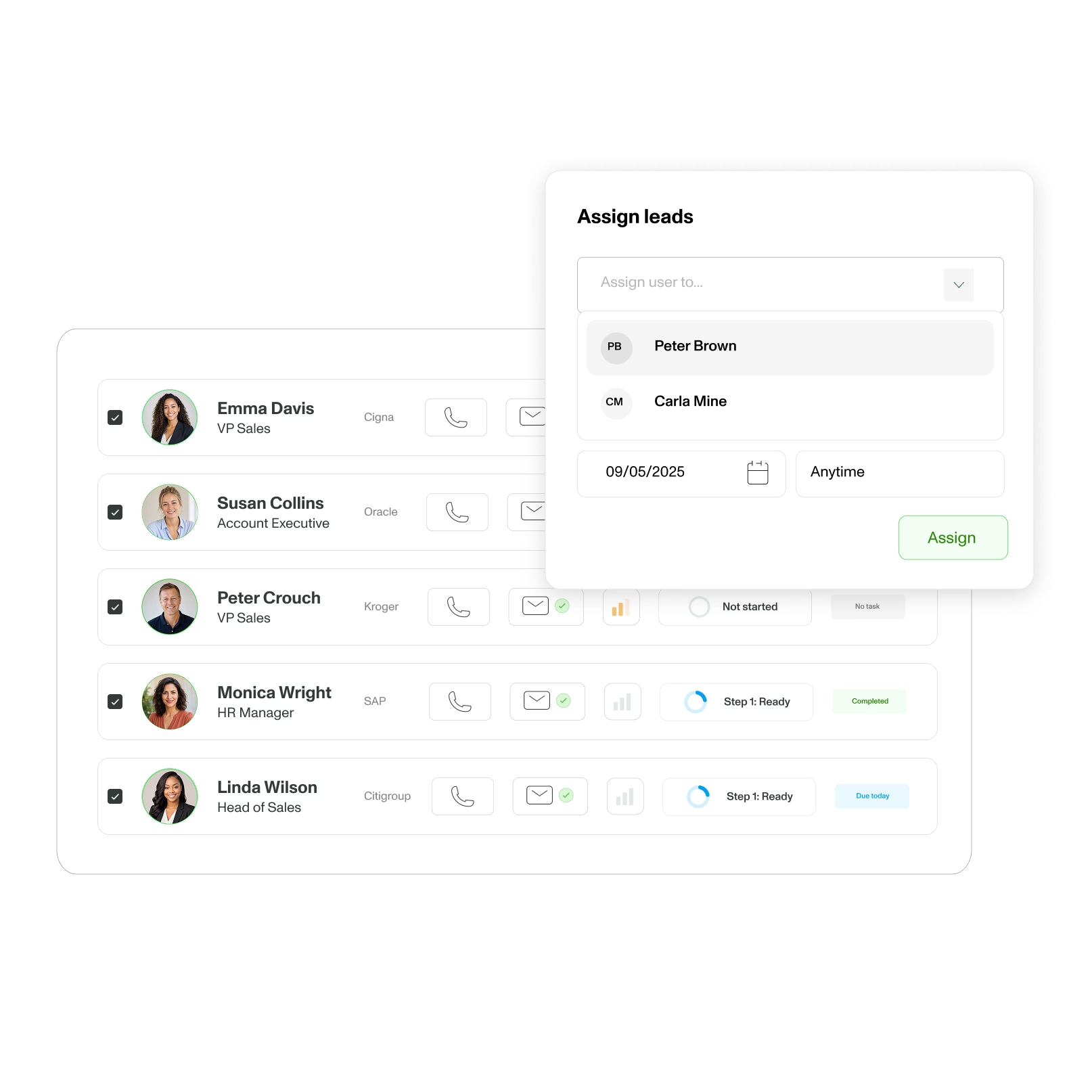
Assign ownership before leads go cold.

Route leads to the right rep in one click, keep ownership visible, and reassign smoothly when priorities or workloads change. Move the next action forward as soon as a lead is assigned.
Team performance
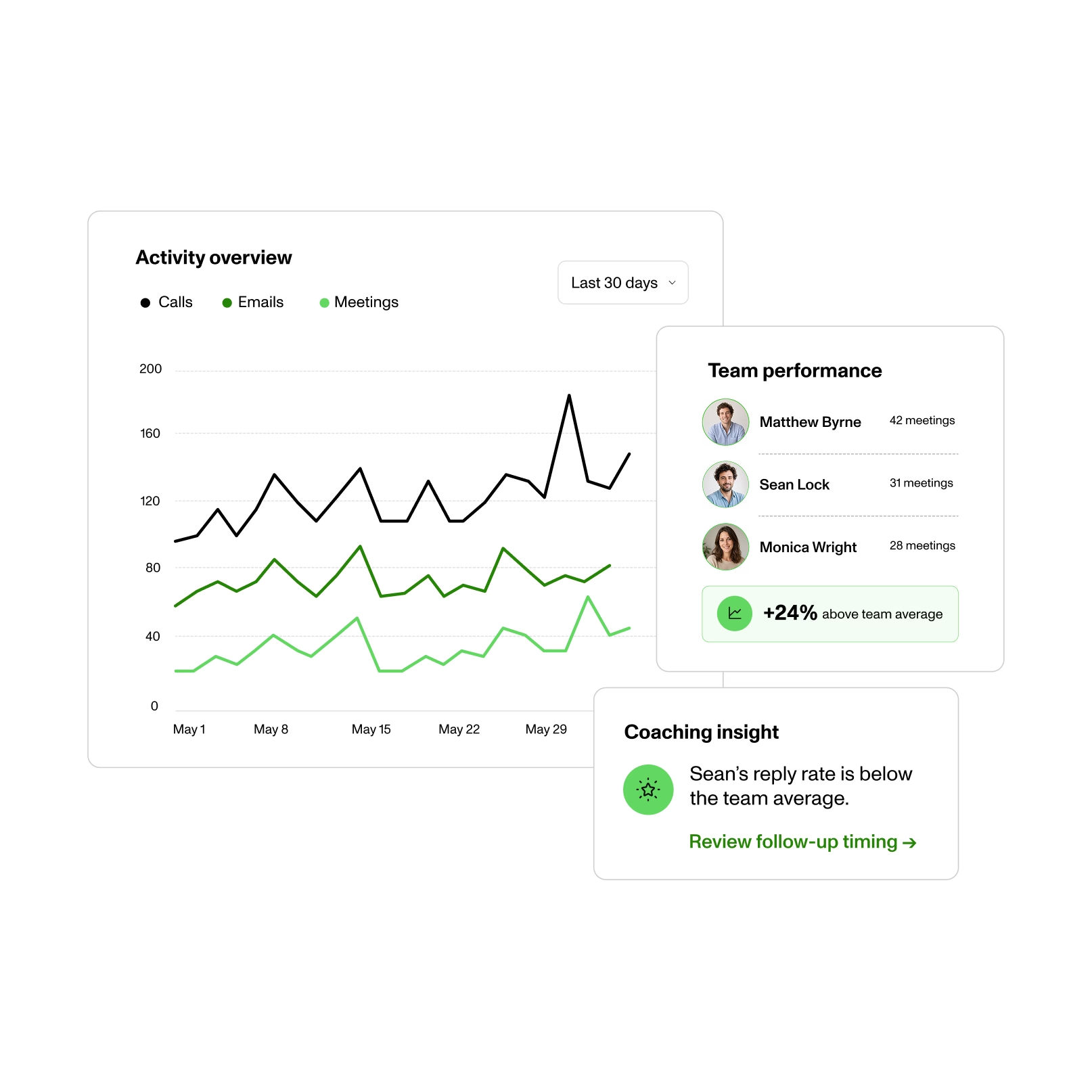
See where your team is moving and where it is stuck.

Track calls, emails, meetings, tasks, and lead movement in one view. Spot bottlenecks, compare workflows, and coach from real activity instead of manual reports.
Task management
Turn every follow-up into a visible next action.

Create and assign tasks with a due date, owner, and lead context. Reps know what to do next, while managers can spot overdue work before an opportunity is missed.

15,000 users prospect with Zeliq.
Rated High Performer on G2.

Why teams choose ZELIQ

Give reps more capacity.
1.5
FTE saved across three users, based on a customer-reported result.


Keep more leads organized.
50–5,000
leads managed in one shared workflow.


Spend less time prospecting.
50%
less prospecting effort.

Their words, not ours.


Zeliq is a no-brainer for my clients, especially for enrichment. I recommend it whenever I can and the recurring commissions are a bonus I really appreciate.

"Halved prospecting effort, doubled SDR results."

“Zeliq has been a game-changer. Reliable data has transformed our sales process and let us scale outreach like never before.”

“Managing accounts like Accor means targeting hundreds of affiliates. Without Zeliq, I couldn't do it.”


Phone numbers, emails, LinkedIn sequences. All in one. Zeliq did better than our previous tool on phone enrichment.


"Amazing experience from A to Z. A must have for our sales team. Thank you Zeliq!"


"The best alternative to Kaspr to Lusha for mobile numbers."


"Zeliq's API was a game-changer. The ability to increase the rate limit perfectly matched the volume and cadence we needed for our client, where other tools kept breaking our workflows."

"Zeliq boosts lead generation with personalized prospecting and saves time by automating all CRM enrichment."


"There are many phone numbers and integration with Chrome Extension and social messages works well. Easy and intuitive. Very responsive customer support."

"Easy to use, Zeliq provides many professional and personal numbers, and its contact enrichment feature lets you retrieve missing numbers later, which is very useful."


Finish the gas-guzzling prospecting machines and the outdated databases. Zeliq is easy to use and offers a comprehensive database, find numbers efficiently and simply.


"Zeliq is a great, easy-to-use tool with a comprehensive database of phone numbers and emails, offering many features yet to explore."

“Zeliq saves us a huge amount of time—across three users, it’s like saving one and a half full-time positions.”


"The data is higher quality, the processes are simpler... and that is priceless. We've cut our prospecting time in half."


"I use Zeliq for email sequences; its AI smooths my first demo call, adds leads from the database, and flags errors to avoid unprofessional emails."


Reliable phone numbers and emails, multichannel sequences without spending hours on it. No more bounces, no more obsolete numbers.
Give your team one place to move leads forward.
Assign ownership, share context, and keep every follow-up visible from one workspace.
FAQ
What's include in my free trial plan?
Your 14-day free trial includes full access to all Starter plan, for 2 weeks, features plus 50 credits to test verified email and phone number enrichment.
What happens after my trial is over?
When your trial ends, you'll automatically move to the free Basic plan.
Can I cancel, upgrade or downgrade anytime?
Yes, you have complete flexibility:
To cancel your plan: Log in to your account, go to the “Credits” tab, and click on “Billing Information” at the top right of the window. Your cancellation will take effect at the end of your current billing period. If necessary, contact us at support@zeliq.com and we will process your request.
To upgrade: Go to Settings → Manage Subscription, then select your new plan or credit amount. Changes will take effect immediately. For the Custom plan, contact us at support@zeliq.com and we will process your request.
Do credits roll over?
Yes, unused credits automatically roll over to the next month—you never lose them.
If I am in a free or starter plan, can I access request some help ?
We're here to help you succeed with Zeliq. Access support and training at every stage:
→ Weekly product demos: Join live webinars every week to master Zeliq's features.
→ Zeliq Odyssey: Free sales training and best practices to level up your prospecting.
→ Help Center: Step-by-step guides and resources available 24/7.
→ Live support: Chat with our team directly from the platform.
If I'm looking for a custom plan, how does it work ?
Need a custom plan? Here's how it works:
- Contact our team: Share your requirements and goals.
- Discovery call: We'll discuss your needs and how Zeliq can help.
- Custom proposal: Get a tailored plan with pricing, features, and integrations.
- Finalize: Review, adjust, and get started.
Does Zeliq work with large enterprises?
Yes. We offer custom enterprise plans with dedicated support, custom integrations, and volume pricing.
To get a custom plan:
- Contact our sales team with your requirements
- Schedule a discovery call to discuss your needs
- Review your custom proposal
- Finalize and launch
What are Zeliq credits?
How credits work:
Most actions in Zeliq are free. Credits are only used when we find and verify contact data:
- Verified email: 1 credit
- AI personality insights: 5 credits
- Mobile phone number: 10 credits
Mobile numbers cost more because they're harder to source and verify.
Is Zeliq GDPR Compliant?
Yes, Zeliq is fully GDPR compliant. We follow strict data protection standards to keep your information secure. Feel free to check the Legals, Privacy and Terms of use.

