
La mise en réseau ne fonctionne que si vous suivre. La pièce s'efface, les étiquettes nominatives se détachent et les boîtes de réception se remplissent rapidement. Un intelligent, e-mail de suivi personnalisé permet de maintenir la conversation en vie et de transformer une discussion rapide en véritable relation d'affaires.
Dans ce guide, vous apprendrez exactement ce qu'il faut dire, quand l'envoyer, et comment personnaliser sans avoir l'air prétentieuse. Vous obtiendrez de courts modèles, des repères temporels et une structure simple que vous pourrez réutiliser en quelques minutes.
En un coup d'œil, vous apprendrez comment :
- Envoyer à droite temps (dans un délai de 24 à 48 heures) et restez au premier plan.
- Écrivez un clair sujet et un match d'ouverture convivial sur une ligne.
- Référence un détail spécifique pour améliorer la mémoire.
- Offre un CTA doux (Par exemple, « Ouvert à un appel de 10 minutes la semaine prochaine ? »).
- Fermer avec un signature et un LinkedIn lien.
Conservez chaque message moins de 120 mots, utilisez-en un CTA, et format pour mobile (lignes courtes, espaces blancs, phrases clés en gras). Outils optionnels, tels que ZELIQ, une plateforme de sensibilisation et de prospection pour les équipes commerciales, peut automatiser les heures d'envoi et suspendre les séquences une fois que quelqu'un répond, mais le cœur d'un bon suivi reste empathie, clarté et timing.
Si vous vous demandez comment rédiger un e-mail de suivi, ce guide inclut modèles d'e-mails de suivi, une liste de contrôle rapide des e-mails après la mise en réseau et des exemples d'e-mails avec un objet d'e-mail de mise en réseau fort que vous pouvez copier.
Qu'est-ce qu'un e-mail de suivi après la mise en réseau ?
UNE e-mail de suivi après la mise en réseau, vous envoyez un court message après une réunion, un événement ou une présentation. Son objectif est simple : poursuivre la conversation, renforcer l'intérêt, et établir un rapport professionnel.
Pensez-y comme un résumé message de suivi qui déplace un suivi du réseautage d'une discussion de couloir à une discussion utile courriel fil, guidé par un fil transparent lignes d'objet des e-mails qui leur rappellent où vous vous êtes rencontrés.
La plupart des gens n'envoient pas de suivi. Les boîtes de réception sont bruyantes. Les cartes de visite s'accumulent. Le coût est opportunités manquées et un contact froid qui aurait pu devenir un partenaire, un client, un mentor ou un recruteur.
Le timing est important. Les e-mails se dégradent rapidement dans les boîtes de réception occupées. Des études montrent que 24 à 48 premières heures offrent les meilleures chances d'engagement, et les messages en dehors de cette fenêtre ont de moins bons résultats. Les recherches de Yesware indiquent que la plupart des e-mails sont « grillés après 24 heures », alors qu'ils sont envoyés en semaine fenêtres matinales (environ 9 h à 11 h) surpassent les créneaux ultérieurs pour de nombreux publics.
Conclusion : suivre rapidement, gardez-le personnel, et fais-le facile de répondre.
Que dire dans un e-mail de suivi ?
Conservez le message court et humain. Deux ou trois paragraphes serrés gagnent sur mobile.
- Remerciez-les pour leur temps ou conversation.
- Faites référence à quelque chose de spécifique tu as discuté. Ravivez leur mémoire en une seule ligne.
- Suggérer une prochaine étape claire, ou exprimez simplement votre intérêt à rester connecté.
- Soyez concis et facile à lire. Une idée par phrase. Une seule action.
Des phrases comme »J'ai apprécié notre conversation», »merci pour l'époque », et »impatient aux étapes suivantes « sentez-vous naturel, tout en »J'espère entendre de vous bientôt » vous invite à réponse à votre message à propos de sujet discuté.
Exemple de micro-schéma :
- Ligne 1 : « C'était super de vous avoir rencontré à {Nom de l'événement}—merci pour cette discussion {sujet}. »
- Ligne 2 : Une phrase qui ajoute de la valeur (une ressource, un aperçu rapide ou une connexion).
- Ligne 3 : CTA doux: « Ouvert à 10 minutes appel d'introduction la semaine prochaine ? » ou « Heureux de rester en contact, LinkedIn ici. »
Des fermetures polies, selon les statistiques augmenter les taux de réponse. Des signatures qui expriment merci corréler avec réponses plus élevées contre des approbations neutres.
Comment personnaliser un e-mail de suivi ?
Les messages génériques sont parcourus. Personnalisation se lit.
- Référencer un sujet ils l'ont mentionné lors de l'événement.
- « Votre point de vue sur désabonnement après le lancement est resté avec moi. »
- Mentionnez un intérêt commun, un objectif ou un lien mutuel.
- « Je suis également mentor chez Sur le pont... j'ai adoré votre approche du recrutement. »
- Adaptez le CTA au rôle de la personne.
- Vice-président des ventes → « Ça vaut le coup 15 minutes appeler à l'accélération des oléoducs ? »
- Head of People → « Ouvert à l'échange » intégration des playbooks ? »
- Évitez les phrases génériques. Afficher une véritable attention avec un détail concret.
Conseil de pro : Personnalisez le sujet et le premier 40 caractères. Même petit, spécifique les touches augmentent les ouvertures et les réponses.
À personnaliser Eh bien, exprimer authentique appréciation, rappeler eux des spécifique contexte vous avez partagé, gardez-le personnel mais significatif, et faites correspondre votre ton à leur style.
Quelles sont les meilleures pratiques pour les e-mails de suivi ?
- Envoyez dans un délai de 24 à 48 heures. La mémoire s'efface ; les boîtes de réception passent à autre chose.
- Utilisez un ligne d'objet claire: « C'était un plaisir de vous rencontrer à {Nom de l'événement}. »
- Gardez le ton professionnel mais chaleureux. L'amitié bat le formel.
- Incluez LinkedIn et vos informations de contact encore une fois pour le contexte.
- Fais-le facile de répondre avec un CTA doux: « Ouvert à 10 minutes appeler ? »
- Planifiez l'envoi lors d'une fenêtre de haute attention (souvent 9 h à 11 h local).
Ces meilleures pratiques donner efficace conseils et pratique conseil pour tous e-mail après la mise en réseau; utilisez-les pour façonner e-mails de suivi, renforcez votre e-mail de mise en réseau cadence et soutien continu développement professionnel avec réussi sensibilisation stratégies.
Quand envoyer un e-mail de suivi ?
Fenêtre idéale : dans les 24 heures de l'événement. Vous êtes toujours au premier plan et le contexte est frais.
Les gens jonglent avec un emploi du temps chargé, donc envoyer un suivi promptement; être en temps opportun, idéalement dans les 24 heures, en particulier après la mise en réseau, après une réunion, ou après un événement de réseautage quand chronométrage compte le plus et un rapide Une réponse est probable.
Si vous avez besoin d'un deuxième suivi: envoyez-le 3 à 5 jours ouvrables plus tard. Soyez bref et ajouter une nouvelle pépite (une ressource, un bref récapitulatif ou une petite introduction).
Pour sensibilisation à long terme: définissez un rappel de calendrier pour 2 à 4 semaines après l'événement. Partagez une mise à jour rapide ou une victoire pertinente.
Prime : Jour de la semaine matin les horaires d'envoi surpassent les fins de soirée pour de nombreux publics. Optimisez grâce à des outils d'heure d'envoi.
Que faut-il inclure dans un e-mail de suivi ?
- Brève réintroduction : qui tu es + où tu t'es rencontré.
- Un détail clé de votre dernière interaction.
- Un objectif clair ou demandez : « J'adorerais en savoir plus sur votre rôle chez X. »
- Lien optionnel vers un article, une ressource ou votre portfolio pertinent.
- Clôture + signature + profil LinkedIn.
Incluez toujours des informations qui vous permettent de vous souvenir : votre rôle, le sujet abordé, un sujet spécifique que vous avez mentionné, des actions claires et des informations de contact complètes, votre adresse e-mail, votre téléphone et LinkedIn, ainsi qu'une courte mention personnalisée qui renvoie à votre discussion.
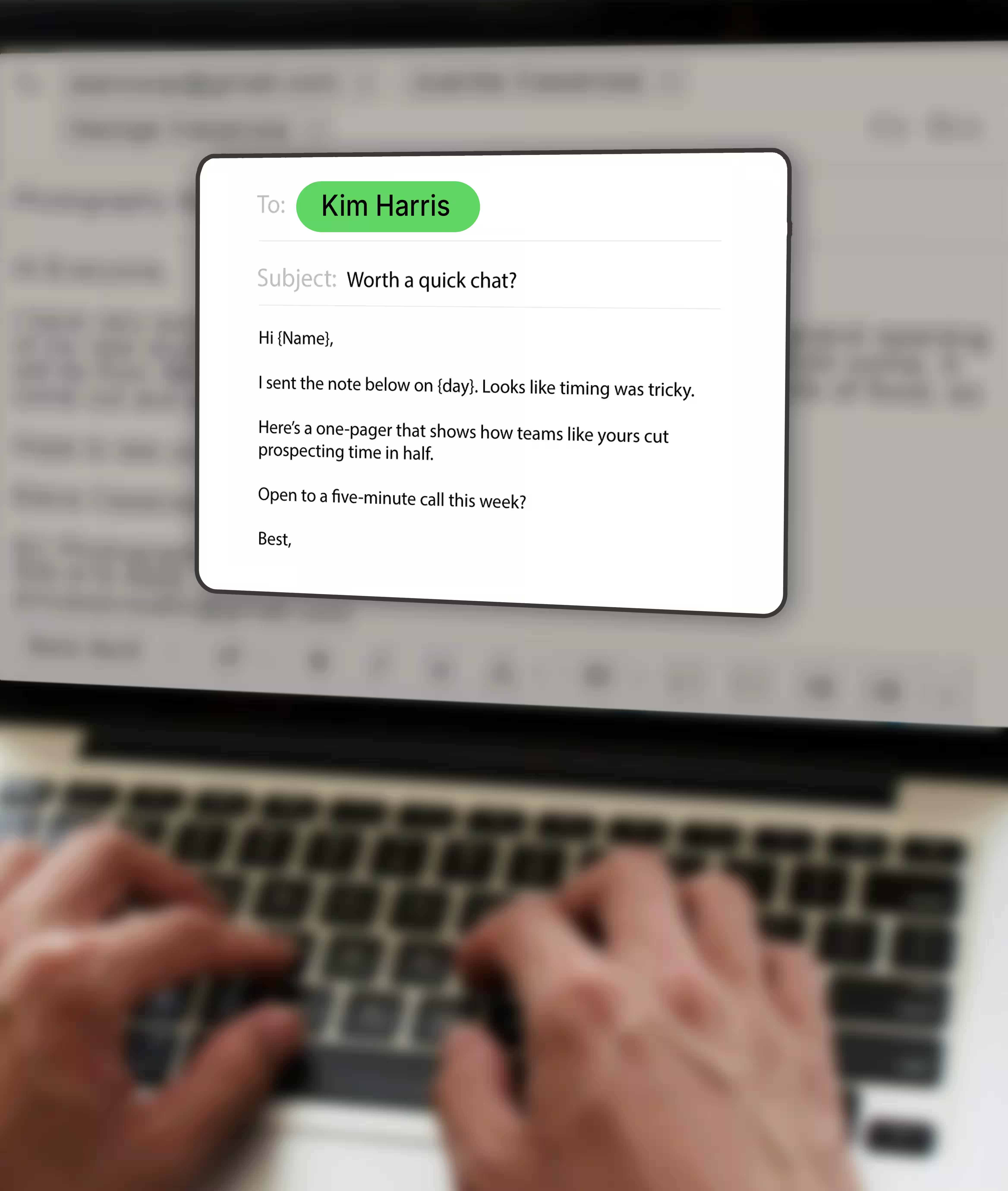
Idée de capture d'écran à inclure : ajoutez une simple capture d'écran de votre brouillon d'e-mail avec des flèches pointant vers sujet, ligne personnelle, et CTA unique. Gardez les points surlignés en vert pour indiquer « ce qu'il faut conserver ».
[Capture d'écran simulée]
Objet : Ravi de vous rencontrer à SaasConnect
Bonjour Jordan, merci encore pour cette discussion à propos de PLG.
→ Flèche : crochet personnel
Voici le démontage du produit que nous avons mentionné. La page 3 traite de l'intégration.
→ Flèche : lien de valeur
Ouvert à un appel d'introduction de 10 minutes le mardi prochain ?
→ Flèche : CTA simple et unique
— Sam | LinkedIn | Lien vers le calendrier
Comment rédiger un e-mail de suivi ?
Utilise ça structure simple à chaque fois :
- Sujet : Clair et précis (« Ravi de vous rencontrer à {Événement}»).
- Ouverture : Merci et contexte en une seule ligne.
- Milieu : Mention valeur ou votre raison pour vous reconnecter.
- Fermeture : CTA poli + signature avec LinkedIn et téléphone.
Éviter jargon, longs blocs de texte, et demandes peu claires. Une demande par message donne de meilleurs résultats qu'une longue liste.
Si vous avez besoin d'une remise à niveau sur comment rédiger un e-mail de suivi, parcourez le modèles d'e-mails de suivi ci-dessous et testez deux lignes d'objet des e-mails pour voir lequel gagne le plus d'ouvertures.
Comment entretenir des relations professionnelles ?
Les relations se combinent lorsque vous vous présentez avec valeur.
- Toucher légèrement à intervalles réguliers (mensuel ou trimestriel).
- Valeur de l'offre avant demander quoi que ce soit.
- Restez actif sur LinkedIn; réagir ou commenter de temps en temps avec substance.
- PARTAGEZ contenu utile ou introductions le cas échéant.
- Envoyer approbations basées sur la gratitude; ils sont en corrélation avec des taux de réponse plus élevés.
Mini-cadence que vous pouvez copier :
- Jour 1 : E-mail de suivi après l'événement
- Semaine 2 : Partagez une petite ressource (page d'une page, lien vers une étude de cas)
- Mois 1 : Enregistrement en deux lignes + félicitations pour toute étape visible (nouvelle publication, lancement)
L'objectif est de restez en contact, poursuivre la conversation, et créez un mutuellement bénéfique relation professionnelle, une constante connexion au bâtiment qui commence à événements de réseautage, supports avancement de carrière, et vous aide engager votre croissance relation réseau avec cohérence réseautage points de contact.
Utilisez les outils de planification pour optimiser les délais d'envoi et restez cohérent sans spammer.
Exemples d'e-mails de suivi après la mise en réseau
Exemple 1 : e-mail post-événement (court et convivial)
Sujet : Ravi de vous rencontrer à Connexion SaaS
Bonjour Priya, j'ai apprécié notre discussion sur Intégration à PLG.
Voici le démontage dont j'ai parlé ; page 2 couvre le flux Quick-Win.
Ouvert à un 10 minutes prochain appel Jeudi?
Alex | LinkedIn | Agenda
Pourquoi ça marche : merci, référence spécifique, CTA unique, facile à accepter sur mobile.
Exemple 2 : demande d'appel d'information
Sujet : Suivi rapide à partir de {Nom de l'événement}
C'était sympa de t'avoir rencontré, Sam. Votre point de vue sur attribution de partenariats était tranchant.
J'apprécierais 15 minutes pour savoir comment votre équipe mesure co-commercialisation ROI.
Serait Mardi 10 h 30 fonctionne ou existe-t-il une meilleure fenêtre ?
Dana | LinkedIn | Téléphone
Pourquoi ça marche : clair objectif, aligné sur les rôles question, deux options simples.
Exemple 3 - Reconnexion plusieurs semaines après la réunion
Sujet : Toujours en train d'encourager le {Lancement du produit}
Félicitations encore pour le lancement du mois dernier. Le courbe d'adoption avait l'air fort.
Voici une brève note sur deux modèles d'intégration que nous avons constatés activation.
Si c'est utile, je serais heureuse d'en parler dans 10 minutes la semaine prochaine.
Marc | LinkedIn | Agenda
Pourquoi ça marche : Félicitations, valeur, masque souple, pas insistant.
Quelles sont les erreurs courantes à éviter ?
- Messages génériques envoyés en masse. Ils ressemblent à du spam et sont ignorés.
- Attendre trop longtemps avant le suivi ; au bout d'une semaine, le contexte s'estompe.
- Faire preuve d'une trop grande autopromotion ou lancer immédiatement.
- Oublier le contexte ou les informations de contact. Faites en sorte qu'il soit facile de se souvenir de vous.
- Des CTA compliqués. « Êtes-vous prêt à recevoir un appel rapide ? » bat « Dites-moi ce qui fonctionne au quatrième trimestre. »
Comment collecter des e-mails lors d'événements de réseautage ?
- Demandez cartes de visite ou des scans QR pour éviter les fautes de frappe.
- Connectez-vous sur LinkedIn immédiatement après la réunion.
- Utiliser applications de récupération de leads ou scans de badges lorsqu'il est disponible.
- Respect GDPR/Consentement lors de l'importation des données de contact. En vertu du RGPD et des règles nationales en matière de confidentialité électronique, vous avez besoin d'un base légale (souvent consentement ou intérêt légitime), transparent transparence, et un désinscription facile pour le marketing direct. Honorez toujours les objections.
Conseil de conformité : informer les contacts du première communication qui vous êtes, pourquoi vous envoyez des e-mails et comment se désinscrire. Restez simple lien de préférence dans votre signature.
Comment transformer les suivis en relations à long terme ?
- Suivez vos activités de sensibilisation dans un CRM ou une feuille de calcul.
- Gardez notes sur le contexte: intérêts, objectifs, comment vous vous êtes rencontrés.
- Faites un suivi sur jalons clés: nouvel emploi, lancement, récompense, financement.
- Être utile, visible, et respectueux du temps.
Suivi des relations simple (affichage sous forme de feuille de calcul) :
- Nom | Où nous nous sommes rencontrés | Thème | Date de la prochaine touche | Remarques
- Utiliser filtres pour la région, l'industrie et le rôle dans la sensibilisation du groupe.
Pourquoi cela fonctionne : vous n'enverrez jamais « Qui êtes-vous encore ? » courriels. Vous vous présenterez avec pertinence au le bon moment.
Quels outils permettent d'automatiser ou de suivre les e-mails de suivi ?
- ZELIQ: un plateforme de sensibilisation et plateforme de prospection pour les équipes commerciales. Automatise des suivis personnalisés après les événements, effectue une rotation lignes d'objet, et interrompt les séquences lorsque quelqu'un répond. Idéal pour cadences après l'événement et chronométrage basé sur le comportement.
- HubSpot, Lemlist, Mailshake: gestion des séquences et gestion de base Tests A/B.
- Linkedin et Zapier: connectez un nouveau LinkedIn connexion à un rappel ou tâche.
- Notion ou Google Sheets: suivi des contacts léger avec dates de prochaine touche.
- Optimisation de l'heure d'envoi: utilisez les fonctionnalités des ESP telles que Mailchimp pour planifier le meilleure heure automatiquement.
Rassemblez le tout : un flux de travail de suivi de mise en réseau reproductible
Étape 1 - Capture
Prenez une photo du badge ou carte de visite. Envoyer un Invitation LinkedIn avec un rappel en une ligne ce soir-là.
Étape 2 - Ébauche
Utilisez le e-mail en trois parties: merci → référence spécifique → soft CTA.
Étape 3 - Optimiser
Calendrier du le lendemain matin fenêtre. Gardez ≤ 120 mots. Utilisez un gratitude signature.
Étape 4 - Journalisation
Enregistrez l'interaction dans votre CRM ou votre feuille à l'aide d'un prochaine date de suivi.
Étape 5 - Nourrir
Partagez-en un ressource pertinente au cours de la semaine 2. Félicitez-les pour jalon public au cours de la semaine 4.
Étape 6 - Respect
S'il y a pas de réponse, envoyez-en un paisible coup de pouce. Puis faites une pause. Ne bombardez pas votre boîte de réception.
Aide-mémoire visuel que vous pouvez coller dans vos notes
PLAN DE SUIVI
• Envoi : dans les 24 à 48 heures (du mardi au jeudi de 9 h à 11 h, cela fonctionne bien)
• Sujet : « Ravi de vous rencontrer à {Événement} »
• Carrosserie :
1) Merci + où nous nous sommes rencontrés
2) 1 phrase de valeur (ressource, introduction, idée)
3) CTA doux (10 à 15 minutes ? ou « heureux de rester en contact »)
• Signature : Nom | Rôle | LinkedIn | Téléphone | Ligne de désinscription
• En l'absence de réponse : 3 à 5 jours ouvrables plus tard, ajoutez 1 nouvelle pépite
Utilisez une petite capture d'écran annotée avec des flèches pour le sujet, la personnalisation et le CTA.
Pourquoi le timing et le ton gagnent toujours
- Chronométrage: messages envoyés dans le 24 à 48 premières heures cliquez alors que le contexte est frais. Des outils qui sélectionnent meilleure heure Augmentez encore plus la visibilité.
- Ton: poli et reconnaissant les fermetures gagnent plus de réponses plutôt qu'un phrasé neutre.
- Clarté: une CTA unique et une idée par phrase réduisez les frictions et augmentez les chances de réponse.
Êtes-vous prêt à le rendre opérationnel ?
Si vous réseautez souvent, lors de conférences, de rencontres, de webinaires, systématiser vos suivis.
- Construisez un trois e-mails séquence post-événement.
- Ajouter personnalisation espaces réservés pour nom de l'événement, sujet, et contact mutuel.
- Utiliser ZELIQ pour automatiser le heure d'envoi, pause avant de répondre, et enregistrez engagement donc aucune conversation ne s'arrête.
- Conservez des échantillons et des captures d'écran de bonnes réponses pour affiner les futurs projets.
Un e-mail au bon moment peut transformer une discussion rapide en connexion tout au long de la carrière. Envoyez-le tant que le moment compte encore.
Sources
- Yesware
- Optez pour Monster (tour d'horizon)
- Mailchimp
- Boomerang/Neuroscience Analyse marketing
- Glamour (résumé de l'étude Boomerang)
- Ressources de l'ICO et de l'UE
Enter the future of lead gen
Table of contents
Placeholder Title
Table of contents
Placeholder Title
Placeholder Title