Préparez-vous à une session de démarchage téléphonique sur Zeliq

Préparez-vous à une session de démarchage téléphonique sur Zeliq
La préparation est tout aussi importante que le démarchage lui-même. La plupart des commerciaux passent 60 % de leur temps à appeler sur de mauvaises pistes ou à chercher des informations de contact. Cela vous montre comment organiser une session de démarchage téléphonique de 2 heures qui remplira réellement votre pipeline.
Prêts ?
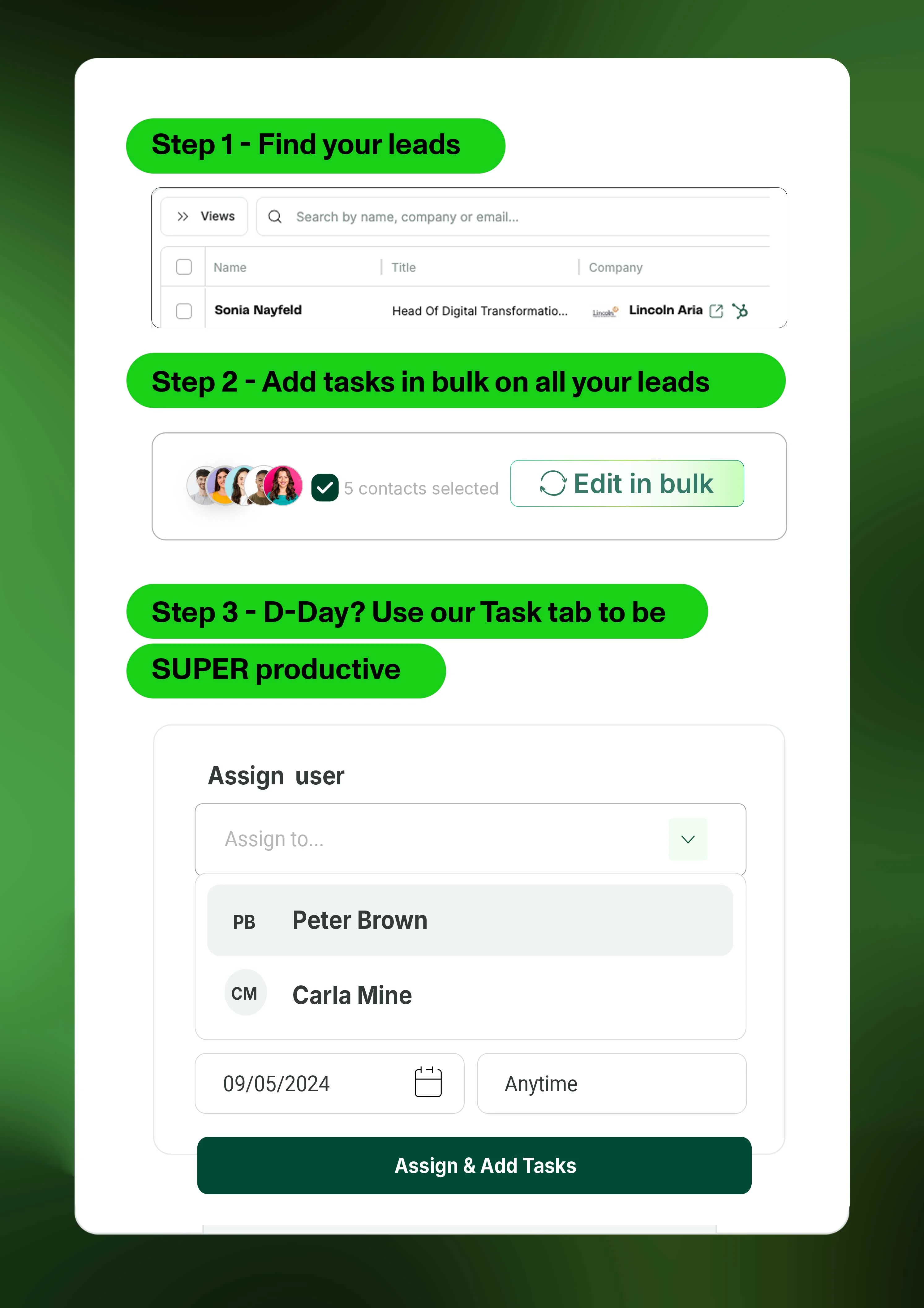
Étape 1 - Trouvez vos prospects
🔎 Trouvez rapidement plus de 100 prospects intacts
- Accédez à notre recherche, appliquez des filtres en fonction de vos personnages
- Nous vous recommandons de choisir au moins 100 contacts afin de vous assurer de disposer de suffisamment pour 2 heures de démarchage téléphonique complet.
Une fois que vous avez identifié les bons contacts, attribuez-les à vous-même.
💡 Conseil de pro : Assurez-vous que les contacts sont intacts grâce à la colonne « Actions ».
Étape 2 - Ajoutez des tâches en masse à tous vos prospects
- Accédez à Mes prospects et sélectionnez les contacts
- Cliquez sur « Ajouter une tâche » en bas
- Choisissez le bon jour
💡 Conseil de pro : Nous vous encourageons à créer une vue dédiée à ces prospects ou à ajouter une étiquette spécifique telle que « Session d'appel à froid ».
Étape 3 - Le jour J ? Utilisez notre onglet Tâches pour être SUPER productif
Prêt à faire du rock !
- Cliquez sur « Mes tâches » dans la section Engage.
- Traitez chaque tâche une par une, en vous assurant d'en prendre note lorsque vous êtes au téléphone.
- L'appel est terminé ? Cliquez sur "Terminé" pour passer à la tâche suivante.
💡 Conseil de pro : Connectez Aircall ou Ringover si vous utilisez l'une de ces VoIP, afin de pouvoir continuer à démarrer l'appel depuis la page Zeliq et en suivre la trace.