
Pourquoi l'automatisation du suivi est importante en B2B (analyse de rentabilisation en une minute)
La poursuite manuelle fait perdre du temps. Les commerciaux copient et collent le même e-mail, oublient de le suivre au bon moment et perdent le contexte d'une chaîne à l'autre. Les rendez-vous échouent, les absences se multiplient et les listes de prospects « périmées » s'accumulent dans votre CRM. Ce ralentissement se traduit par des retards de réponse, des transferts manqués et une qualité de séquence incohérente.
Des e-mails de suivi automatisés réparent la plomberie. Vous créez des règles une seule fois, en fonction du temps ou du comportement, puis vous laissez la plateforme envoyer des coups de pouce polis, arrêter de répondre et passer à l'escalade uniquement lorsque le destinataire s'engage. Une bonne automatisation garantit la bonne délivrabilité des e-mails, enregistre chaque action dans votre CRM et respecte les heures calmes.
Le résultat: un engagement plus constant, moins de touches oubliées et de meilleurs calculs du pipeline.
À quoi ressemble le terme « bon » (directionnel) :
- Taux de réponse: 4 à 10 % (froid) ; les taux plus de 10 % pour les événements chauds ou les événementsbasé suivis.
- Réponse positive %: moins ou égal à 40 % des réponses (réunion acceptée, « send deck », « loop finance »).
- Réunions/100 envois: 2 à 6 (varie selon le marché et l'offre).
- Pipeline pour 1 000 envois: suivi par opérations créé x ACV pour prouver le retour sur investissement.
Des mesures de protection rapides de la part de Gmail/Google et Yahoo : authentifiez-vous avec SPF/DKIM/DMARC, offrez la possibilité de vous désabonner en un clic et maintenez le taux de plaintes liées au spam à un niveau très bas (Google cite 0,1 % comme seuil recommandé pour les expéditeurs groupés, avec 0,3 % comme ligne d'avertissement supérieure).
Qu'est-ce que l'automatisation du suivi des e-mails ?
Définition en anglais clair : Automatisation du suivi des e-mails utilise des règles, des déclencheurs et des séquences pour envoyer des e-mails préprogrammés et des tâches multicanaux au bon moment, et pour arrêter automatiquement toute réponse humaine. Vous pouvez définir des déclencheurs personnalisés (ouvertures, clics, réponse, données de formulaire, changement d'étape du CRM), définir des heures calmes et choisir quand une personne, et non un bot, passe en revue le message suivant.
Types de portée et de déclencheur
- Basé sur le temps: envoyez l'étape 2 après 2 à 5 jours ouvrables ; définissez un rappel pour le jour 9.
- Basé sur le comportement: ouvert mais pas de réponse, renvoyer avec un autre sujet. Vous avez cliqué sur un lien pour proposer un créneau de calendrier.
- Basé sur le CRM: l'étape passe à « Proposition envoyée », commencez à suivre une proposition en 3 étapes.
- Événement/webinaire: participant, envoi du deck et enregistrement ; inscription absente, rediffusion de l'offre.
- Panier/paiement (axé sur les produits B2B) : ajoutez de la valeur ou du soutien, puis cliquez sur « Besoin d'aide ? ».
Interaction humaine ou pilote automatique
- L'humain au cœur de la boucle pour les grands comptes : un représentant passe en revue le suivant courriel avant d'envoyer.
- Pilote automatique pour les volumes élevés : arrêter de répondre ou n'importe quel croisementcanal contactez, puis remettez-le à un représentant.
Principes de base de la conformité (CAN-SPAM/GDPR/CCPA)
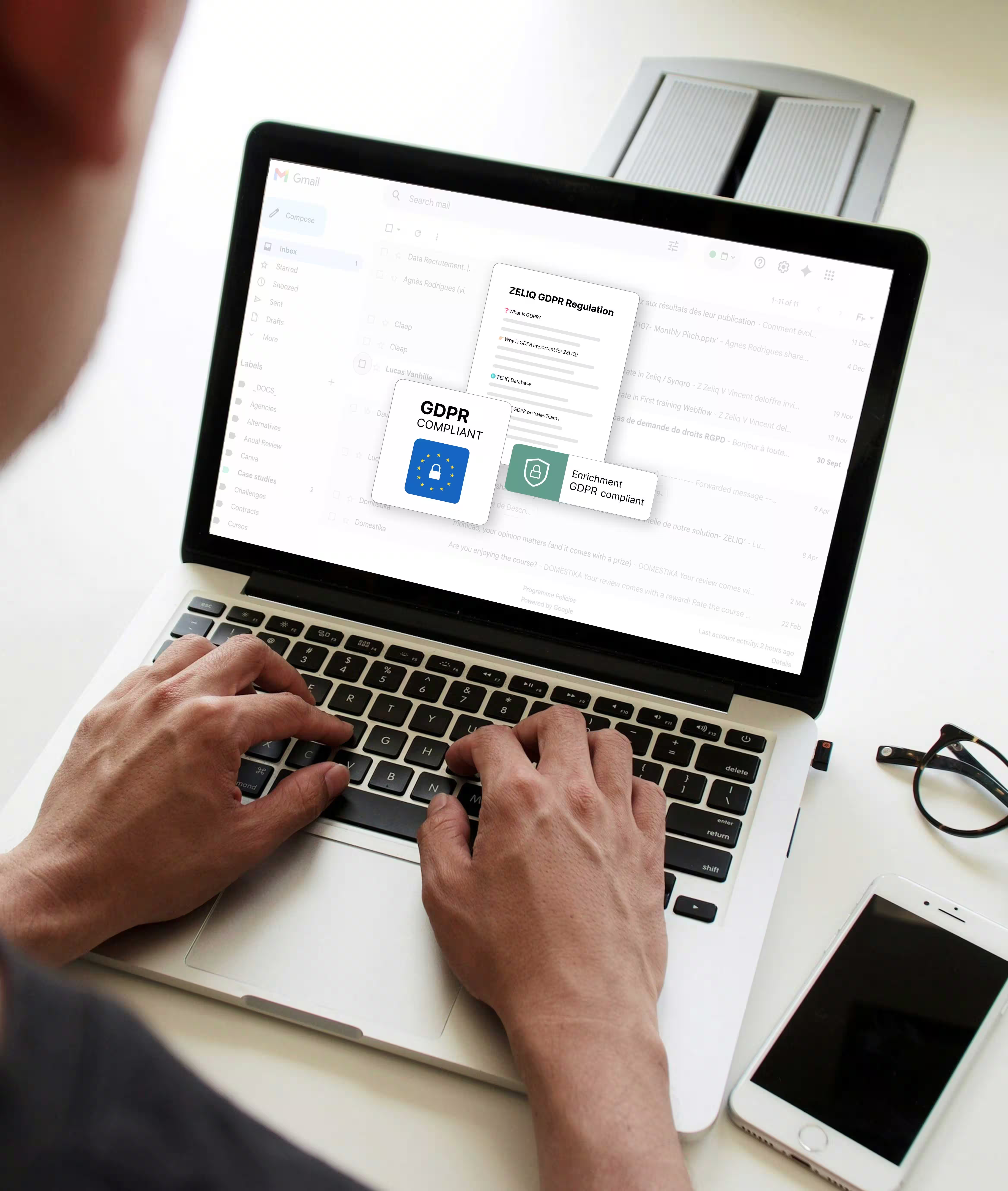
Incluez un désabonnement visible, l'adresse postale de votre entreprise, l'objectif de l'expéditeur et un chemin de désinscription clair. En vertu du GDPR/CCPA, vous avez besoin d'une base légale et d'honorer les opt-outs sur tous les canaux. (Consultez les règles CAN-SPAM de la FTC et les exigences de Google relatives aux expéditeurs groupés.)
Comment automatiser les e-mails de suivi ?
Préparez le fond de teint :
- État de santé du domaine: authentifier (SPF/DKIM/DMARC) et utilisez un suivi personnalisé domaine. Maintenez la réputation de votre boîte de réception propre ; réchauffez progressivement les nouvelles boîtes aux lettres.
- Étranglement: plafonnez les envois quotidiens par boîte aux lettres ; randomisez les fenêtres de minutes.
- GmailConfiguration de /workspace : align From/Reply-To ; surveillez Postmaster pour détecter les signaux de spam.
Concevez vos règles :
- Conditions et temps d'attente: « En l'absence de réponse après 3 jours, envoyez l'étape 2 pendant les heures ouvrables. »
- Heures calmes: évitez les envois tard dans la nuit ou le week-end, sauf pour les tests.
- Capsules quotidiennes par boîte aux lettres, maintenez la délivrabilité stable.
- Règles vous allez réutiliser : arrêt en cas de réponse, pause si une conversation LinkedIn ou téléphonique aboutit.
Logique de branchement (exemple) :
- A répondu par l'affirmative : route vers AE, lot tâche de réunion.
- A répondu de manière neutre : envoyez une ressource, attendez 5 jours, suivre.
- Réponse négative : désactivez ou supprimez.
- Pas de réponse : envoyez l'étape 3 ou pivotez canal.
Inserts multicanaux : entre les étapes d'envoi d'un e-mail, ajoutez des actions de chaîne: consultez le profil LinkedIn, suivez-nous, réagissez à une publication, passez un bref appel, puis reprenez la séquence. Cela augmente l'engagement sans spammer.
Une liste de contrôle avant le lancement
- Testez pour démarrer les boîtes de réception, cliquez sur chaque lien, vérifiez les champs de fusion, confirmez la désinscription.
- Vérifiez les spams, veillez à ce que les images soient claires, évitez de dire « GRATUIT ! ! ! » et des messages de spam similaires.
- Vérifiez la journalisation du CRM (chaque envoi/réponse/action est enregistré).
Où se situe ZELIQ: ZELIQ fournit un générateur de séquences avec une planification par jours, fenêtres horaires et fuseaux horaires, ainsi que des règles d'arrêt relatives aux conditions de réponse/ouverture/clic et de saut d'étape lorsque des données sont manquantes ou qu'un e-mail rebondit. La plateforme impose des limites d'envoi quotidiennes et un rythme de livraison pour protéger la délivrabilité des e-mails, et applique des quotas d'action LinkedIn avec une pause automatique lorsque les seuils sont atteints. Vous bénéficiez également d'analyses de performances et d'une synchronisation CRM afin que l'activité et les résultats restent alignés sur l'ensemble du stack.
Vous voulez une solution rapide pour automatiser le suivi des e-mails ?? Utilisez cette liste de contrôle en cinq parties pour créer votre première séquence, définir des déclencheurs personnalisés et protéger votre boîte de réception.
1) Préparation et politique
- Authentifiez-vous (SPF/DKIM/DMARC) et alignez votre From/Reply-To pour Gmail ou votre fournisseur.
- Définissez des règles internes : arrêt en cas de réponse, heures calmes, plafonds quotidiens par boîte aux lettres et seuils de spam.
- Documentez les pratiques (GDPR/CAN-SPAM) et une politique simple : base légale, désinscription, adresse.
2) Ciblage et hygiène des données
- Vérifiez les enregistrements des prospects, dédupliquez-les et enrichissez les champs du compte (rôle, secteur, région).
- Supprimez les clients, les concurrents et les désabonnements récents pour protéger la délivrabilité.
- Vérifiez les dernières fenêtres (site consulté le mois dernier ? Avez-vous participé à un webinaire ? ouvert le dernier e-mail ?).
3) Créez votre séquence (schéma de départ)
- Étape 1 (jour 0) : valeur + CTA unique (≤100 mots).
- Étape 2 (jours 3 et 4) : lien vers la ressource (étude de cas, page d'une page) + CTA plus souple.
- Étape 3 (jours 7 à 9) : petit rappel avec un nouvel angle.
- Branchement: répondre, tâche, négatif, opt-down, pas de réponse, étape 4 ou pivot de canal.
4) Déclencheurs et synchronisation
- Basé sur le temps: envoyer e-mails préprogrammés Mar/jeudi, heures d'ouverture, minutes aléatoires.
- Basé sur le comportement: ouvert/cliqué mais non répondre → envoyer un autre sujet ligne.
- Basé sur le CRM: changement d'étape (« Proposition envoyée ») → démarrage conditionnel suivre chemin.
- Multicanal inserts : voir le profil LinkedIn → aimer poste → CV courriel.
5) Questions-réponses et analyses (avant et après le lancement)
- Envoyez vers des boîtes de réception de test, ouvrez tous les liens, validez les champs de fusion et les lignes d'objet.
- Taux de visionnage : % de livraisons, % de réponses, % de réponses positives et réunions/100 envois.
- Utilisez l'analyse au niveau des séquences pour comparer les performances par représentant, par compte et par segment.
ZELIQ permet aux équipes de définir des étapes conditionnelles en un seul endroit, de planifier les envois dans des plages horaires et des jours ouvrables définis et d'arrêter les séquences en cas de réponse. Il peut insérer les étapes LinkedIn dans le même ordre, respecter les quotas de la plateforme et suspendre d'autres actions lorsque les limites sont atteintes. Les activités et les résultats sont synchronisés avec votre CRM, et l'analyse des séquences affiche les ouvertures, les clics et les réponses pour guider l'itération. Cela permet de maintenir la conformité de la sensibilisation tout en aidant les représentants à développer ce qui fonctionne.
Comment créer des séquences d'e-mails de suivi ?
Définissez l'objectif
- Participation aux démonstrations (réduction des absences).
- Signature de la proposition (support de la transaction).
- Intégration (transfert du client).
- Réengagement (ancien prospect ou compte inactif).
Segmentez votre public
ICP, rôle, secteur d'activité, signaux d'intention, récence de l'activité et source. Supprimez les clients et fermez les pertes. Enrichissez les données avant la séquence.
Cadence et chronométrage
- Espacez les étapes de 2 à 5 jours ouvrables.
- Respectez le fuseau horaire local, randomisez les minutes d'envoi.
- Limitez les étapes froides à plus ou moins de 100 mots, tandis que les étapes chaudes peuvent ajouter un lien vers une ressource.
Règles de copie
- Une idée + un CTA.
- Lignes d'objet descriptives (« Récapitulatif rapide sur {{project}} + prochaine étape »).
- Biais en texte brut ; paragraphes courts ; facile à scanner.
Ressources à joindre ou à lier (léger)
- Une fiche explicative d'une page sur le retour sur investissement, une courte étude de cas, une rediffusion du webinaire ou un guide produit.
Carte des embranchements (ASCII)
[Étape 1 : Valoriser l'e-mail] --répondre positive--> [Planifier la tâche de la réunion]
|--réponse neutre--> [Envoyer 1 page] --wait 5d--> [Étape 3]
|--réponse négative--> [Désactiver + supprimer de la séquence]
|--pas de réponse (3d) --> [Étape 2 : Ressource + CTA souple]
« Automatisez le suivi » comme un pro : créez une séquence d'e-mails de suivi avec une logique personnalisée
Votre plan de construction rapide
- Mettre en place des suivis: écrivez 3 à 5 étapes, étiquetez chaque type (valeur, ressource, récapitulatif).
- Déclencheurs personnalisés: ouvert mais pas de réponse, changement de sujet ; lien cliqué, calendrier CTA.
- Suivi conditionnel: réponse neutre, 1 page + CTA souple, négative, opt-down.
Pourquoi choisir ZELIQ pour l'orchestration ?
- Générateur de déclencheurs pour les e-mails préprogrammés, les tâches LinkedIn et la pause après réponse.
- Des plafonds par représentant, des fenêtres aléatoires et une intégration à votre CRM pour suivre chaque message.
- Les analyses au niveau des séquences indiquent les réunions pour 100 envois et le pipeline pour 1 000 envois, afin que les chefs d'entreprise puissent évaluer les performances instantanément.
Conseils pour un suivi efficace
- Personnalisation au-delà du prénom : mentionnez un rôle, un KPI, une pile technologique ou un élément récent poste.
- Projetez en apportant de la valeur (point de référence, procédure pas à pas de Loom) au lieu de « simplement vous enregistrer ».
- Preuve sociale : métrique adaptée à l'industrie, évitez les noms que vous ne pouvez pas sauvegarder.
- Une demande par message, CTA à faible friction (« Ouvert à un 12 minutes appelez mar/jeudi ? »).
- Depuis/Répondre à hygiène, convivial signature, et un vrai adresse e-mail établir la confiance.
5 meilleurs conseils de suivi par e-mail pour augmenter les taux de réponse
Chaque astuce est petite, rapide et répétable, utilisez-la sur tous campagne.
- Lignes d'objet qui promettent un résultat
- « Récapitulatif rapide + prochaine étape pour {{project}} »
- « Toujours pertinent pour réduire {{metric}} de {{%}} ? »
- Testez une variable à la fois. Gardez-le court pour éviter la troncature mobile.
- Personnalisation ce n'est pas effrayant
- KPI de rôle, référence de pile, article récent. Pas d'anniversaires ni de contenu privé.
- Deux fragments personnalisés maximum ; puis valeur.
- Une idée, une action
- Un CTA gagne. « Ouvert à un appel de 12 minutes du mardi au jeudi ? » bat les messages de type menu.
- En temps opportun espacement et heures calmes
- 2 à 5 jours ouvrables entre les étapes ; jamais à minuit. Le timing est important.
- Gardez-le facile pour dire « oui »
- Proposez deux options horaires. Ou « Répondez « oui » et je planifierai. » Réduisez les frictions pour augmenter le taux de réponse.
Pratiques communes pour l'excellence opérationnelle
- Prévoyez 3 à 5 touches par micro-objectif. Arrêtez de répondre/de vous désabonner.
- Modèle : e-mail, LinkedIn, e-mail, appel, e-mail. Faites une pause si une chaîne reçoit une réponse.
- Hygiène CRM : chaque envoi/réponse est enregistré, le propriétaire est défini, l'action suivante est définie.
- Bibliothèque de modèles partagée : revue mensuelle pour retirer les joueurs les moins performants.
Comment améliorer les taux de réponse aux e-mails
Ciblage et qualité des listes
- Vérifiez, dédupliez, enrichissez, maintenez le budget de rebond inférieur à 2 %. Préservez la délivrabilité.
- Excluez les clients, les concurrents et les mauvais comptes.
Tests sur les sujets
- La clarté bat l'intelligence, testez une variable à la fois. Assurez-vous que la taille de l'échantillon est minimale.
Optimisation corporelle
- Courtes, scannables et privilégiant les avantages, supprimez les images et les pièces jointes lourdes pour les envois à froid.
Réglage de l'offre et du CTA
- Soyez précis : « Réduisez le temps de révision de 40 %, cela vaut-il la peine de passer un appel de 10 minutes demain ? »
Leviers de délivrabilité
- Maintenez le taux de plaintes bien en dessous de 0,1 %, authentifiez et honorez les désinscriptions.
Conception de l'expérience
- Tests A/B simples, récapitulatifs hebdomadaires par séquence, répétition et segment.
Résolution des problèmes et optimisation : augmentez rapidement vos taux de réponse
Faible acceptation ou faibles réponses ?
- Resserrez les filtres cibles. Enrichissez avec de nouvelles données. Réécrivez le sujet pour plus de clarté.
- Supprimez les images ; limitez la copie à froid à 100 mots ou plus, retravaillez le CTA unique.
Baisse de délivrabilité ?
- Envoi lent, rotation du pool d'expéditeurs. Réchauffez les boîtes de réception, revérifiez l'authentification et supprimez les déclencheurs de spam.
- Surveillez le taux de plaintes et les rebonds difficiles, maintenez le budget de rebond à moins de 2 %.
Des habitudes analytiques qui portent leurs fruits
- Revue hebdomadaire par séquence, équipe et compte.
- Comparez les taux après chaque cycle de test. Mettez rapidement les perdants à la retraite.
Quels sont les meilleurs outils de suivi ?
Critères de sélection
Posture de conformité, limitation, logique de séquence avancée, analyses, intégration CRM, autorisations et auditabilité.
Paysage (descriptif)
- Smartlead : séquençage en masse avec préchauffage, pools et commandes multi-boîtes de réception.
- Mailshake/Saleshandy : logiciel de courrier électronique à froid simple avec suivi.
- Séquences Pipedrive et modules complémentaires Gmail : cadence de base pour les petites équipes.
- CRM WordPress : emailing léger et automatisation simple pour les sites de niche.
Comment ZELIQ peut vous aider à : ZELIQ est une plateforme de sensibilisation pour les équipes commerciales qui organise les étapes LinkedIn et e-mail en un seul endroit. Vous pouvez définir des limites quotidiennes, des heures calmes et des fenêtres d'envoi aléatoires pour protéger la délivrabilité. Les séquences s'arrêtent automatiquement lorsqu'un contact répond. Toutes les actions sont synchronisées avec votre CRM, de sorte que les ventes et le marketing voient le même enregistrement des événements. Les rapports de séquence indiquent les ouvertures, les clics et les réponses afin que vous puissiez comparer les performances et promouvoir ce qui fonctionne. ZELIQ évite l'automatisation risquée des navigateurs et le scraping. Il est conçu pour fonctionner conformément aux directives de la plateforme.
Meilleur logiciel de suivi des e-mails (paysage rapide)
Vous avez demandé les meilleurs logiciels de suivi des e-mails et des outils d'intelligence artificielle à automatiser. Voici un aperçu pratique des acheteurs. (Gardez ZELIQ comme orchestrateur et testez-en au moins deux autres pour vérifier leur compatibilité.)
- ZELIQ: plateforme de sensibilisation pour les équipes commerciales qui orchestre e-mail + LinkedIn étapes avec garde-corps de conformité. Définissez des limites quotidiennes, des heures calmes et des fenêtres d'envoi aléatoires ; séquences arrêter de répondre. Activité se synchronise avec votre CRM et les tableaux de bord au niveau de la séquence indiquent les ouvertures, les clics et les réponses afin que vous puissiez comparer les performances. Conçu pour éviter les automatisations risquées et respectez les règles de la plateforme.
- Smart Lead: échauffement puissant, pools et limitation des envois ; idéal pour les e-mails froids à volume élevé. (S'associe bien avec ZELIQ en tant que plateforme de référence.)
- Mailshake//Saleshandy: diffusion directe des e-mails avec suivi des e-mails, tests A/B et logique de séquence simple.
- Masse G: séquences natives de Gmail. Démarrage rapide, idéal pour les petites équipes.
- Séquences Pipedrive: générateur de séquences de base intégré au CRM. Solide pour les PME.
- HubSpot: marketing + emailing + automatisation. Un logiciel plus lourd mais des analyses robustes.
Liste de contrôle des critères de sélection
- Conformité et limitation (plafonds quotidiens, fenêtres d'envoi aléatoires, arrêt automatique en cas de réponse).
- Suivi conditionnel et déclencheurs personnalisés (basés sur le temps, basés sur le comportement, basés sur les étapes).
- Profondeur d'intégration (CRM, calendriers, formulaires Web, flux zap).
- Assistance à la délivrabilité (échauffement, routage du pool, santé de l'expéditeur).
- Tableau de bord par séquence : livraison, réponse, réponse positive, taux de rendez-vous.
- Effacez les autorisations des utilisateurs et révisez les flux de travail (approbation manuelle pour les comptes clés).
Des mesures et des rapports qui stimulent réellement le pipeline
KPI et formules de base
- % livrés = livré/envoyé.
- Réponse % = réponses/livré.
- Réponse positive % = positifs/réponses.
- Réunions/100 envois.
- Taux d'opportunité = opps/livré.
- Gazoduc $ = opps x valeur d'étape.
Couche de qualité : classez les réponses par sentiment, suivez les conversions par rendez-vous et progressez par étape compte.
Vues du tableau de bord : par séquence, par représentant, par segment et par compte, avec des tendances et des alertes hebdomadaires.
Qualité des données et gestion des listes : le levier de croissance silencieux
- Construisez et entretenez: hygiène des sources, vérification de la syntaxe et de la boîte aux lettres, déduplication, enrichissement.
- Filtres d'intention et de récence: fenêtres d'activités ; listes d'exclusion.
- Gouvernance: qui peut télécharger, conventions de dénomination et politiques de conservation des données.
Délivrabilité et gestion des risques 101
- Configuration technique: SPF/DKIM/DMARC, domaine de suivi personnalisé, aligné Depuis/Reply-To. Suivez les règles de Google/Yahoo relatives aux expéditeurs groupés.
- Stratégie d'envoi: échauffement, pools d'expéditeurs, plafonds quotidiens, fenêtres aléatoires, régulation.
- Risque lié au contenu: évitez les raccourcisseurs de liens et les images trop volumineuses, évitez les mots qui déclenchent le spam.
- Traitement des plaintes: supprimez les plaignants, examinez les modèles de copie et d'envoi et corrigez les problèmes avant de passer à l'échelle supérieure.
Plans de séquençage et micro-dialogues (copie que vous pouvez envoyer aujourd'hui)
Bibliothèque de modèles (copie d'e-mail prête à l'emploi)
Froid ouvreur (90 mots ou plus)
Sujet : Idée rapide pour réduire {{metric}}
« Revenons à {{pain}}. Des équipes comme {{peer}} ont amélioré {{metric}} de {{%}} avec {{product}}. Si {{temps}} est compté, je peux envoyer un métier à tisser de 60 secondes maintenant. Répondez « oui » pour le lien ou « non » et je vous recontacterai plus tard. »
Post-démo (90 mots ou plus)
Sujet : Merci pour temps, récapitulatif + étape suivante
« J'apprécie cet appel. Points forts : {{A, B, C}}. Ensuite : 20 minutes avec {{stakeholders}} pour évaluer l'ajustement. Est-ce que le mardi 10 h 30 ou le jeudi 3 h 40 fonctionnent ? Sinon, proposez un autre jour et je le fixerai. »
Un coup de pouce pour la proposition (90 mots ou plus)
Sujet : Aperçu du retour sur investissement pour {{project}}
« Cela cible {{objectif}} avec {{impact}} dans ~ {{time}}. Deux risques que vous avez signalés et nos mesures d'atténuation : {{•, •}}. Vous voulez que je crée un document d'une page rapide et prêt à être financé ? »
Pause sans réponse (60 mots ou plus)
Sujet : Pause pour le moment ?
« Je vais faire une pause ici pour préserver la santé de votre boîte de réception. Si le calendrier change, répondez « plus tard » et j'ajouterai un rappel le mois prochain. »
Absence de réponse au froid (3 étapes, plus ou égal 90 mots chacun)
Sujet : Idée rapide pour réduire {{metric}}
- Étape 1: Valeur + CTA
« Pour en revenir à {{pain}}, des équipes comme {{peer}} ont réduit {{metric}} de {{%}} après {{mechanism}}. Êtes-vous ouvert à un appel de 12 minutes cette semaine ? » - Étape 2: Ressource
« Partage d'un document d'une page sur {{use-case}}, 3 puces, 60 secondes à scanner. Si cela s'avère utile, je peux mettre en place une procédure pas à pas rapide. » - Étape 3: Pause polie
« Je vais faire une pause ici. Si le calendrier change, répondez « plus tard » et je vous enverrai un rappel pour le mois prochain. »
Récapitulatif post-démo (2 à 3 étapes)
Sujet : Merci pour temps, récapitulatif et étape suivante
« Appréciez conversation. Points forts : {{A, B, C}}. Prochaine étape : 20 minutes avec {{stakeholders}} pour examen ajustement. Le jeudi 10 h 30 ou le jeudi 3 h 40 ? »
Suivi des propositions (3 étapes)
Sujet : Récapitulation et aperçu du retour sur investissement pour {{project}}
« Ce plan cible {{objectif}} avec {{impact}} dans ~ {{time}}. Deux risques que vous avez signalés et la manière dont nous les atténuons : {{•, •}}. Faire appel à la finance ? »
Réengagement (3 étapes)
Sujet : Toujours pertinent pour réduire {{metric}} de {{%}} ?
« Une courte liste de contrôle est jointe ; c'est ainsi que {{peer}} est passé de 1,9 % à 4,7 % de réponses en 30 jours. »
Rappel de réunion + suivi après la réunion
Sujet : Ordre du jour pour demain (10h15)
« Agenda rapide : {{items}}. Ensuite, j'enverrai les décisions, les prochaines actions et les liens. »
Suivi multicanal au-delà du courrier électronique
- Quand insérer des actions LinkedIn : consulter un profil, réagir à une publication, envoyer une courte note.
- Suspendez les séquences lors de la réponse multicanal. Consolidez le contexte dans votre CRM.
- Dans ZELIQ, définissez de petites tâches entre les étapes. La plateforme de sensibilisation peut suspendre la séquence après une réponse par e-mail et, une fois qu'une réponse LinkedIn est enregistrée, empêcher toute double touche.
Remarque: LinkedIn met en garde contre l'automatisation qui imite les humains ou l'émulation d'un navigateur ; il faut s'appuyer sur des étapes évaluées par des humains, des limites quotidiennes peu élevées et une messagerie organique qui respecte ses politiques. (Les règles de Google relatives aux expéditeurs groupés sont explicites. Les conditions d'utilisation de LinkedIn interdisent le scraping et les bots. Citez et respectez les conditions de service pour des raisons de sécurité.).
Gouvernance, conformité et confidentialité que vous ne pouvez pas ignorer
- L'essentiel du CAN-SPAM (FTC): identifiez l'expéditeur, incluez une adresse physique, respectez les désinscriptions et évitez les en-têtes/sujets trompeurs.
- GDPR/CCPA: choisissez une base légale (souvent des intérêts légitimes pour le B2B), divulguez le but et les droits d'honneur (accès, suppression, désinscription). L'ICO britannique explique les bases légales et les cas dans lesquels des intérêts légitimes peuvent s'appliquer au marketing direct.
- Centre de préférences: offrez des options de désinscription (moins d'e-mails, différents sujets) et une désinscription globale.
Mise en œuvre avec ZELIQ : la voie rapide vers la production
Connectez votre CRM et créez séquences omnicanales qui combinent Actions et e-mails sur LinkedIn dans un seul flux de travail. ZELIQ fournit vérification des e-mails et contrôles de délivrabilité pour réduire les rebonds et inclut intégrations avec les principaux CRM tels que Salesforce, HubSpot et Pipedrive. Les équipes peuvent concevoir des campagnes de sensibilisation étape par étape, ajouter une connexion LinkedIn ou des étapes de message, et suivre les performances en un seul endroit. Pour LinkedIn, respectez les règles de la plateforme et veillez à ce que l'activité soit humaine et pertinente.
Bibliothèque de modules que vous pouvez coller dans vos séquences
Modèles de lignes d'objet à tester (une variable à la fois) :
- « Récapitulatif rapide + prochaine étape pour {{project}} »
- « Toujours pertinent pour réduire {{metric}} de {{%}} ? »
- « Mardi à 10 h 15 PT ou jeudi à 15 h 40 PT ? »
Cinq micro-modèles (≤ 90 mots, une seule action chacun) :
- Enregistrement à froid : « Pour en revenir à {{pain}}, des équipes comme {{peer}} ont réduit {{metric}} de {{%}} après {{mechanism}}. Êtes-vous ouvert à un appel de 12 minutes cette semaine ? »
- Après la démo : « Merci pour le temps que vous m'avez accordé, points forts : {{A, B, C}}. Prochaine étape : 20 minutes avec {{stakeholders}}. Est-ce que le mardi 10 h 30 PT fonctionne ? »
- Inclusion de la proposition : « Ce plan cible {{objectif}} avec {{impact}} dans ~ {{time}}. Risques que vous avez signalés + mesures d'atténuation : {{•, •}}. Faire appel à la finance ? »
- Rappel d'intégration: « Bienvenue à bord, voici votre démarrage rapide et votre assistance courriel. Tu veux une visite de 10 minutes demain ? »
- Réengager: « Nous avons publié un nouveau guide sur {{topic}}. Si ça peut aider, je peux envoyer la liste de contrôle d'une page. »
Enter the future of lead gen
Table of contents
Placeholder Title
Table of contents
Placeholder Title
Placeholder Title